
URBOIJ04 - Minecraft Skins & Skin History
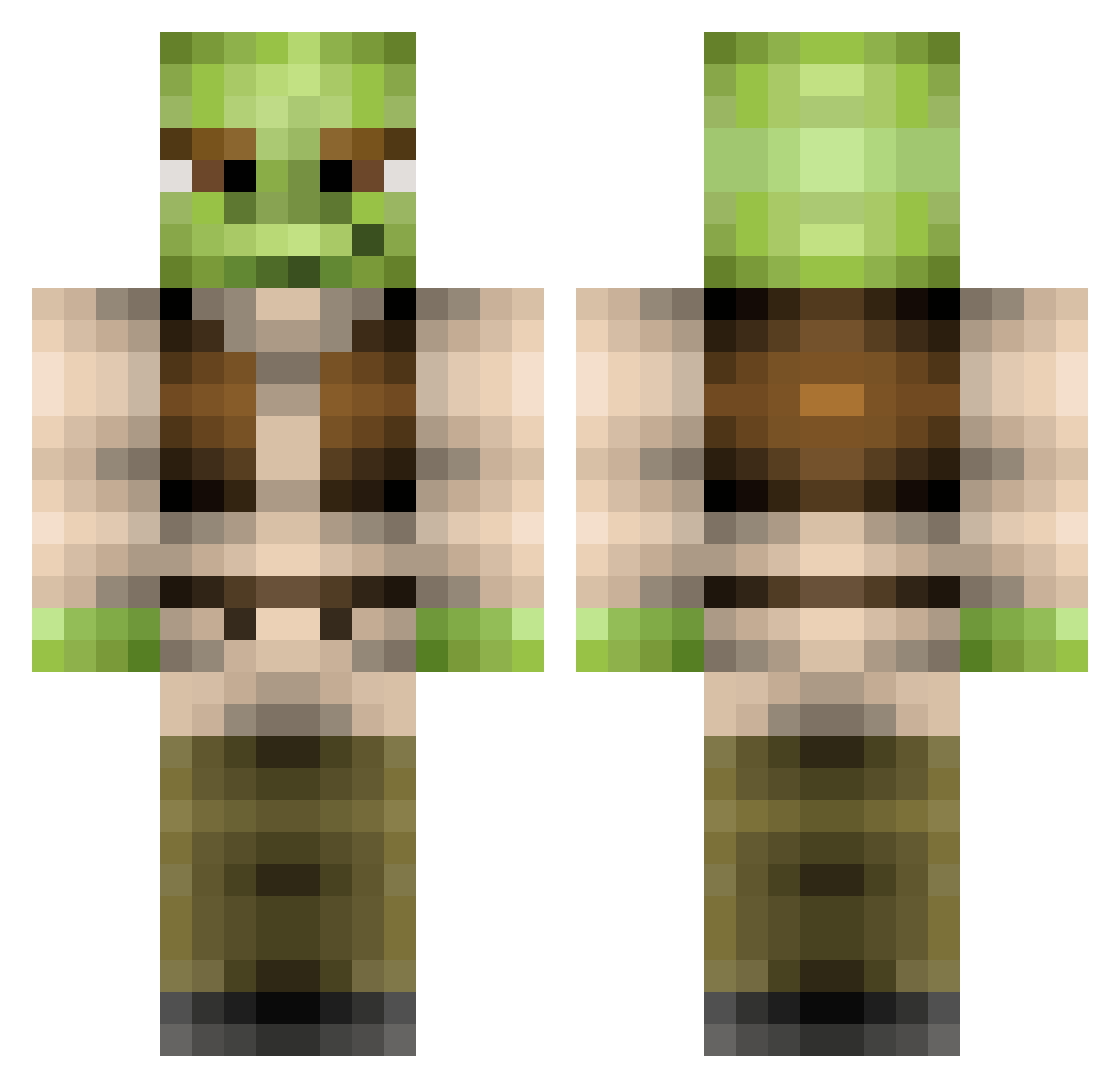
Current Minecraft skin of the player URBOIJ04, loaded from the official Mojang API. Rotate the 3D model with your mouse or finger, then download the skin as a PNG file and use it in Minecraft: Bedrock Edition or Java Edition for free. When URBOIJ04 changes their skin, this page updates automatically and the old skin stays in the history below.
Other players with this skin (369)
URBOIJ04 was the 240th player we have seen with this skin, first spotted on 03.10.2026. The same skin was seen on these players. Open a nickname to see their current skin and skin history.
 hat_ash_lil Kokee17 DzdooomXD SnootyFenton Nighttime BirdsOnMyBack Pheeeedy LogicalLogan SooClassic MineGROG icebergy77 MUFCxLETHALZx gusdog2000 simonm014 xJaamis AaronoftheClouds issym17 ayerawd ROBHO HotSiRacha HulkHawk007 mayucas michael29488 JohnnnKB CaptainStraya cRockLee Jeestra EethKoth 29Nathan GetShreked_ nicehi1 ZoopityBooper Lulz2 Shrekulf MMM_Cheezburgers willshell feluto9 zman117 Defire XxKratosxX321 BidenBlows derpnezz jessplox Hoopsr SergioOctavius Ch3dwin julianc04ddh milbyy sportnisse megaslap sarton999 Awimpyman Roastbeef4Life eternaldarklord JDUBcraft Mrsluggan Spooncer69420 Sammy13361 camtheman2014 jmammo
More Yoda Minecraft skins
How to install the URBOIJ04 skin
- Press the Download button above to save the skin as a PNG file.
- Minecraft: Bedrock Edition (PE): open the Dressing Room from the main menu (or tap your character → Edit Character), go to Classic Skins → Owned, press the + (new skin) button, choose the downloaded PNG and pick the Classic (Steve) model. Works on PC and mobile; consoles cannot import custom skins.
- Minecraft: Java Edition: open the Minecraft Launcher, go to the Skins tab, click New Skin, load the PNG, pick the Classic (Steve) model and press Save & Use. You can also upload it at minecraft.net → Profile → Change Skin.
The skin does not show up after import - what should I do?
Restart Minecraft and open the Dressing Room again - imported skins sometimes appear only after a restart. Also make sure you selected the imported skin and picked the Classic (Steve) model.
Which model should I choose, Classic or Slim?
This skin is designed for the Classic (Steve) model. If you pick the wrong model, the arms of the skin will look stretched or squeezed.
Is the skin of URBOIJ04 free to download?
Yes. Press Download, save the PNG file and use it in Minecraft: Bedrock Edition or Java Edition - no payment or registration needed. The skin also works on multiplayer servers and Realms.
More skins
Looking for more? Go back to all Minecraft skins and check the top skins of the week, month and all time, or find any player's skin by nickname.