
Typicalgaming_ - Minecraft Skins & Skin History
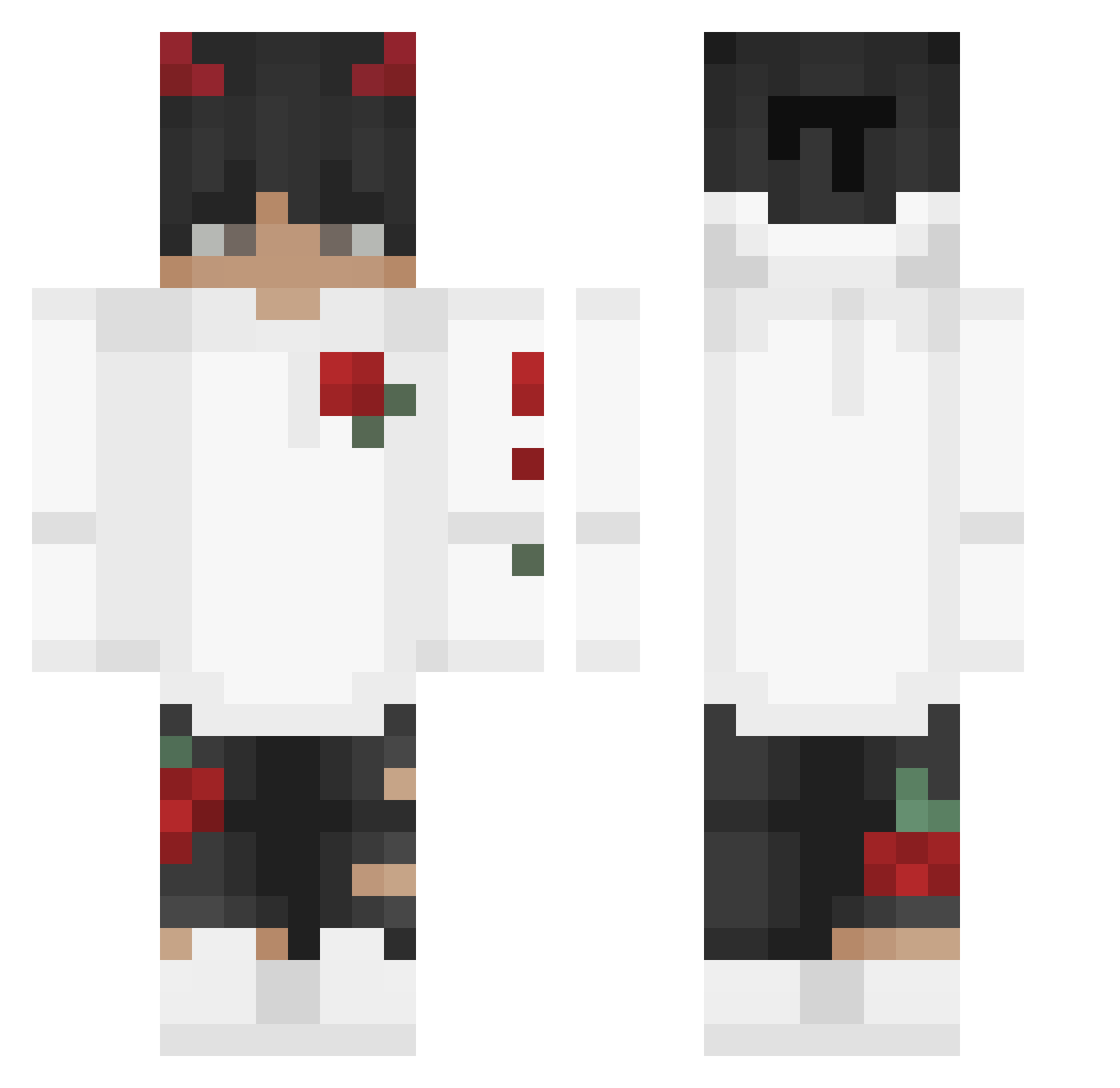
Current Minecraft skin of the player Typicalgaming_, loaded from the official Mojang API. Rotate the 3D model with your mouse or finger, then download the skin as a PNG file and use it in Minecraft: Bedrock Edition or Java Edition for free. When Typicalgaming_ changes their skin, this page updates automatically and the old skin stays in the history below.
Other players with this skin (245)
Typicalgaming_ was the 81st player we have seen with this skin, first spotted on 29.08.2026. The same skin was seen on these players. Open a nickname to see their current skin and skin history.
 N0_nam3e AlboutYT Zirioo Wolfik_Lesny _IronPlays Natolziz 2sa___ jayiiful KevinTian0106 Kouseiii XxNexarxX Tianjunx1 Jerib Anhed0n Gargamelle kyuiih comsky Tarek1AboEyad dcw_ Dar0z Ludishh GhoztSell NoxerYT VB1803 Faaded__ DepNitro mars350 potatobaee CJ_5oh ytZane Ghostiik_ justin_time7 MoshyyMosh Dewrt14 i0gz SEMiQ_10 parada072 uurghtomm Horizon_Xe madur44 BharatGamerYT lucifer_3 PiXi_V2 RobustBacardi M4lc0m___yt Presk0w_420 Jail_MC uCrushu iiTzAmine522 Tsunamicalex27 ImAkioYT Yasumeu ChrisMcCrack DUDUzinnnBW __Sanjin00__ Szizeta dxrrixn PhoeniXxp x29k Sunny9001
More Devil Horns Minecraft skins
How to install the Typicalgaming_ skin
- Press the Download button above to save the skin as a PNG file.
- Minecraft: Bedrock Edition (PE): open the Dressing Room from the main menu (or tap your character → Edit Character), go to Classic Skins → Owned, press the + (new skin) button, choose the downloaded PNG and pick the Classic (Steve) model. Works on PC and mobile; consoles cannot import custom skins.
- Minecraft: Java Edition: open the Minecraft Launcher, go to the Skins tab, click New Skin, load the PNG, pick the Classic (Steve) model and press Save & Use. You can also upload it at minecraft.net → Profile → Change Skin.
The skin does not show up after import - what should I do?
Restart Minecraft and open the Dressing Room again - imported skins sometimes appear only after a restart. Also make sure you selected the imported skin and picked the Classic (Steve) model.
Which model should I choose, Classic or Slim?
This skin is designed for the Classic (Steve) model. If you pick the wrong model, the arms of the skin will look stretched or squeezed.
Is the skin of Typicalgaming_ free to download?
Yes. Press Download, save the PNG file and use it in Minecraft: Bedrock Edition or Java Edition - no payment or registration needed. The skin also works on multiplayer servers and Realms.
More skins
Looking for more? Go back to all Minecraft skins and check the top skins of the week, month and all time, or find any player's skin by nickname.