
Szizeta - Minecraft Skins & Skin History
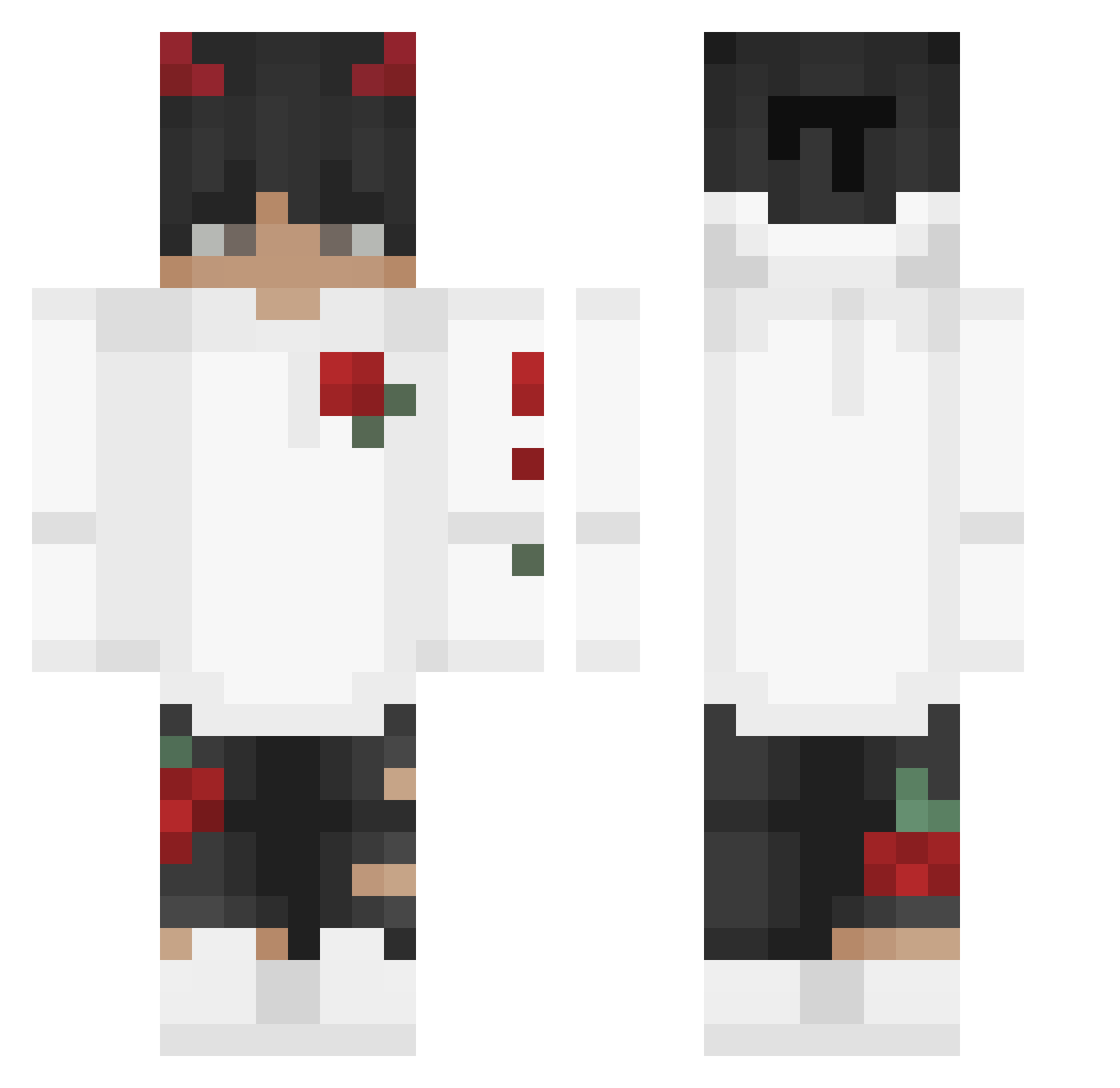
Current Minecraft skin of the player Szizeta, loaded from the official Mojang API. Rotate the 3D model with your mouse or finger, then download the skin as a PNG file and use it in Minecraft: Bedrock Edition or Java Edition for free. When Szizeta changes their skin, this page updates automatically and the old skin stays in the history below.
Other players with this skin (244)
Szizeta was the 58th player we have seen with this skin, first spotted on 17.08.2026. The same skin was seen on these players. Open a nickname to see their current skin and skin history.
 dxrrixn DUDUzinnnBW PhoeniXxp Yasumeu Kurama5837 moatz Tsunamicalex27 Mista_Naurr uCrushu Nivixcz lucifer_3 BharatGamerYT Darkebringer Kallistic ix08ReD Horizon_Xe unwantedjay FatHippo___ AnarchyEx SenpaiGoose69 xX_Aramys_xX XKingThomasX Dewrt14 MoshyyMosh justin_time7 Lcf_dz TooSmart4You FFR05TY DepNitro DereckDaree GroovyWave777 ARDA_BUGRA Faaded__ Chromaisme VB1803 NoxerYT Dwujs0n Ludishh OnGenjutsu OfgardeS dcw_ kyuiih KushCoo DeadAshes Jerib Tianjunx1 _achiles_ Darkkkbear Clxyy_ jayiiful xMikiOx_ Natolziz MaestroNight Vo1d9898 CROniX_x N0_nam3e xTymdun_ Typicalgaming_ RageAgro AlboutYT
More Devil Horns Minecraft skins
How to install the Szizeta skin
- Press the Download button above to save the skin as a PNG file.
- Minecraft: Bedrock Edition (PE): open the Dressing Room from the main menu (or tap your character → Edit Character), go to Classic Skins → Owned, press the + (new skin) button, choose the downloaded PNG and pick the Classic (Steve) model. Works on PC and mobile; consoles cannot import custom skins.
- Minecraft: Java Edition: open the Minecraft Launcher, go to the Skins tab, click New Skin, load the PNG, pick the Classic (Steve) model and press Save & Use. You can also upload it at minecraft.net → Profile → Change Skin.
The skin does not show up after import - what should I do?
Restart Minecraft and open the Dressing Room again - imported skins sometimes appear only after a restart. Also make sure you selected the imported skin and picked the Classic (Steve) model.
Which model should I choose, Classic or Slim?
This skin is designed for the Classic (Steve) model. If you pick the wrong model, the arms of the skin will look stretched or squeezed.
Is the skin of Szizeta free to download?
Yes. Press Download, save the PNG file and use it in Minecraft: Bedrock Edition or Java Edition - no payment or registration needed. The skin also works on multiplayer servers and Realms.
More skins
Looking for more? Go back to all Minecraft skins and check the top skins of the week, month and all time, or find any player's skin by nickname.