
Twinohad123 - Minecraft Skins & Skin History
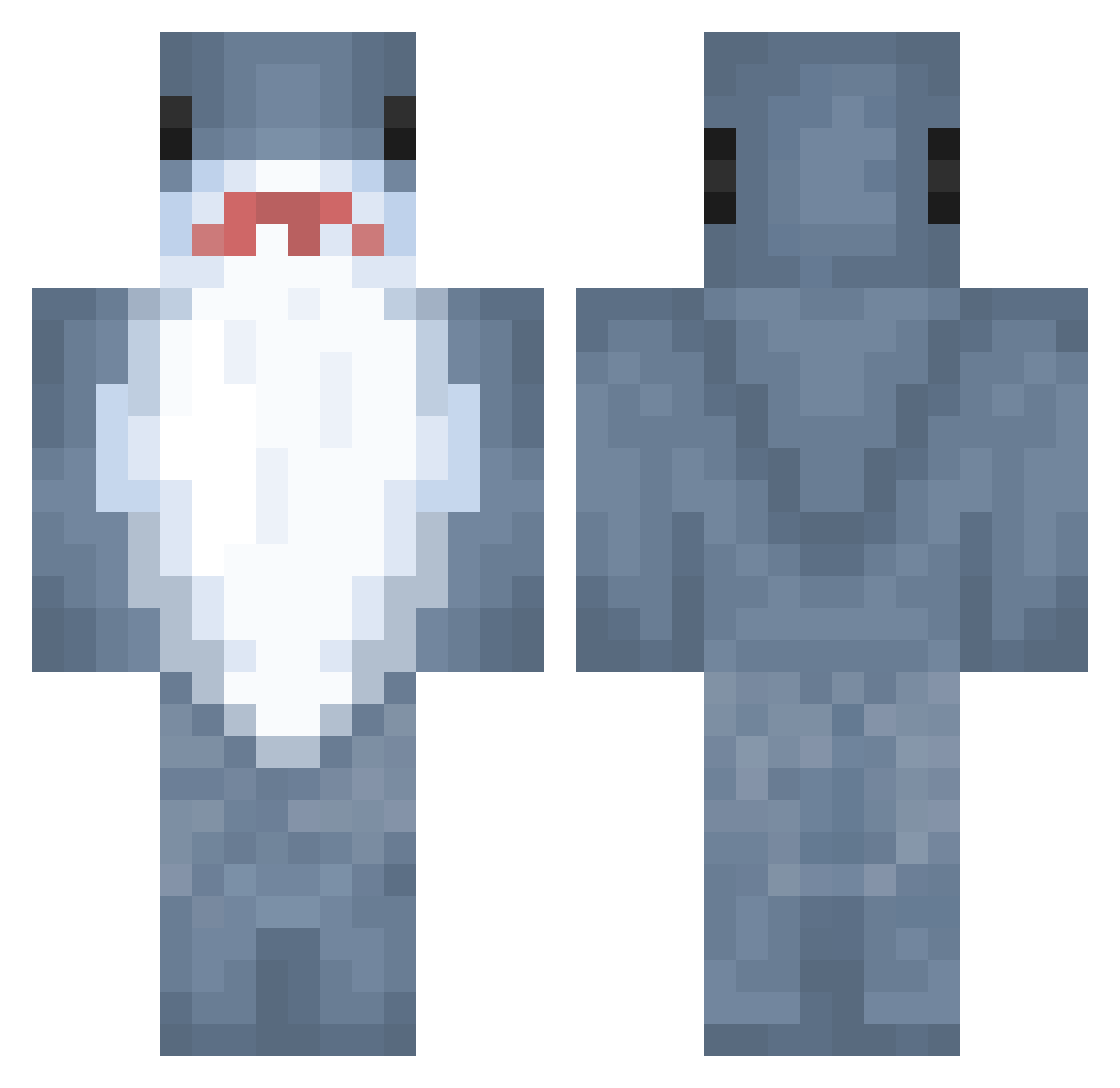
Current Minecraft skin of the player Twinohad123, loaded from the official Mojang API. Rotate the 3D model with your mouse or finger, then download the skin as a PNG file and use it in Minecraft: Bedrock Edition or Java Edition for free. When Twinohad123 changes their skin, this page updates automatically and the old skin stays in the history below.
Other players with this skin (891)
Twinohad123 was the 448th player we have seen with this skin, first spotted on 19.09.2026. The same skin was seen on these players. Open a nickname to see their current skin and skin history.
 ThatChester adeleee8 Positivewon LeePiNn yumyumeatem EvyIsAwesome g_puddin pog3831 Silliaa MeghanC09 bobobo9876 Katherine_G IRIBLU Miztiy yunxxy Beniknie gdj321 ECONNREFUSED LeoAlv03 BLUE_2016 SkippyBread _SilenttJayy Fhewiop cauna Fluffeh_Bunnies mouzhix _Quantic Hcy777 clockwisse MatyasCr1tical Over3AM Pokaay
 HotAnson Retro6s ghhHtffytt Yormom4 the_unicorn666 Yujika ryanaungs chiminnn kelp818 Baltaragis TeRRyShAAaRk Triblastic cinnaaa Kyivska BIGGBURRR juliadacool Jbay13 OBigSippinO illo_olli joe_KILKA AllanLaBanane blezom ECONNCLOSED RideCite cooljeans SSDMW choisaneee Purple_Egg14
More Shark Minecraft skins
How to install the Twinohad123 skin
- Press the Download button above to save the skin as a PNG file.
- Minecraft: Bedrock Edition (PE): open the Dressing Room from the main menu (or tap your character → Edit Character), go to Classic Skins → Owned, press the + (new skin) button, choose the downloaded PNG and pick the Classic (Steve) model. Works on PC and mobile; consoles cannot import custom skins.
- Minecraft: Java Edition: open the Minecraft Launcher, go to the Skins tab, click New Skin, load the PNG, pick the Classic (Steve) model and press Save & Use. You can also upload it at minecraft.net → Profile → Change Skin.
The skin does not show up after import - what should I do?
Restart Minecraft and open the Dressing Room again - imported skins sometimes appear only after a restart. Also make sure you selected the imported skin and picked the Classic (Steve) model.
Which model should I choose, Classic or Slim?
This skin is designed for the Classic (Steve) model. If you pick the wrong model, the arms of the skin will look stretched or squeezed.
Is the skin of Twinohad123 free to download?
Yes. Press Download, save the PNG file and use it in Minecraft: Bedrock Edition or Java Edition - no payment or registration needed. The skin also works on multiplayer servers and Realms.
More skins
Looking for more? Go back to all Minecraft skins and check the top skins of the week, month and all time, or find any player's skin by nickname.