
Tutur0505 - Minecraft Skins & Skin History
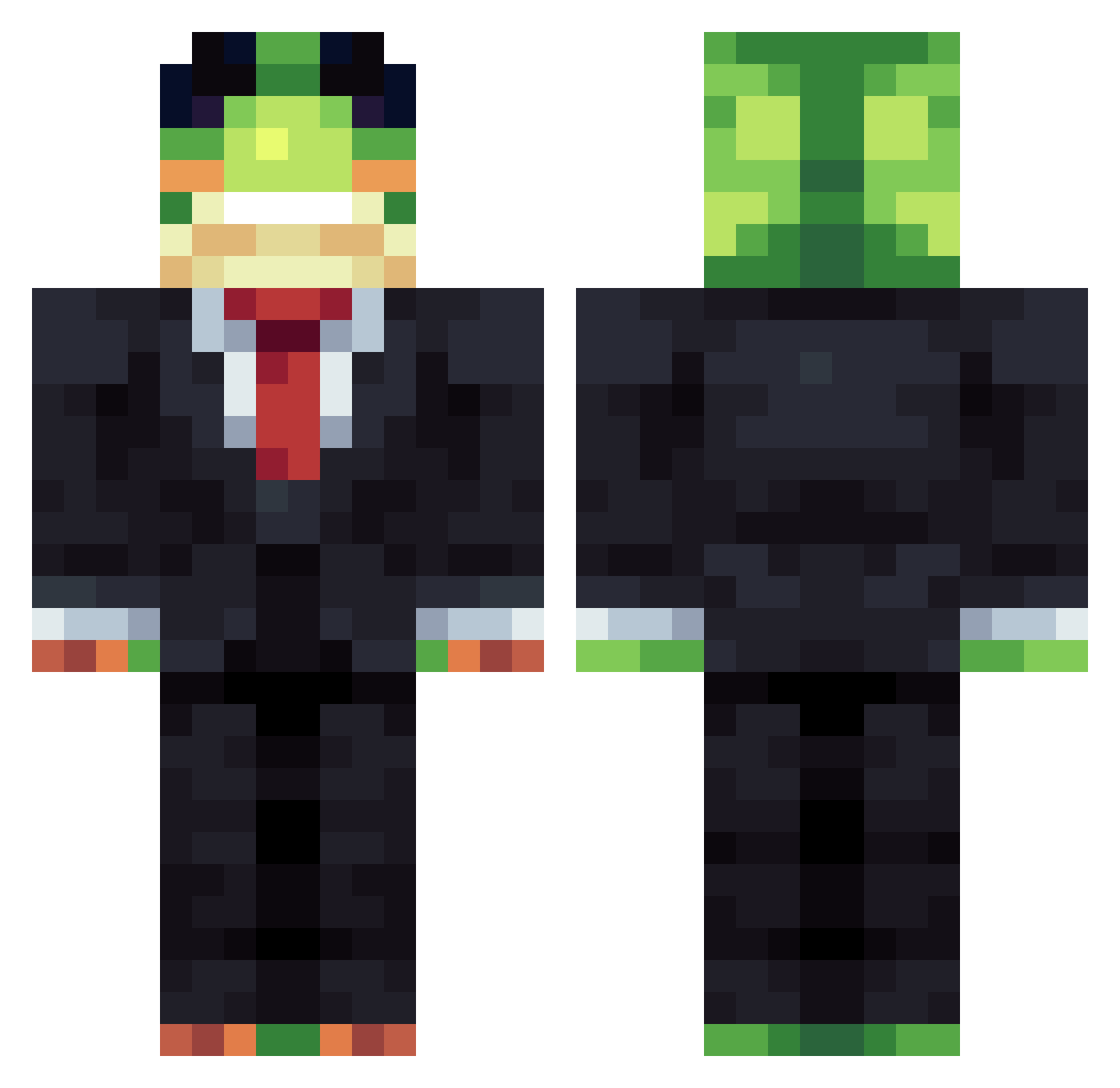
Current Minecraft skin of the player Tutur0505, loaded from the official Mojang API. Rotate the 3D model with your mouse or finger, then download the skin as a PNG file and use it in Minecraft: Bedrock Edition or Java Edition for free. When Tutur0505 changes their skin, this page updates automatically and the old skin stays in the history below.
Other players with this skin (1159)
Tutur0505 was the 1100th player we have seen with this skin, first spotted on 17.10.2026. The same skin was seen on these players. Open a nickname to see their current skin and skin history.
 Temple4378 SuitingMaple80 Bonelcrack JM_8655 JetPack925 bvfbgf Harleyo0o RedRobotFire ohisamamataruim Nutzy0 JirinaHR ElAlesus0322 sammutin36 dragonfart13 pinzdingin KxllSwitchx GreenFrog03 SirrFroggie gatoguff 4penst44rtje ColinB1408 kjanimal10 Teezbruh Whiplash46 Zninja09 Rodrigo_UNO NeoWilliam Simeon2013 DolaAI Raf2cold EldenRing200 barvo390 SKBTM11 PonderousDillyJ Zlate_01 lionzz_MC sneaksniper Beggorilla polo1111 AhmetKrbrk yeonwoo228 Artox2009 50rt CBW10 ivan0753 Whippersnapper1s TheOxygenThief1 leketa174 Onqh_Toji tomasmonkey madpoopies paquito_mc77 mingythemango gangactivitys _Drake898_ __Leetify__ spoconyanonek ceycey01 IamGroot094 ItzVexro_
More Frog Minecraft skins
How to install the Tutur0505 skin
- Press the Download button above to save the skin as a PNG file.
- Minecraft: Bedrock Edition (PE): open the Dressing Room from the main menu (or tap your character → Edit Character), go to Classic Skins → Owned, press the + (new skin) button, choose the downloaded PNG and pick the Classic (Steve) model. Works on PC and mobile; consoles cannot import custom skins.
- Minecraft: Java Edition: open the Minecraft Launcher, go to the Skins tab, click New Skin, load the PNG, pick the Classic (Steve) model and press Save & Use. You can also upload it at minecraft.net → Profile → Change Skin.
The skin does not show up after import - what should I do?
Restart Minecraft and open the Dressing Room again - imported skins sometimes appear only after a restart. Also make sure you selected the imported skin and picked the Classic (Steve) model.
Which model should I choose, Classic or Slim?
This skin is designed for the Classic (Steve) model. If you pick the wrong model, the arms of the skin will look stretched or squeezed.
Is the skin of Tutur0505 free to download?
Yes. Press Download, save the PNG file and use it in Minecraft: Bedrock Edition or Java Edition - no payment or registration needed. The skin also works on multiplayer servers and Realms.
More skins
Looking for more? Go back to all Minecraft skins and check the top skins of the week, month and all time, or find any player's skin by nickname.