
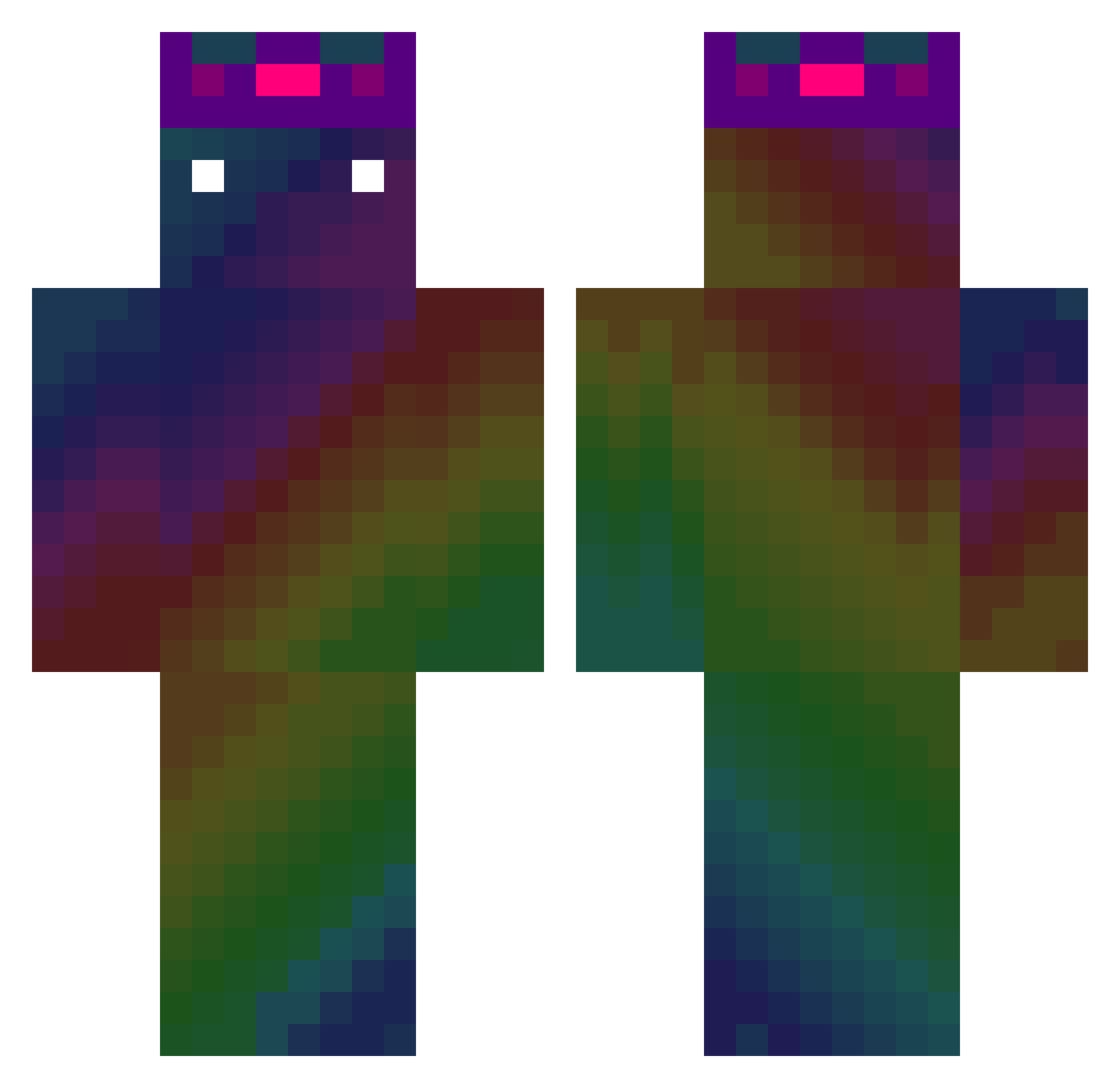
Current Minecraft skin of the player Tsudoooo, loaded from the official Mojang API. Rotate the 3D model with your mouse or finger, then download the skin as a PNG file and use it in Minecraft: Bedrock Edition or Java Edition for free. When Tsudoooo changes their skin, this page updates automatically and the old skin stays in the history below.
Other players with this skin (405)
Tsudoooo was the 248th player we have seen with this skin, first spotted on 20.09.2026. The same skin was seen on these players. Open a nickname to see their current skin and skin history.
 aof236 lukita912 Lzc_forget Eyebejay antoine8154 Choon_3 Skiby_04 Ripang_ Young_Franco Dharmachakraahn Nichotinn OZLEN56 bow___wow dsgjkahhwjrektqa dongbeom96 Ar_Bin_ Lonely_Lz WachTy HeliosSwan cottoncandy1310 enderdragon50 AzraelNemesis ExtaZiaBidax Stargazing510 SharkCoin TkSunny Darkmaster999 JusdeRaisin972 tldhs9073 Lacksnake xazRix Blocker_Gold gamff2 Mektoub38 Bleh0202 SiGuMa_777 RaptureGT ToDayIsgooD gqcv SuperDonut178 Ovotroll Bgar009 sunset03 kimmanduk07 namlnw Kwabss Betovenm Maxou_7203 Turboprime9102 Eponeidistos glass0709 BhavPlaysMC Shikiv AlexanderGuyot77 Sr_Lpezz idzi223 SeiYue wazjq5201314 keristo14 qjk0726
How to install the Tsudoooo skin
- Press the Download button above to save the skin as a PNG file.
- Minecraft: Bedrock Edition (PE): open the Dressing Room from the main menu (or tap your character → Edit Character), go to Classic Skins → Owned, press the + (new skin) button, choose the downloaded PNG and pick the Classic (Steve) model. Works on PC and mobile; consoles cannot import custom skins.
- Minecraft: Java Edition: open the Minecraft Launcher, go to the Skins tab, click New Skin, load the PNG, pick the Classic (Steve) model and press Save & Use. You can also upload it at minecraft.net → Profile → Change Skin.
The skin does not show up after import - what should I do?
Restart Minecraft and open the Dressing Room again - imported skins sometimes appear only after a restart. Also make sure you selected the imported skin and picked the Classic (Steve) model.
Which model should I choose, Classic or Slim?
This skin is designed for the Classic (Steve) model. If you pick the wrong model, the arms of the skin will look stretched or squeezed.
Is the skin of Tsudoooo free to download?
Yes. Press Download, save the PNG file and use it in Minecraft: Bedrock Edition or Java Edition - no payment or registration needed. The skin also works on multiplayer servers and Realms.
More skins
Looking for more? Go back to all Minecraft skins and check the top skins of the week, month and all time, or find any player's skin by nickname.