
TsR_Epix - Minecraft Skins & Skin History
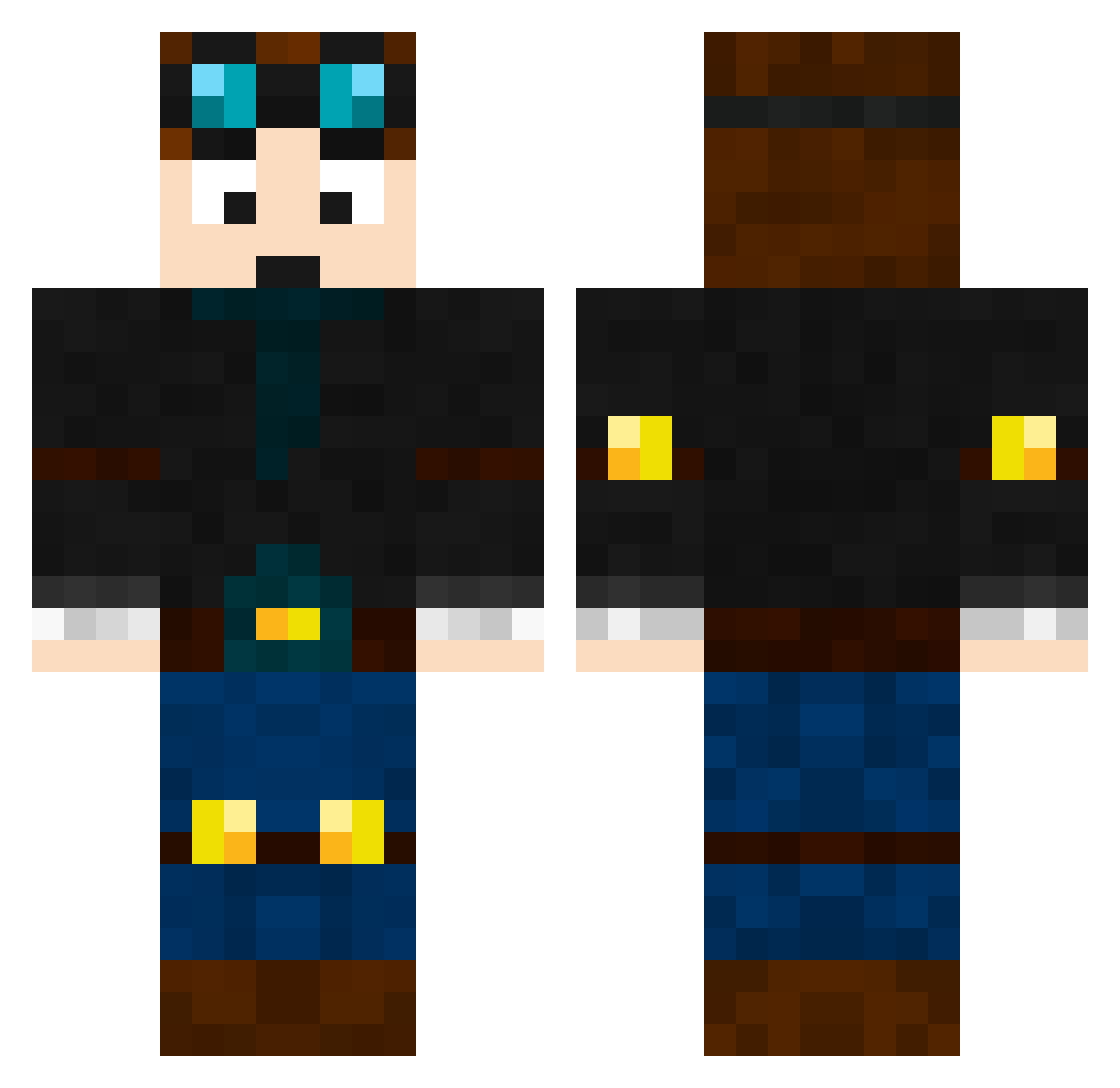
Current Minecraft skin of the player TsR_Epix, loaded from the official Mojang API. Rotate the 3D model with your mouse or finger, then download the skin as a PNG file and use it in Minecraft: Bedrock Edition or Java Edition for free. When TsR_Epix changes their skin, this page updates automatically and the old skin stays in the history below.
Other players with this skin (669)
TsR_Epix was the 484th player we have seen with this skin, first spotted on 24.10.2026. The same skin was seen on these players. Open a nickname to see their current skin and skin history.
 stampylonghead73 RobertG chrisweise hulkbuster17 survivalking10 QuinnandNate Jadomado123 lambojoshua bigherobrine udbhav Strongman246 paperqwer Gavster300 KevinAL85 LJVCraft AmigoVi Nicholas10306 Rafi_Bomb atlisig ollie7209 Speeddy881 FlamePig2004 MoTi_0406 lol1230 Hawk_Eye_06 oisinTipp BlockBusterk5 CALLME_THEJOKER macobis Theopiglet APJT dallascowboys88 DanTEM149 Wolfe359 blueflywire peper TheModMaker113 jodoma kobetdm DAB0SSMAN ZuChannel speedytaylor 2ndscott ells_123_ xPappi Bokator poopyhead2007 Klouter LouisR1 Jameson6 RoonieGoonie Lion18 wistowsquid wakjob monkeyman154 tammmyambrose kman1974 harpwner55 fetusconsumer400 Aforamazing1
More Engineer Minecraft skins
How to install the TsR_Epix skin
- Press the Download button above to save the skin as a PNG file.
- Minecraft: Bedrock Edition (PE): open the Dressing Room from the main menu (or tap your character → Edit Character), go to Classic Skins → Owned, press the + (new skin) button, choose the downloaded PNG and pick the Classic (Steve) model. Works on PC and mobile; consoles cannot import custom skins.
- Minecraft: Java Edition: open the Minecraft Launcher, go to the Skins tab, click New Skin, load the PNG, pick the Classic (Steve) model and press Save & Use. You can also upload it at minecraft.net → Profile → Change Skin.
The skin does not show up after import - what should I do?
Restart Minecraft and open the Dressing Room again - imported skins sometimes appear only after a restart. Also make sure you selected the imported skin and picked the Classic (Steve) model.
Which model should I choose, Classic or Slim?
This skin is designed for the Classic (Steve) model. If you pick the wrong model, the arms of the skin will look stretched or squeezed.
Is the skin of TsR_Epix free to download?
Yes. Press Download, save the PNG file and use it in Minecraft: Bedrock Edition or Java Edition - no payment or registration needed. The skin also works on multiplayer servers and Realms.
More skins
Looking for more? Go back to all Minecraft skins and check the top skins of the week, month and all time, or find any player's skin by nickname.