
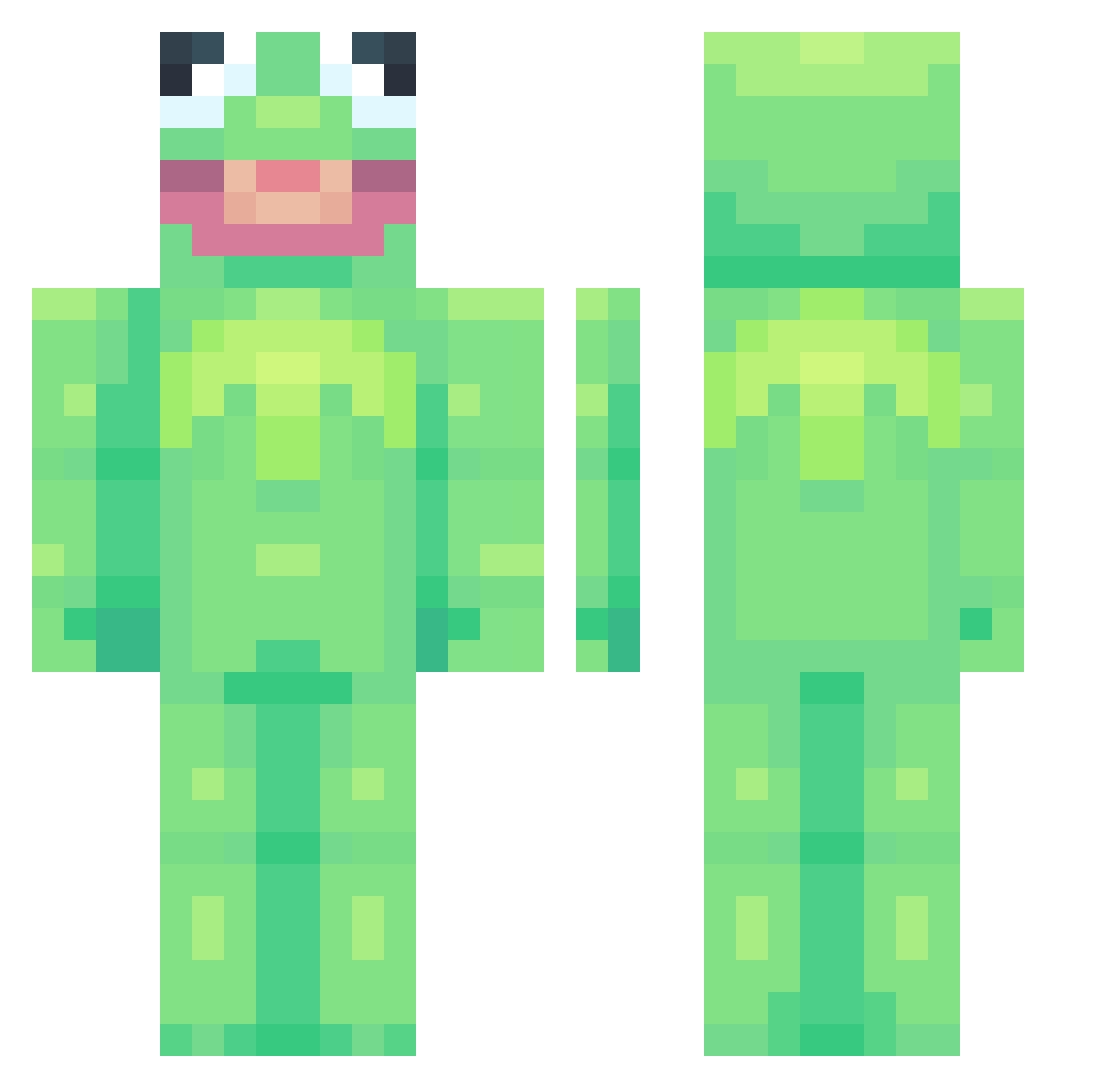
Current Minecraft skin of the player TrixRabbit34, loaded from the official Mojang API. Rotate the 3D model with your mouse or finger, then download the skin as a PNG file and use it in Minecraft: Bedrock Edition or Java Edition for free. When TrixRabbit34 changes their skin, this page updates automatically and the old skin stays in the history below.
Other players with this skin (602)
TrixRabbit34 was the 134th player we have seen with this skin, first spotted on 11.08.2026. The same skin was seen on these players. Open a nickname to see their current skin and skin history.
 valkyrie_69 Pilgrimer Uschis_mom minecraftman26 Froggynat0r XIVFiN bananananabatman Hummingss pondfroggu Beketamun zyshara Friigo Onryon BreadPope Zwettr Nitrojasper OliverrPB Marko556 Kaktwe_ weetuph loserbehavior Mil44n
 Landmork TomTuff racgeza Uyou6 amrensavage Zeebar fruitpee omeletl0ver TrySoloTM mivmiv33 _BUMPADUMP BroTumnus JustChriz_ R0llerguy ChankGamer fleu3r WaluigiDid911 enmasann DaeStorm shakarr69 xPeachyMomo darkwolf2351 Jamal69 Lxstify Knapaix slwbrns PokemonFerhat octopusi104 ydnar026 Mr_TheLegs Swagynator acamar_ helenalol DottVillain eunho0011 LaDorade33 Dimitri_khan UncleBenji
More Kermit The Frog Minecraft skins
See all 366 Kermit The Frog skins
How to install the TrixRabbit34 skin
- Press the Download button above to save the skin as a PNG file.
- Minecraft: Bedrock Edition (PE): open the Dressing Room from the main menu (or tap your character → Edit Character), go to Classic Skins → Owned, press the + (new skin) button, choose the downloaded PNG and pick the Classic (Steve) model. Works on PC and mobile; consoles cannot import custom skins.
- Minecraft: Java Edition: open the Minecraft Launcher, go to the Skins tab, click New Skin, load the PNG, pick the Classic (Steve) model and press Save & Use. You can also upload it at minecraft.net → Profile → Change Skin.
The skin does not show up after import - what should I do?
Restart Minecraft and open the Dressing Room again - imported skins sometimes appear only after a restart. Also make sure you selected the imported skin and picked the Classic (Steve) model.
Which model should I choose, Classic or Slim?
This skin is designed for the Classic (Steve) model. If you pick the wrong model, the arms of the skin will look stretched or squeezed.
Is the skin of TrixRabbit34 free to download?
Yes. Press Download, save the PNG file and use it in Minecraft: Bedrock Edition or Java Edition - no payment or registration needed. The skin also works on multiplayer servers and Realms.
More skins
Looking for more? Go back to all Minecraft skins and check the top skins of the week, month and all time, or find any player's skin by nickname.