
Trefoilee - Minecraft Skins & Skin History
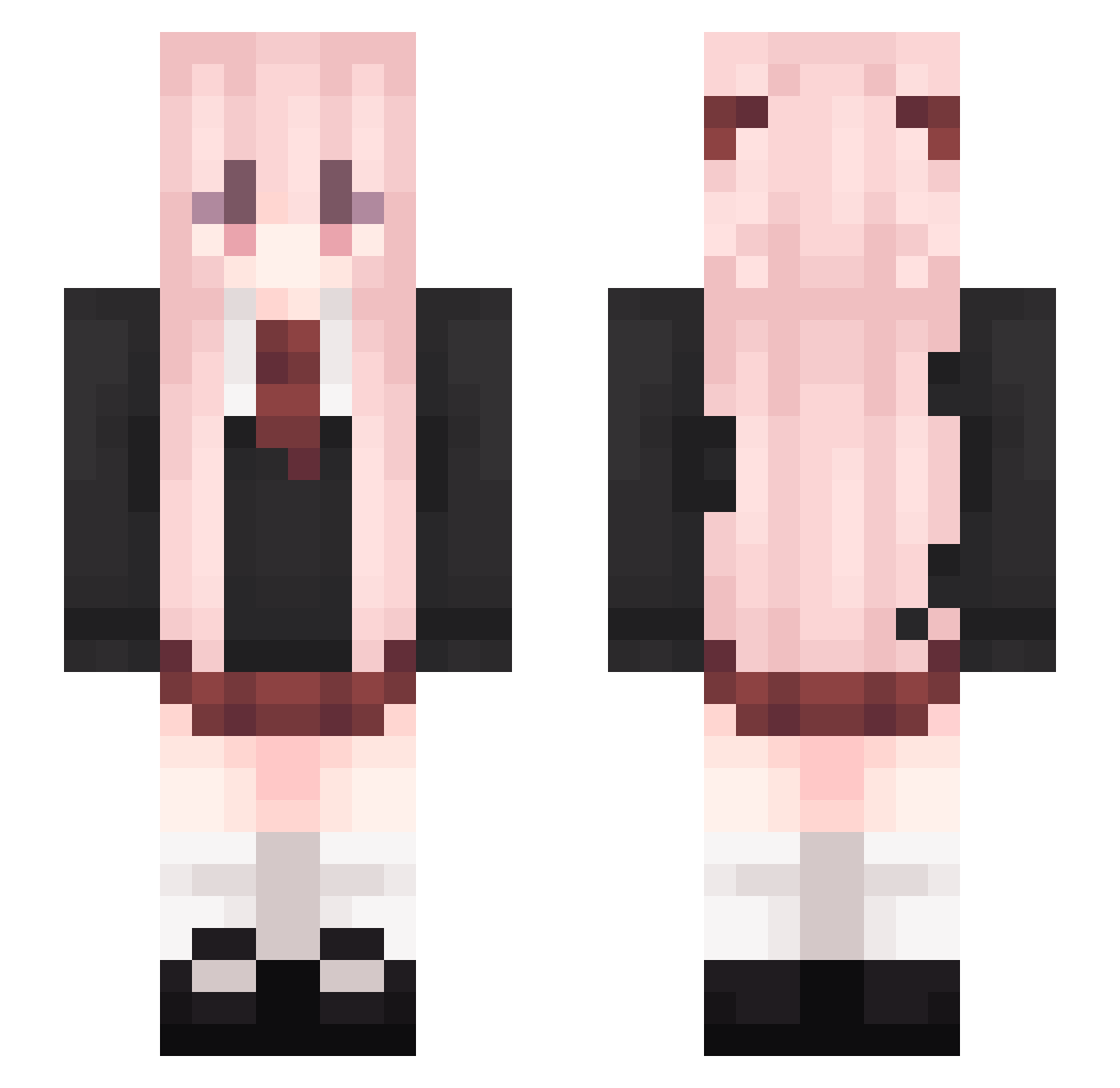
Current Minecraft skin of the player Trefoilee, loaded from the official Mojang API. Rotate the 3D model with your mouse or finger, then download the skin as a PNG file and use it in Minecraft: Bedrock Edition or Java Edition for free. When Trefoilee changes their skin, this page updates automatically and the old skin stays in the history below.
Other players with this skin (206)
Trefoilee was the 159th player we have seen with this skin, first spotted on 19.10.2026. The same skin was seen on these players. Open a nickname to see their current skin and skin history.
 DiegoBrando_WRYY PolarDBear_ dolentstar Frenudy sirian09 Cillllll kobn1 Ixelp Farls kanikani666 licaiya AbaddonL tie_yu_awa Rook23LA sleepyheads feifei0825 martii_84 Apostrophe ZhenChaFe1Ji Ultimogeniture dekapoteto abay120108 angelqwq LITBRW IEatRubbers LoveLucasS2 wizrer NaranjaMC Sussybakaa moincat Mooens Boept protonesso LXY13110 ShinyThighs WhatAMonkey huixique iam1nn babushkas handgrip Gothicpie _Beebroth_ A_rein SelaCol kespong Lesp4rXD canyoupromise Yukari_Takeba CryUshio Null_Player Asunder169 TransMyu Aearp compensates JokerK1114 Eleroa RvW16 FemboyDavid soygabbs Worry
More School Uniform Minecraft skins
See all 7293 School Uniform skins
How to install the Trefoilee skin
- Press the Download button above to save the skin as a PNG file.
- Minecraft: Bedrock Edition (PE): open the Dressing Room from the main menu (or tap your character → Edit Character), go to Classic Skins → Owned, press the + (new skin) button, choose the downloaded PNG and pick the Slim (Alex) model. Works on PC and mobile; consoles cannot import custom skins.
- Minecraft: Java Edition: open the Minecraft Launcher, go to the Skins tab, click New Skin, load the PNG, pick the Slim (Alex) model and press Save & Use. You can also upload it at minecraft.net → Profile → Change Skin.
The skin does not show up after import - what should I do?
Restart Minecraft and open the Dressing Room again - imported skins sometimes appear only after a restart. Also make sure you selected the imported skin and picked the Slim (Alex) model.
Which model should I choose, Classic or Slim?
This skin is designed for the Slim (Alex) model. If you pick the wrong model, the arms of the skin will look stretched or squeezed.
Is the skin of Trefoilee free to download?
Yes. Press Download, save the PNG file and use it in Minecraft: Bedrock Edition or Java Edition - no payment or registration needed. The skin also works on multiplayer servers and Realms.
More skins
Looking for more? Go back to all Minecraft skins and check the top skins of the week, month and all time, or find any player's skin by nickname.