
Trapper4O77 - Minecraft Skins & Skin History
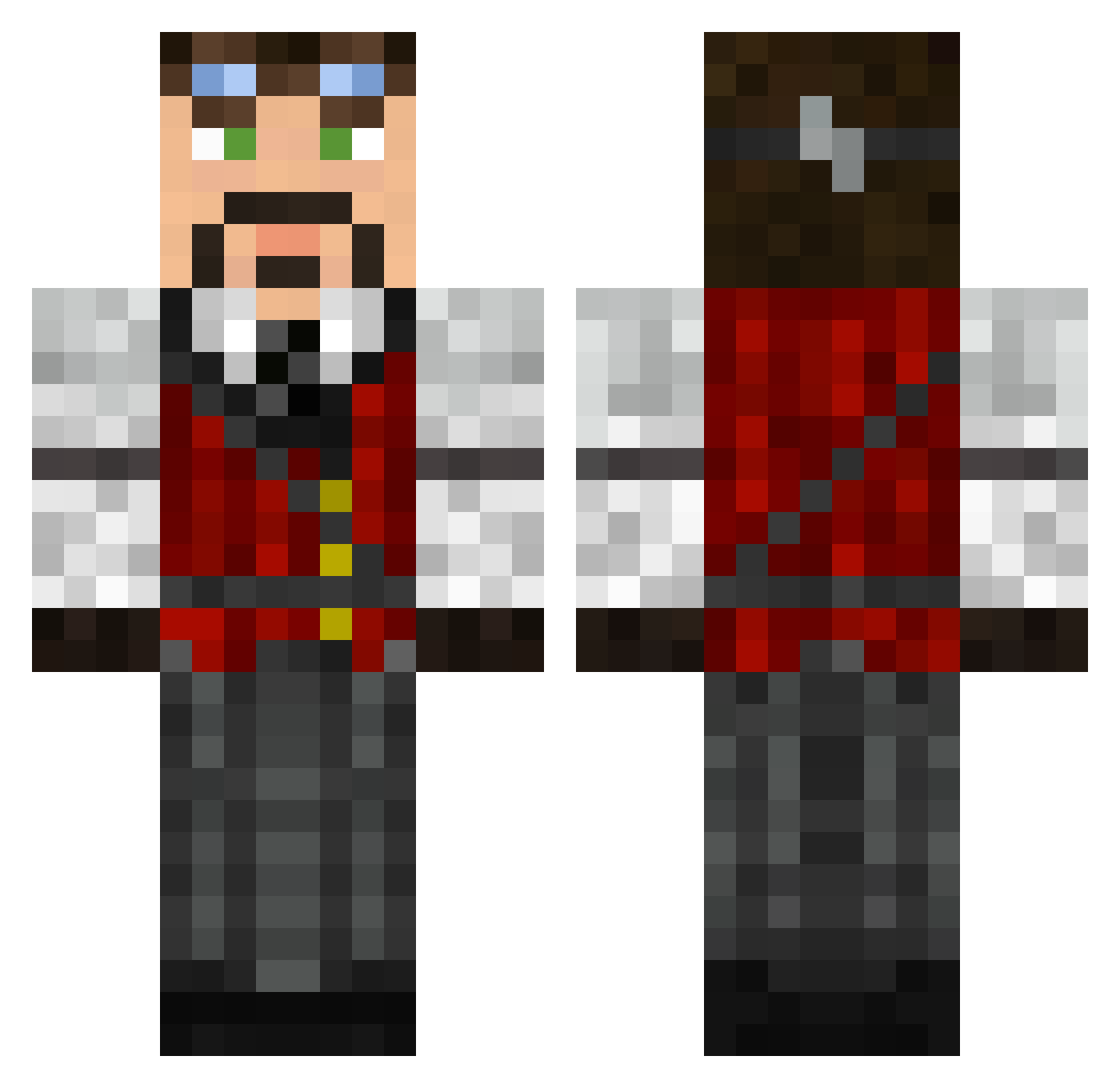
Current Minecraft skin of the player Trapper4O77, loaded from the official Mojang API. Rotate the 3D model with your mouse or finger, then download the skin as a PNG file and use it in Minecraft: Bedrock Edition or Java Edition for free. When Trapper4O77 changes their skin, this page updates automatically and the old skin stays in the history below.
Other players with this skin (626)
Trapper4O77 was the 210th player we have seen with this skin, first spotted on 05.09.2026. The same skin was seen on these players. Open a nickname to see their current skin and skin history.
 Bargie Abadiel Zenid_ Technicolor_Goat royalfds RavynousHunter archersaint Maxwiels2 Starnite BM0F Pjate CidLancer Isi AlberTross7 bbberger Rogue_114 MrTheChaos1 BroPossible Sly_Koala Astaritobril Piffles Albin2011 Welshmen Lanield Norgy Gravlax YungPadraig Random_Lurker AaronMills Just_Jonny rasmusw97 agent00228 SilentJay_ Arcadian shadowhunter1994 windowmaker66 Tident deadtomatoes minidevilz urchin9899 FrankenCraftHD MrPYF zetarue gabador Soulleader21 GordMcLeod GrizGuy SpoonFace234 Pitris85 LairdBlackheart espeneik Noahhhhh rokit0 VAUZILE KamiJet Topmuk Tiggit Bog_Dog LiamTheWaffle Powerofmind
More Steampunk Minecraft skins
How to install the Trapper4O77 skin
- Press the Download button above to save the skin as a PNG file.
- Minecraft: Bedrock Edition (PE): open the Dressing Room from the main menu (or tap your character → Edit Character), go to Classic Skins → Owned, press the + (new skin) button, choose the downloaded PNG and pick the Classic (Steve) model. Works on PC and mobile; consoles cannot import custom skins.
- Minecraft: Java Edition: open the Minecraft Launcher, go to the Skins tab, click New Skin, load the PNG, pick the Classic (Steve) model and press Save & Use. You can also upload it at minecraft.net → Profile → Change Skin.
The skin does not show up after import - what should I do?
Restart Minecraft and open the Dressing Room again - imported skins sometimes appear only after a restart. Also make sure you selected the imported skin and picked the Classic (Steve) model.
Which model should I choose, Classic or Slim?
This skin is designed for the Classic (Steve) model. If you pick the wrong model, the arms of the skin will look stretched or squeezed.
Is the skin of Trapper4O77 free to download?
Yes. Press Download, save the PNG file and use it in Minecraft: Bedrock Edition or Java Edition - no payment or registration needed. The skin also works on multiplayer servers and Realms.
More skins
Looking for more? Go back to all Minecraft skins and check the top skins of the week, month and all time, or find any player's skin by nickname.