
TpoooqT - Minecraft Skins & Skin History
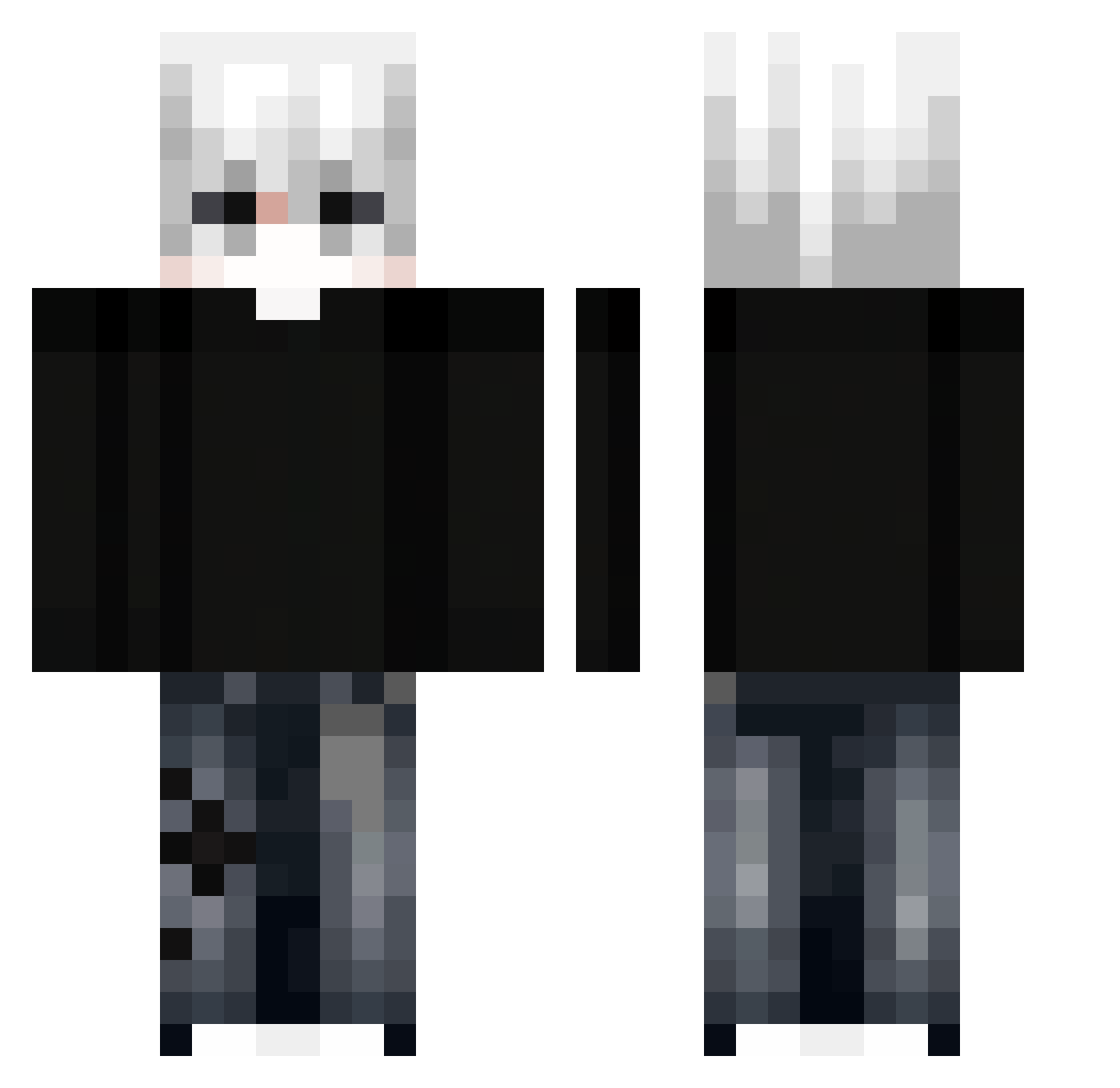
Current Minecraft skin of the player TpoooqT, loaded from the official Mojang API. Rotate the 3D model with your mouse or finger, then download the skin as a PNG file and use it in Minecraft: Bedrock Edition or Java Edition for free. When TpoooqT changes their skin, this page updates automatically and the old skin stays in the history below.
Other players with this skin (298)
TpoooqT was the 145th player we have seen with this skin, first spotted on 08.09.2026. The same skin was seen on these players. Open a nickname to see their current skin and skin history.
 EoRochax 7O5_ Badawiiiii pirat735 RELAX17 KIMYUNJI minjun0340 ETHANx2 Zenno_Vuz jiaozhiqq MARO_2013 DIEGO_GM changyin1017 WasapMannn Adenyxer Idk__021 Frod10s waxala_010 MZel mysofic R2304S
 yiyoya sillivippen sherllex yBay_ttk Cuongdayy31 Infern0w0 CarlosPEx KingFlaree alkaabi15 Phica_o3o itz_willioub2 RICLEXM_ GildedNomade xtragod jokerxmz Raflello
 Nean_31
 Johanzin NotxDiL4n_039 Sonxx_XD 2_ShadowBlade Pr3mP gal6714 ryuseii7 grascou0 LENAAY marcx_32 Ximimiri J_HD7 SoruzFox
 Cutsgamer23 xR3T0 shy_9_29 3KSA RAVERMATE The_Freezer1 Chorok_H Tomek2005 kivnd
More E-Boy Minecraft skins
How to install the TpoooqT skin
- Press the Download button above to save the skin as a PNG file.
- Minecraft: Bedrock Edition (PE): open the Dressing Room from the main menu (or tap your character → Edit Character), go to Classic Skins → Owned, press the + (new skin) button, choose the downloaded PNG and pick the Classic (Steve) model. Works on PC and mobile; consoles cannot import custom skins.
- Minecraft: Java Edition: open the Minecraft Launcher, go to the Skins tab, click New Skin, load the PNG, pick the Classic (Steve) model and press Save & Use. You can also upload it at minecraft.net → Profile → Change Skin.
The skin does not show up after import - what should I do?
Restart Minecraft and open the Dressing Room again - imported skins sometimes appear only after a restart. Also make sure you selected the imported skin and picked the Classic (Steve) model.
Which model should I choose, Classic or Slim?
This skin is designed for the Classic (Steve) model. If you pick the wrong model, the arms of the skin will look stretched or squeezed.
Is the skin of TpoooqT free to download?
Yes. Press Download, save the PNG file and use it in Minecraft: Bedrock Edition or Java Edition - no payment or registration needed. The skin also works on multiplayer servers and Realms.
More skins
Looking for more? Go back to all Minecraft skins and check the top skins of the week, month and all time, or find any player's skin by nickname.