
Tomek2005 - Minecraft Skins & Skin History
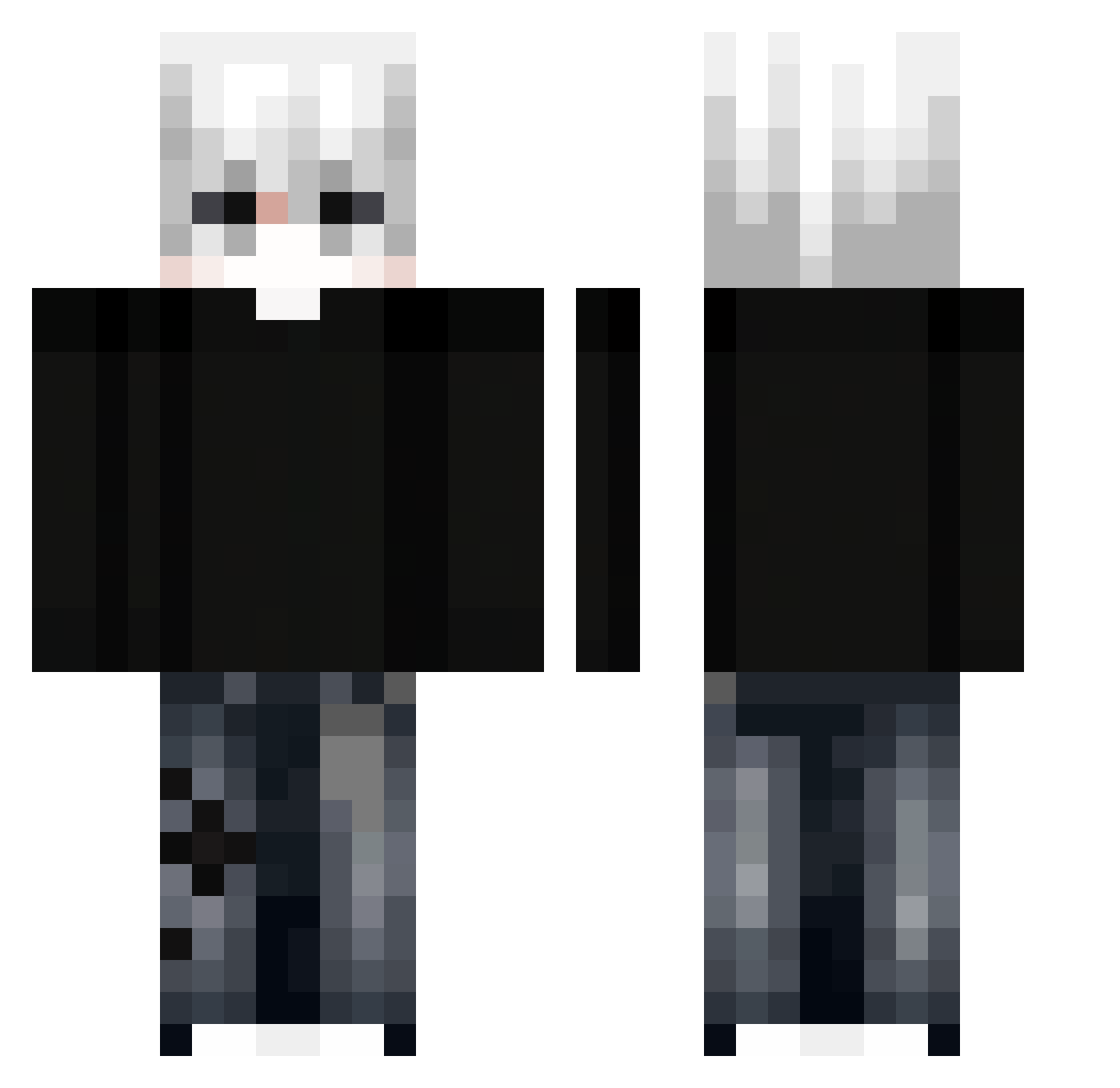
Current Minecraft skin of the player Tomek2005, loaded from the official Mojang API. Rotate the 3D model with your mouse or finger, then download the skin as a PNG file and use it in Minecraft: Bedrock Edition or Java Edition for free. When Tomek2005 changes their skin, this page updates automatically and the old skin stays in the history below.
Other players with this skin (351)
Tomek2005 was the 170th player we have seen with this skin, first spotted on 20.09.2026. The same skin was seen on these players. Open a nickname to see their current skin and skin history.
 kivnd Chorok_H PurpsMC DustyTiglon4035 RAVERMATE 3KSA SungLucas xxxMVRxxx DhWhite moreninhas J_HD7 Incubus_714 piriquitodurinho soulXwhy 0m10 AnhLaTduc sunkung888 BuenaJunta_ Sonxx_XD Reviccc_ flu0r1ne Raflello jokerxmz xtragod RICLEXM_ Axouloth TheyLuvGucci alkaabi15 IcyHakeem NIZ0SX Hellonghia YSHMC Infern0w0 le0n_likesBW Milyukov sherllex Tirex500 zxk_alejandr0 zCalango34
 yiyoya R2304S mysofic JEnross AlexPvpK incredibly_slow Adenyxer PuneIntended WasapMannn xVanzly xMeevz DIEGO_GM kveedee dyxxzz Zenno_Vuz ETHANx2 Jason_67456 sluxghter minjun0340 KIMYUNJI kierupi
More E-Boy Minecraft skins
How to install the Tomek2005 skin
- Press the Download button above to save the skin as a PNG file.
- Minecraft: Bedrock Edition (PE): open the Dressing Room from the main menu (or tap your character → Edit Character), go to Classic Skins → Owned, press the + (new skin) button, choose the downloaded PNG and pick the Classic (Steve) model. Works on PC and mobile; consoles cannot import custom skins.
- Minecraft: Java Edition: open the Minecraft Launcher, go to the Skins tab, click New Skin, load the PNG, pick the Classic (Steve) model and press Save & Use. You can also upload it at minecraft.net → Profile → Change Skin.
The skin does not show up after import - what should I do?
Restart Minecraft and open the Dressing Room again - imported skins sometimes appear only after a restart. Also make sure you selected the imported skin and picked the Classic (Steve) model.
Which model should I choose, Classic or Slim?
This skin is designed for the Classic (Steve) model. If you pick the wrong model, the arms of the skin will look stretched or squeezed.
Is the skin of Tomek2005 free to download?
Yes. Press Download, save the PNG file and use it in Minecraft: Bedrock Edition or Java Edition - no payment or registration needed. The skin also works on multiplayer servers and Realms.
More skins
Looking for more? Go back to all Minecraft skins and check the top skins of the week, month and all time, or find any player's skin by nickname.