
Tox1cXYeuPR - Minecraft Skins & Skin History
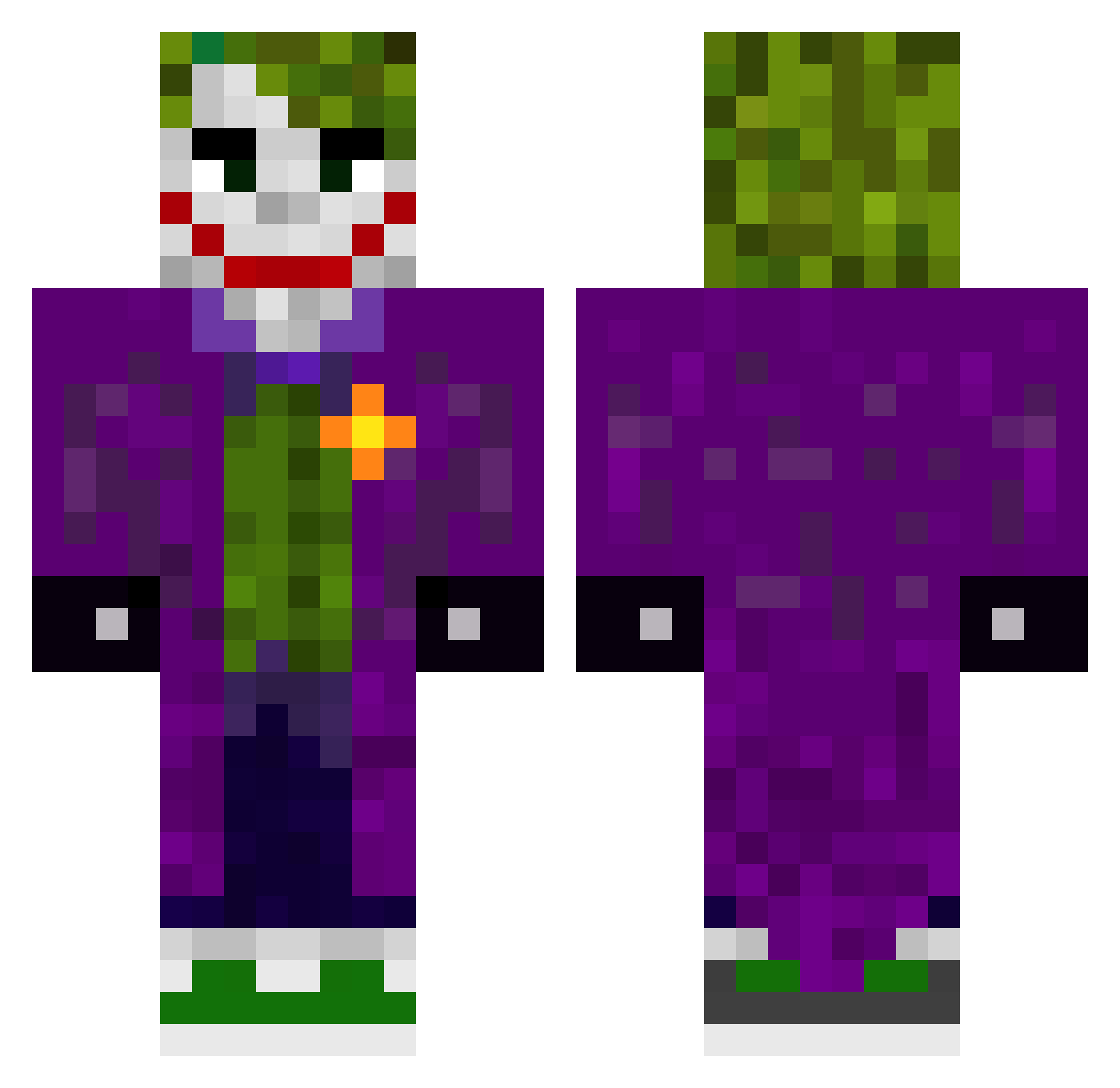
Current Minecraft skin of the player Tox1cXYeuPR, loaded from the official Mojang API. Rotate the 3D model with your mouse or finger, then download the skin as a PNG file and use it in Minecraft: Bedrock Edition or Java Edition for free. When Tox1cXYeuPR changes their skin, this page updates automatically and the old skin stays in the history below.
Other players with this skin (509)
Tox1cXYeuPR was the 49th player we have seen with this skin, first spotted on 03.08.2026. The same skin was seen on these players. Open a nickname to see their current skin and skin history.
 xtzk Funny_Grape
 Minecraft_Dude13 socl Grubyy001 EsCuBa45 LUC1D2 Joethesketman rzz_ftp Amir_6 Tjpanther jotapr247 0_Brave_0 Araujo06 Pompakrali Aiden142 lYumnyl venomlethal1 Bob_Lobster55 Harry_coubrough1 Imgathx_ VapedolfKnitler PhoenixTobi1 MCXIlVll Veronika327 WizzyCantCraft Paulome56 pollofrito47 Aerohawk PixelJoker Vinnyx2 Atyiscool dan2836 Abd_GOAT cactusjaxs Helltik Anashex1 CHZN7788 MakSi228 guzioPL Lulu190709 datngu JorgeRorellana BigMacchia L3nRi kylleke PostManolo JVCraftBOT Zomby13 Rocken105 peussy Ch1nk_Ch1ngch0ng abdusomalie v9a usuariodk9 Babosasss Psycoblade liza1331 sa3bi zRJoKeR
More The Joker Minecraft skins
How to install the Tox1cXYeuPR skin
- Press the Download button above to save the skin as a PNG file.
- Minecraft: Bedrock Edition (PE): open the Dressing Room from the main menu (or tap your character → Edit Character), go to Classic Skins → Owned, press the + (new skin) button, choose the downloaded PNG and pick the Classic (Steve) model. Works on PC and mobile; consoles cannot import custom skins.
- Minecraft: Java Edition: open the Minecraft Launcher, go to the Skins tab, click New Skin, load the PNG, pick the Classic (Steve) model and press Save & Use. You can also upload it at minecraft.net → Profile → Change Skin.
The skin does not show up after import - what should I do?
Restart Minecraft and open the Dressing Room again - imported skins sometimes appear only after a restart. Also make sure you selected the imported skin and picked the Classic (Steve) model.
Which model should I choose, Classic or Slim?
This skin is designed for the Classic (Steve) model. If you pick the wrong model, the arms of the skin will look stretched or squeezed.
Is the skin of Tox1cXYeuPR free to download?
Yes. Press Download, save the PNG file and use it in Minecraft: Bedrock Edition or Java Edition - no payment or registration needed. The skin also works on multiplayer servers and Realms.
More skins
Looking for more? Go back to all Minecraft skins and check the top skins of the week, month and all time, or find any player's skin by nickname.