
Tornestig - Minecraft Skins & Skin History
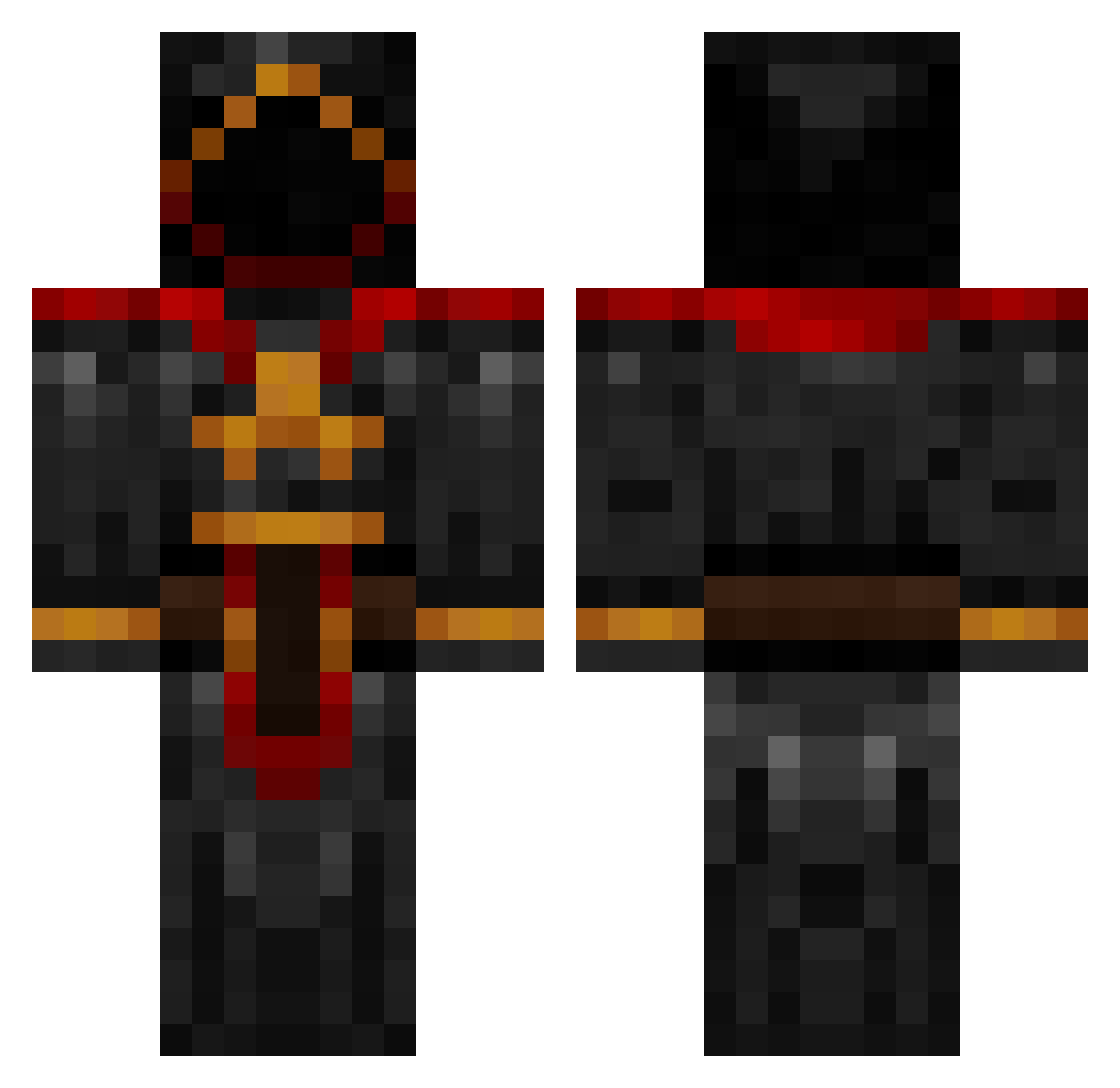
Current Minecraft skin of the player Tornestig, loaded from the official Mojang API. Rotate the 3D model with your mouse or finger, then download the skin as a PNG file and use it in Minecraft: Bedrock Edition or Java Edition for free. When Tornestig changes their skin, this page updates automatically and the old skin stays in the history below.
Other players with this skin (1092)
Tornestig was the 1004th player we have seen with this skin, first spotted on 11.11.2026. The same skin was seen on these players. Open a nickname to see their current skin and skin history.
 wadewa0352 Chronduel MrCoolhand kharnworldeater Xen1us Mizakit LxChIxX Shrikez Navidson87 REOMINER LeSadPanda Gettin_gud Micker21 TerrifiedPickaxe epicfishtank EKCrafter Maxmoomoo1 TURBOGRRL lelandini bhdsensei jonesman MattMoeFoe Godtobias SkullSpirit1 101jai Shekesh xGenocide Tauchung Bobameji littl3t1mmy kladaradatsch werjo01 beastomega17 ConnorD629 PhantomOfTheVoid Godz1lla77 JhonnyRebel dromedar17 ben000it Hylephiat Youngster512 ShadowIce_ dailydoseofmatt lautrups mutantxxx Frostydough imsoteary kostama youtubeisa unholybbq CosmicElder triforceofthegod death_spawner Cyskow CuriosityIsMe FatUglyN1GG3RZ mailguy01 Minalzargul TheAstralDragon Augnelli
More Cultist Minecraft skins
How to install the Tornestig skin
- Press the Download button above to save the skin as a PNG file.
- Minecraft: Bedrock Edition (PE): open the Dressing Room from the main menu (or tap your character → Edit Character), go to Classic Skins → Owned, press the + (new skin) button, choose the downloaded PNG and pick the Classic (Steve) model. Works on PC and mobile; consoles cannot import custom skins.
- Minecraft: Java Edition: open the Minecraft Launcher, go to the Skins tab, click New Skin, load the PNG, pick the Classic (Steve) model and press Save & Use. You can also upload it at minecraft.net → Profile → Change Skin.
The skin does not show up after import - what should I do?
Restart Minecraft and open the Dressing Room again - imported skins sometimes appear only after a restart. Also make sure you selected the imported skin and picked the Classic (Steve) model.
Which model should I choose, Classic or Slim?
This skin is designed for the Classic (Steve) model. If you pick the wrong model, the arms of the skin will look stretched or squeezed.
Is the skin of Tornestig free to download?
Yes. Press Download, save the PNG file and use it in Minecraft: Bedrock Edition or Java Edition - no payment or registration needed. The skin also works on multiplayer servers and Realms.
More skins
Looking for more? Go back to all Minecraft skins and check the top skins of the week, month and all time, or find any player's skin by nickname.