
Topuii - Minecraft Skins & Skin History
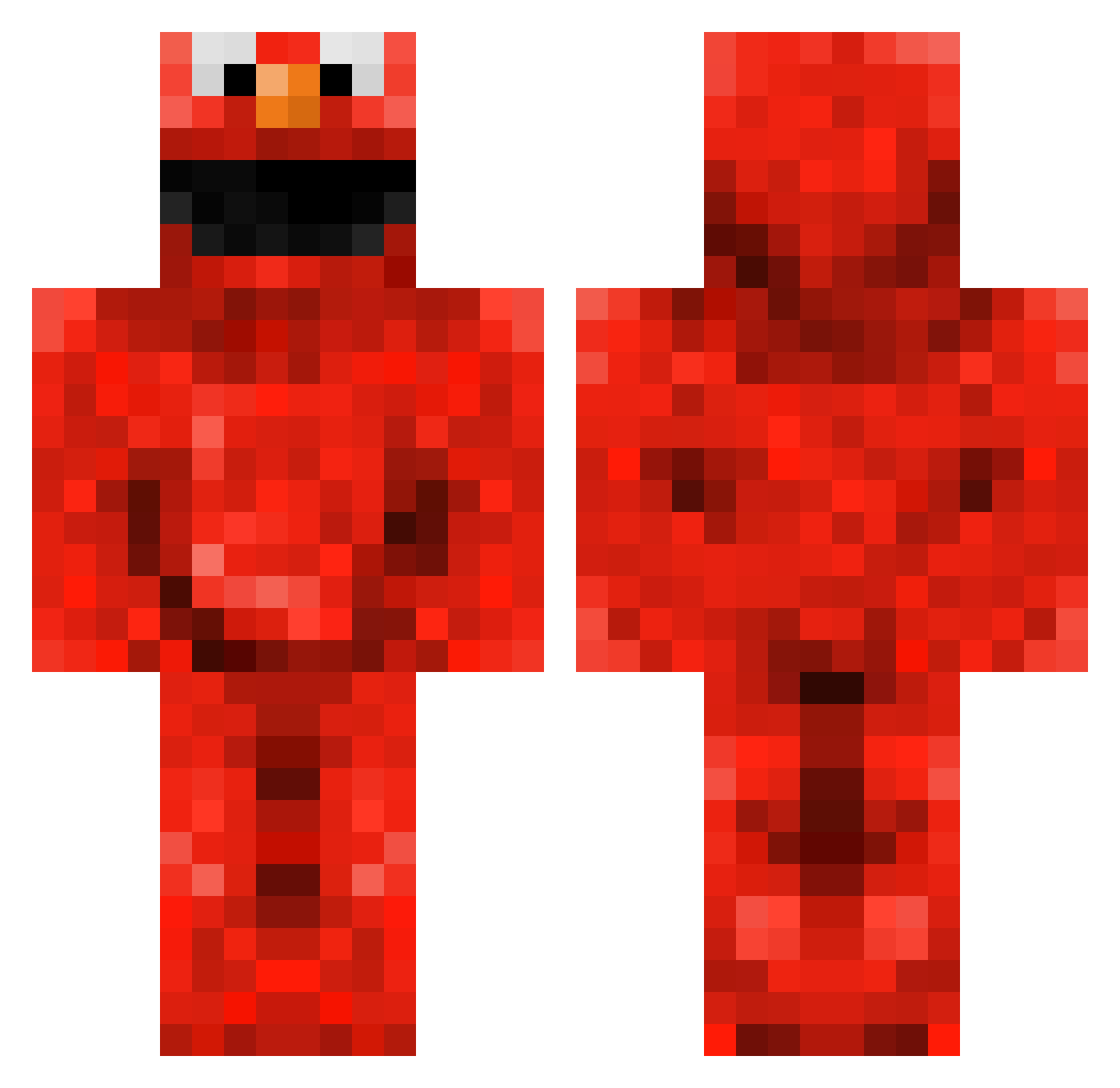
Current Minecraft skin of the player Topuii, loaded from the official Mojang API. Rotate the 3D model with your mouse or finger, then download the skin as a PNG file and use it in Minecraft: Bedrock Edition or Java Edition for free. When Topuii changes their skin, this page updates automatically and the old skin stays in the history below.
Other players with this skin (145)
Topuii was the 116th player we have seen with this skin, first spotted on 10.10.2026. The same skin was seen on these players. Open a nickname to see their current skin and skin history.
 HowdyJune tessa092006 bigcuzz YethminN DedLegz Wardy9015 MyMinecraft436 sammysuperherov2 Italianherb JeuneDinde SpyFEiFEi Muckel73 Bedrocks_ Koraski Ellis2500 Dylectix OBungles ItsDeeezy moldavite369 PureHeartBaller PURPLEPOTATOH Khytera logealmighty RageCha0s buttlet300 Kalazich FredooElmo Streamer_0610 itszcxd EnderSunnyMC _k_x_ JDFlash123 mikadoog idfkman123 Quickpwo TheBlackBox Ayrir filthycasual05 NiekXL Imcoool lennard1423 Badger_12 ElmoXD ItsGlitzy ImZephyer Oepir Elmer2324 Kewws Warner_Q TZ1nK Chimeara Elmo6969 Luzho77 callmeENVI HuskerTitan112 Yong_Awesome Mingu18 charmeyx laila_123 Wixxenharam
More Elmo Minecraft skins
How to install the Topuii skin
- Press the Download button above to save the skin as a PNG file.
- Minecraft: Bedrock Edition (PE): open the Dressing Room from the main menu (or tap your character → Edit Character), go to Classic Skins → Owned, press the + (new skin) button, choose the downloaded PNG and pick the Classic (Steve) model. Works on PC and mobile; consoles cannot import custom skins.
- Minecraft: Java Edition: open the Minecraft Launcher, go to the Skins tab, click New Skin, load the PNG, pick the Classic (Steve) model and press Save & Use. You can also upload it at minecraft.net → Profile → Change Skin.
The skin does not show up after import - what should I do?
Restart Minecraft and open the Dressing Room again - imported skins sometimes appear only after a restart. Also make sure you selected the imported skin and picked the Classic (Steve) model.
Which model should I choose, Classic or Slim?
This skin is designed for the Classic (Steve) model. If you pick the wrong model, the arms of the skin will look stretched or squeezed.
Is the skin of Topuii free to download?
Yes. Press Download, save the PNG file and use it in Minecraft: Bedrock Edition or Java Edition - no payment or registration needed. The skin also works on multiplayer servers and Realms.
More skins
Looking for more? Go back to all Minecraft skins and check the top skins of the week, month and all time, or find any player's skin by nickname.