
Elmo6969 - Minecraft Skins & Skin History
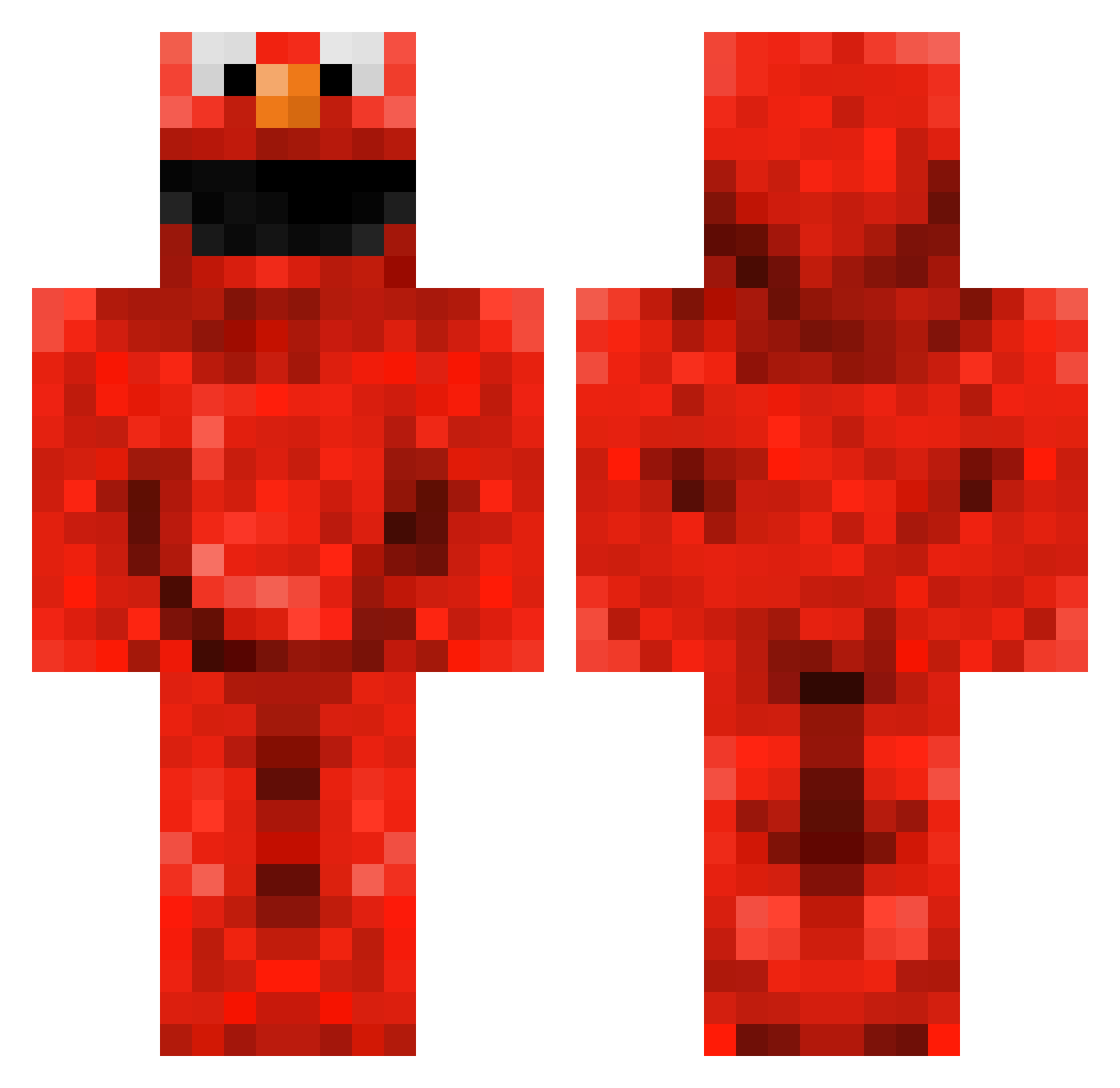
Current Minecraft skin of the player Elmo6969, loaded from the official Mojang API. Rotate the 3D model with your mouse or finger, then download the skin as a PNG file and use it in Minecraft: Bedrock Edition or Java Edition for free. When Elmo6969 changes their skin, this page updates automatically and the old skin stays in the history below.
Other players with this skin (175)
Elmo6969 was the 139th player we have seen with this skin, first spotted on 27.10.2026. The same skin was seen on these players. Open a nickname to see their current skin and skin history.
 Chimeara TZ1nK Warner_Q Kewws Oepir Yong_Awesome Mingu18 LuiTheG OobeDoobBenoobi ElmoXD lennard1423 Lebob8 r2tokill NiekXL Burgers12693 filthycasual05 Quickpwo Sparven08 idfkman123 canooodle MocoLoco95 KODESone13 N_NVPN logealmighty Khytera PURPLEPOTATOH cloudintheheads otomother Roncar4 LocoElmo_ Dylectix Koraski MinticecreamGirl Muckel73 seedmcpeanut Steve_Gots_Swag min092509 MyMinecraft436 Wardy9015 DellTacoEXE Fredee142 Howelame YethminN bigcuzz tessa092006 JoeovahsWitness Jatoqz djox Maurice_osb ElMo4PrEz Topuii m_Yakov HowdyJune dejvolYT hydruswind Evadry11 DedLegz Liucixin arielie1 MediumBrownBag
More Elmo Minecraft skins
How to install the Elmo6969 skin
- Press the Download button above to save the skin as a PNG file.
- Minecraft: Bedrock Edition (PE): open the Dressing Room from the main menu (or tap your character → Edit Character), go to Classic Skins → Owned, press the + (new skin) button, choose the downloaded PNG and pick the Classic (Steve) model. Works on PC and mobile; consoles cannot import custom skins.
- Minecraft: Java Edition: open the Minecraft Launcher, go to the Skins tab, click New Skin, load the PNG, pick the Classic (Steve) model and press Save & Use. You can also upload it at minecraft.net → Profile → Change Skin.
The skin does not show up after import - what should I do?
Restart Minecraft and open the Dressing Room again - imported skins sometimes appear only after a restart. Also make sure you selected the imported skin and picked the Classic (Steve) model.
Which model should I choose, Classic or Slim?
This skin is designed for the Classic (Steve) model. If you pick the wrong model, the arms of the skin will look stretched or squeezed.
Is the skin of Elmo6969 free to download?
Yes. Press Download, save the PNG file and use it in Minecraft: Bedrock Edition or Java Edition - no payment or registration needed. The skin also works on multiplayer servers and Realms.
More skins
Looking for more? Go back to all Minecraft skins and check the top skins of the week, month and all time, or find any player's skin by nickname.