
Tonik098706 - Minecraft Skins & Skin History
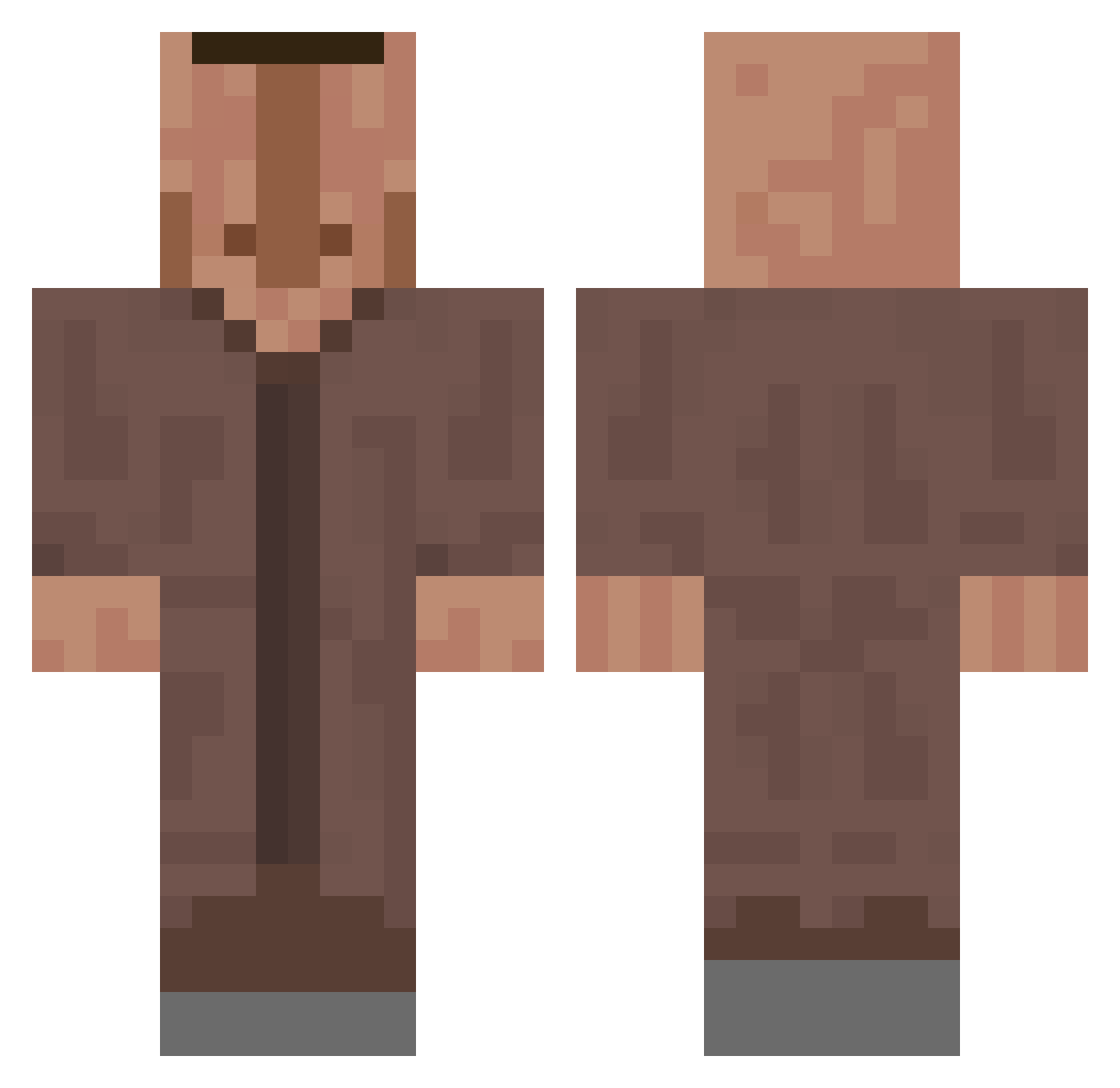
Current Minecraft skin of the player Tonik098706, loaded from the official Mojang API. Rotate the 3D model with your mouse or finger, then download the skin as a PNG file and use it in Minecraft: Bedrock Edition or Java Edition for free. When Tonik098706 changes their skin, this page updates automatically and the old skin stays in the history below.
Other players with this skin (618)
Tonik098706 was the 486th player we have seen with this skin, first spotted on 18.10.2026. The same skin was seen on these players. Open a nickname to see their current skin and skin history.
 Kondom__Geplatzt Leschtisdu2 Spoted_ windowjp100 Jayke_510 gargamelracing Kaanuuu smasher21 OliverRamb Eikselai ILoveEquations kumank0 Uwuman69 therandolad SleepyKr Benno_277 tepxte Meas0 kswoo12 mike11hd PavelScott FO__ MacklemoreH2O eEgedfg___ Ayzox29 ilyasemreerd RocKnife abbeycat2 Jumpzi3 CholoElTrollo Kami_SSama jimmypaid0lagnos Theosek_ Clement12345 velkejgarfild projektilfisken PacoSanzz maliholmes mofrolo uppirumpan Franz_Joseph_ NaturalIce3 Fl0pperBasti Maxouille23 tibodo440 g0bLiN_g0BbL3r Musaka06 Brudisbeefcakes neeeeeuuuuuiiiil littlebabyboo ProsteFanda Faylop Swedda ViniLindo123 VertexGoodyy XxKaTxX44 averagemango824 CrocodileAndy88 katneu OggYesYes
More Villager Minecraft skins
How to install the Tonik098706 skin
- Press the Download button above to save the skin as a PNG file.
- Minecraft: Bedrock Edition (PE): open the Dressing Room from the main menu (or tap your character → Edit Character), go to Classic Skins → Owned, press the + (new skin) button, choose the downloaded PNG and pick the Classic (Steve) model. Works on PC and mobile; consoles cannot import custom skins.
- Minecraft: Java Edition: open the Minecraft Launcher, go to the Skins tab, click New Skin, load the PNG, pick the Classic (Steve) model and press Save & Use. You can also upload it at minecraft.net → Profile → Change Skin.
The skin does not show up after import - what should I do?
Restart Minecraft and open the Dressing Room again - imported skins sometimes appear only after a restart. Also make sure you selected the imported skin and picked the Classic (Steve) model.
Which model should I choose, Classic or Slim?
This skin is designed for the Classic (Steve) model. If you pick the wrong model, the arms of the skin will look stretched or squeezed.
Is the skin of Tonik098706 free to download?
Yes. Press Download, save the PNG file and use it in Minecraft: Bedrock Edition or Java Edition - no payment or registration needed. The skin also works on multiplayer servers and Realms.
More skins
Looking for more? Go back to all Minecraft skins and check the top skins of the week, month and all time, or find any player's skin by nickname.