
Tomj2013 - Minecraft Skins & Skin History
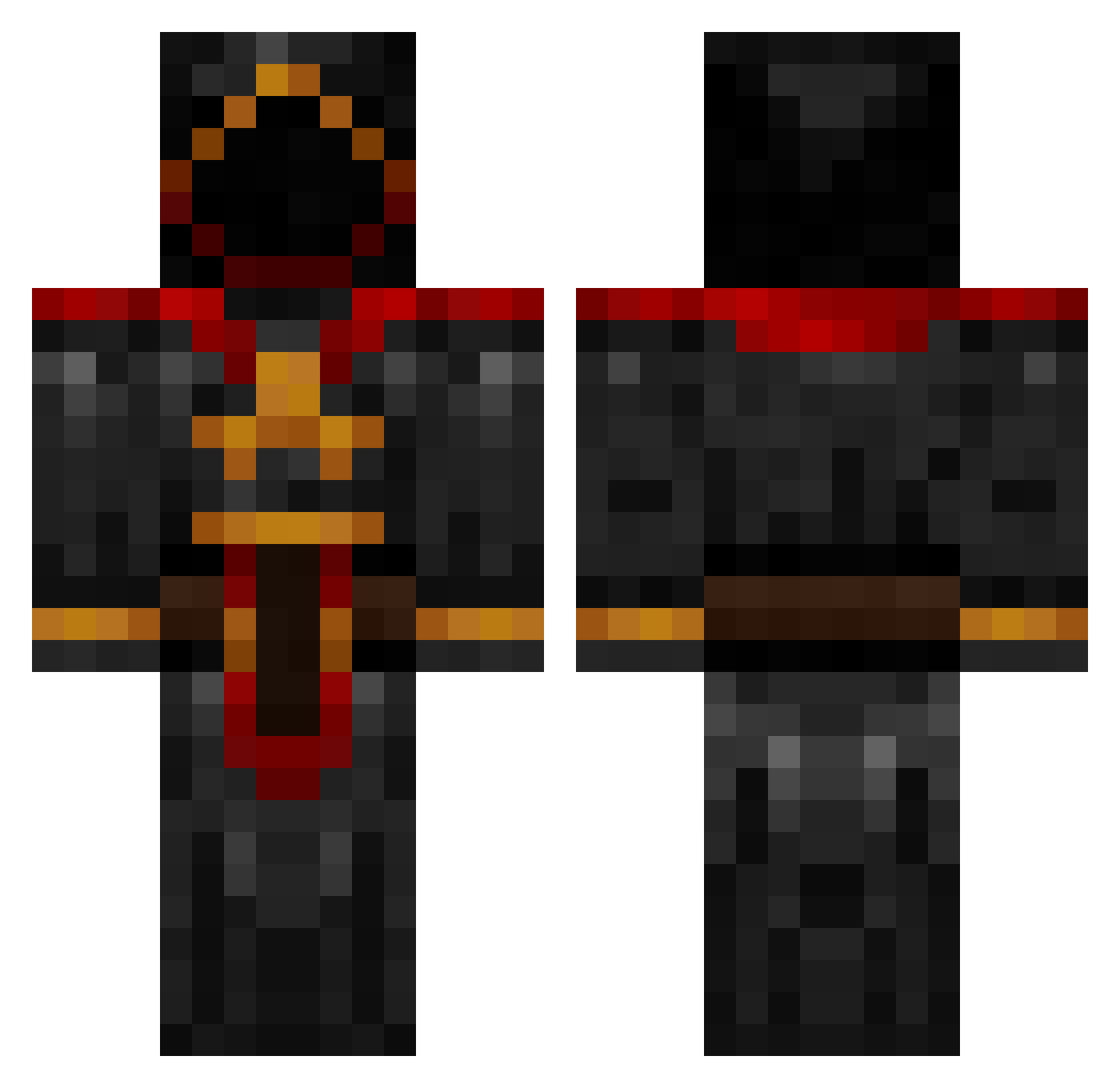
Current Minecraft skin of the player Tomj2013, loaded from the official Mojang API. Rotate the 3D model with your mouse or finger, then download the skin as a PNG file and use it in Minecraft: Bedrock Edition or Java Edition for free. When Tomj2013 changes their skin, this page updates automatically and the old skin stays in the history below.
Other players with this skin (884)
Tomj2013 was the 120th player we have seen with this skin, first spotted on 09.08.2026. The same skin was seen on these players. Open a nickname to see their current skin and skin history.
 vTyraelv RamaGos Stingraystud BelAir59 Vebi007 SPDeath777 chsun32 MrMelonSmasher tuXpr0 BloodReaper63 Crazy_Merk Bae_Legend ollem_12 drasticbuddypal SmaTTor marqueepolo Armored_Phoenix Mizar_Black jamesoc OrphicHades SW4Gboi jeremyharris J_Hizzal AlyaShurtugal marijn578 QuickSilver70 panther0127 Callyhewitt Rats989 pieter015x ALPHATiGa bobisnotsocool CviitX Krambly LamHD edencraft101 kt20 funkyfox7 Tokelu Roczilla Kolega_Rafacy varenhed jang5678 SnixoZ zachkz BongTokez robert101518 princeofawesomne revelationary Louie_888 Sjafin GenJohnWilliam IcedBananana Herrekar macnasty2004 MaRcI2702 toomz Chasefire75 wigglypickly Eaglegroove
More Cultist Minecraft skins
How to install the Tomj2013 skin
- Press the Download button above to save the skin as a PNG file.
- Minecraft: Bedrock Edition (PE): open the Dressing Room from the main menu (or tap your character → Edit Character), go to Classic Skins → Owned, press the + (new skin) button, choose the downloaded PNG and pick the Classic (Steve) model. Works on PC and mobile; consoles cannot import custom skins.
- Minecraft: Java Edition: open the Minecraft Launcher, go to the Skins tab, click New Skin, load the PNG, pick the Classic (Steve) model and press Save & Use. You can also upload it at minecraft.net → Profile → Change Skin.
The skin does not show up after import - what should I do?
Restart Minecraft and open the Dressing Room again - imported skins sometimes appear only after a restart. Also make sure you selected the imported skin and picked the Classic (Steve) model.
Which model should I choose, Classic or Slim?
This skin is designed for the Classic (Steve) model. If you pick the wrong model, the arms of the skin will look stretched or squeezed.
Is the skin of Tomj2013 free to download?
Yes. Press Download, save the PNG file and use it in Minecraft: Bedrock Edition or Java Edition - no payment or registration needed. The skin also works on multiplayer servers and Realms.
More skins
Looking for more? Go back to all Minecraft skins and check the top skins of the week, month and all time, or find any player's skin by nickname.