
Tomattinho - Minecraft Skins & Skin History
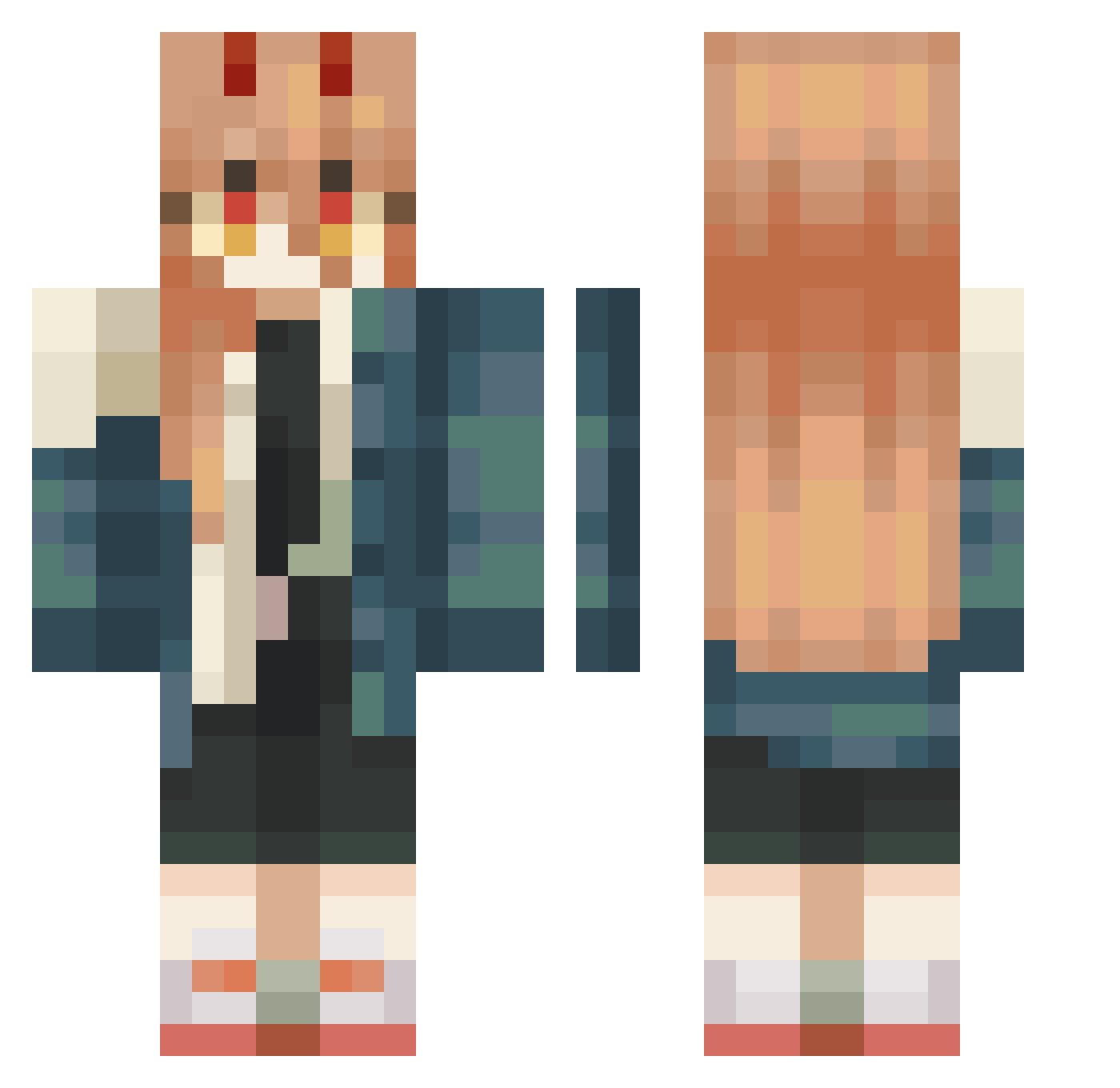
Current Minecraft skin of the player Tomattinho, loaded from the official Mojang API. Rotate the 3D model with your mouse or finger, then download the skin as a PNG file and use it in Minecraft: Bedrock Edition or Java Edition for free. When Tomattinho changes their skin, this page updates automatically and the old skin stays in the history below.
Other players with this skin (446)
Tomattinho was the 412th player we have seen with this skin, first spotted on 24.10.2026. The same skin was seen on these players. Open a nickname to see their current skin and skin history.
 MOZZIBUNNY ichi0602 SJ_hanel MiniAce Chuika69 Haruwusito Yukine77 NotNubNub momo_craft447 10nim jibbylol Meaty_Dolphin joakoooooo23 SkyNyklear mimimi12345 Snackline meawdin LJoyyBoyyy DavidKyloGamer baibei1 Snip3z935 nakezia_ ThaagePD17 vpoh quinmothefox unicornsh1t nayaeonie StarrBR Dhanny_3 UncleChan6071 k0uda1 navthegreat Centeredberry36 Nayuta0212 Olivertgb nezamerzaika Hhannahhl maryy7604 Macoyo HHHH030 TheSpeedyPotato twerkingbee Blablutz hebdh jackpotshovel Dumpy4 DanteFushiguro sheriff__f nostma Degrawarz marcyas little_whovians Raider112211 ModeratorSV Hayducky Bambam_1309 __Alyssa_ Princess_Poes ciath bbbomi
More Power Minecraft skins
How to install the Tomattinho skin
- Press the Download button above to save the skin as a PNG file.
- Minecraft: Bedrock Edition (PE): open the Dressing Room from the main menu (or tap your character → Edit Character), go to Classic Skins → Owned, press the + (new skin) button, choose the downloaded PNG and pick the Classic (Steve) model. Works on PC and mobile; consoles cannot import custom skins.
- Minecraft: Java Edition: open the Minecraft Launcher, go to the Skins tab, click New Skin, load the PNG, pick the Classic (Steve) model and press Save & Use. You can also upload it at minecraft.net → Profile → Change Skin.
The skin does not show up after import - what should I do?
Restart Minecraft and open the Dressing Room again - imported skins sometimes appear only after a restart. Also make sure you selected the imported skin and picked the Classic (Steve) model.
Which model should I choose, Classic or Slim?
This skin is designed for the Classic (Steve) model. If you pick the wrong model, the arms of the skin will look stretched or squeezed.
Is the skin of Tomattinho free to download?
Yes. Press Download, save the PNG file and use it in Minecraft: Bedrock Edition or Java Edition - no payment or registration needed. The skin also works on multiplayer servers and Realms.
More skins
Looking for more? Go back to all Minecraft skins and check the top skins of the week, month and all time, or find any player's skin by nickname.