
Tom_Huxian - Minecraft Skins & Skin History
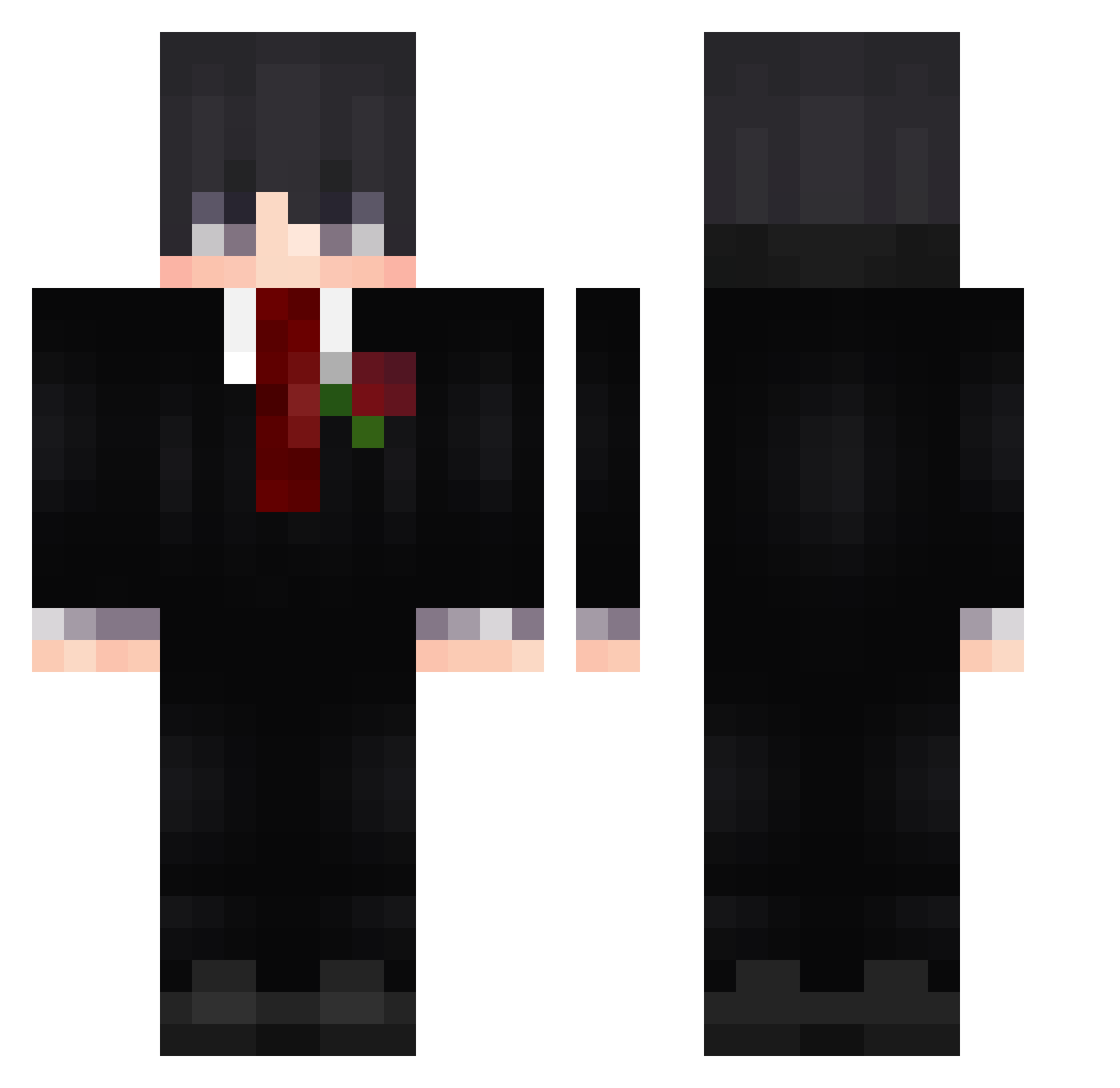
Current Minecraft skin of the player Tom_Huxian, loaded from the official Mojang API. Rotate the 3D model with your mouse or finger, then download the skin as a PNG file and use it in Minecraft: Bedrock Edition or Java Edition for free. When Tom_Huxian changes their skin, this page updates automatically and the old skin stays in the history below.
Other players with this skin (520)
Tom_Huxian was the 123rd player we have seen with this skin, first spotted on 17.08.2026. The same skin was seen on these players. Open a nickname to see their current skin and skin history.
 Josheranx Dragon4Digger90 jgamer213 StarSumit y_vini theYasser R4nner Yanyu_ame Ccyah We4lthV0rtEx Kubus001 AegisMagic XSATV kocham_pl HuGoat78 RentalShrimp MrCANDY15 GrimGraveDigger Aalexavier erdosy Petar_kit michuu0 Savage_96 Moreminatur69 SUYHOL Aexaoss Ardorn XDreamingN m4zurskyy enbut itszevachh MyPlayTIMe11 LukasDDD
 MrBoom763 obvRodro IdoFox4 BaronVonVai joni295 RohanWold Xksavor _korengai_ hyegod f4na0 vinre6 SIORBIK xCharizard MilkyWay4321 Mateusz_555 Capanio bahokzy Dvshes
 Monochrome_I elroi1234 Killanbida AliIsAliv3 StaidTester7114 BMYONFIRE cksn123 Vangry69 kzy2005
More Rose Minecraft skins
How to install the Tom_Huxian skin
- Press the Download button above to save the skin as a PNG file.
- Minecraft: Bedrock Edition (PE): open the Dressing Room from the main menu (or tap your character → Edit Character), go to Classic Skins → Owned, press the + (new skin) button, choose the downloaded PNG and pick the Classic (Steve) model. Works on PC and mobile; consoles cannot import custom skins.
- Minecraft: Java Edition: open the Minecraft Launcher, go to the Skins tab, click New Skin, load the PNG, pick the Classic (Steve) model and press Save & Use. You can also upload it at minecraft.net → Profile → Change Skin.
The skin does not show up after import - what should I do?
Restart Minecraft and open the Dressing Room again - imported skins sometimes appear only after a restart. Also make sure you selected the imported skin and picked the Classic (Steve) model.
Which model should I choose, Classic or Slim?
This skin is designed for the Classic (Steve) model. If you pick the wrong model, the arms of the skin will look stretched or squeezed.
Is the skin of Tom_Huxian free to download?
Yes. Press Download, save the PNG file and use it in Minecraft: Bedrock Edition or Java Edition - no payment or registration needed. The skin also works on multiplayer servers and Realms.
More skins
Looking for more? Go back to all Minecraft skins and check the top skins of the week, month and all time, or find any player's skin by nickname.