
Tolbu - Minecraft Skins & Skin History
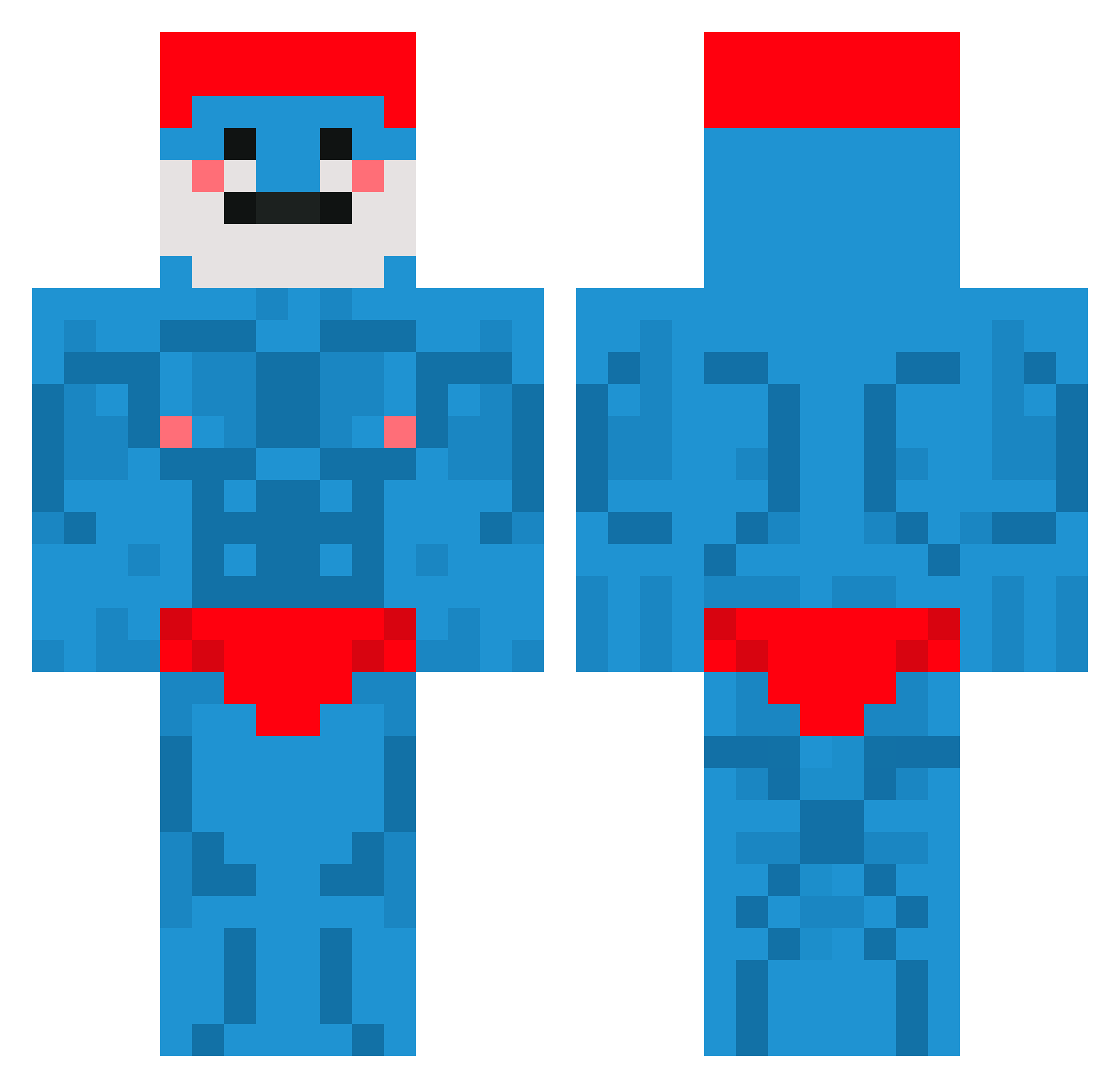
Current Minecraft skin of the player Tolbu, loaded from the official Mojang API. Rotate the 3D model with your mouse or finger, then download the skin as a PNG file and use it in Minecraft: Bedrock Edition or Java Edition for free. When Tolbu changes their skin, this page updates automatically and the old skin stays in the history below.
Other players with this skin (660)
Tolbu was the 172nd player we have seen with this skin, first spotted on 21.08.2026. The same skin was seen on these players. Open a nickname to see their current skin and skin history.
 Haha_321 mincocoo jckaal Kiyashi1 Klara_W Costa_12 eurika2005 DO_YOON07 fak3drain guiguiS2 drainerjony Kuudasaii RyanSijberden Timouche_ Pimezon BigManJoe1 Mewlof BalboaFR YourMomSierra Just_WATCHtc MikeRotchburnz withoutsense2 NanoPilin Aaronbernardo_ zqkie08 millzya JotaMajestoso crazenzo Copper_r TORBMAIN76 PickelDead
 SuPer_Koer Zoxeo noxos9302 Blueewe jochua15 cherg1 BomberMan99Q8 Shocaplk Maglinz memakif15 Natreomz Lifon_ DIV7NE Darien5 Mjaiiiv JIMMYOSWALD1532 tortenboden02 JuanLopez76 KobeKV MenmaQT toejam_147 PapiLechosoo xXpusSSlayerXx PapaMunkChubsV2 Joker3225 Skales_ IamFloriano Apeligex pochigoroma
More Bodybuilder Minecraft skins
See all 1175 Bodybuilder skins
How to install the Tolbu skin
- Press the Download button above to save the skin as a PNG file.
- Minecraft: Bedrock Edition (PE): open the Dressing Room from the main menu (or tap your character → Edit Character), go to Classic Skins → Owned, press the + (new skin) button, choose the downloaded PNG and pick the Classic (Steve) model. Works on PC and mobile; consoles cannot import custom skins.
- Minecraft: Java Edition: open the Minecraft Launcher, go to the Skins tab, click New Skin, load the PNG, pick the Classic (Steve) model and press Save & Use. You can also upload it at minecraft.net → Profile → Change Skin.
The skin does not show up after import - what should I do?
Restart Minecraft and open the Dressing Room again - imported skins sometimes appear only after a restart. Also make sure you selected the imported skin and picked the Classic (Steve) model.
Which model should I choose, Classic or Slim?
This skin is designed for the Classic (Steve) model. If you pick the wrong model, the arms of the skin will look stretched or squeezed.
Is the skin of Tolbu free to download?
Yes. Press Download, save the PNG file and use it in Minecraft: Bedrock Edition or Java Edition - no payment or registration needed. The skin also works on multiplayer servers and Realms.
More skins
Looking for more? Go back to all Minecraft skins and check the top skins of the week, month and all time, or find any player's skin by nickname.