
Current Minecraft skin of the player TinCan098, loaded from the official Mojang API. Rotate the 3D model with your mouse or finger, then download the skin as a PNG file and use it in Minecraft: Bedrock Edition or Java Edition for free. When TinCan098 changes their skin, this page updates automatically and the old skin stays in the history below.
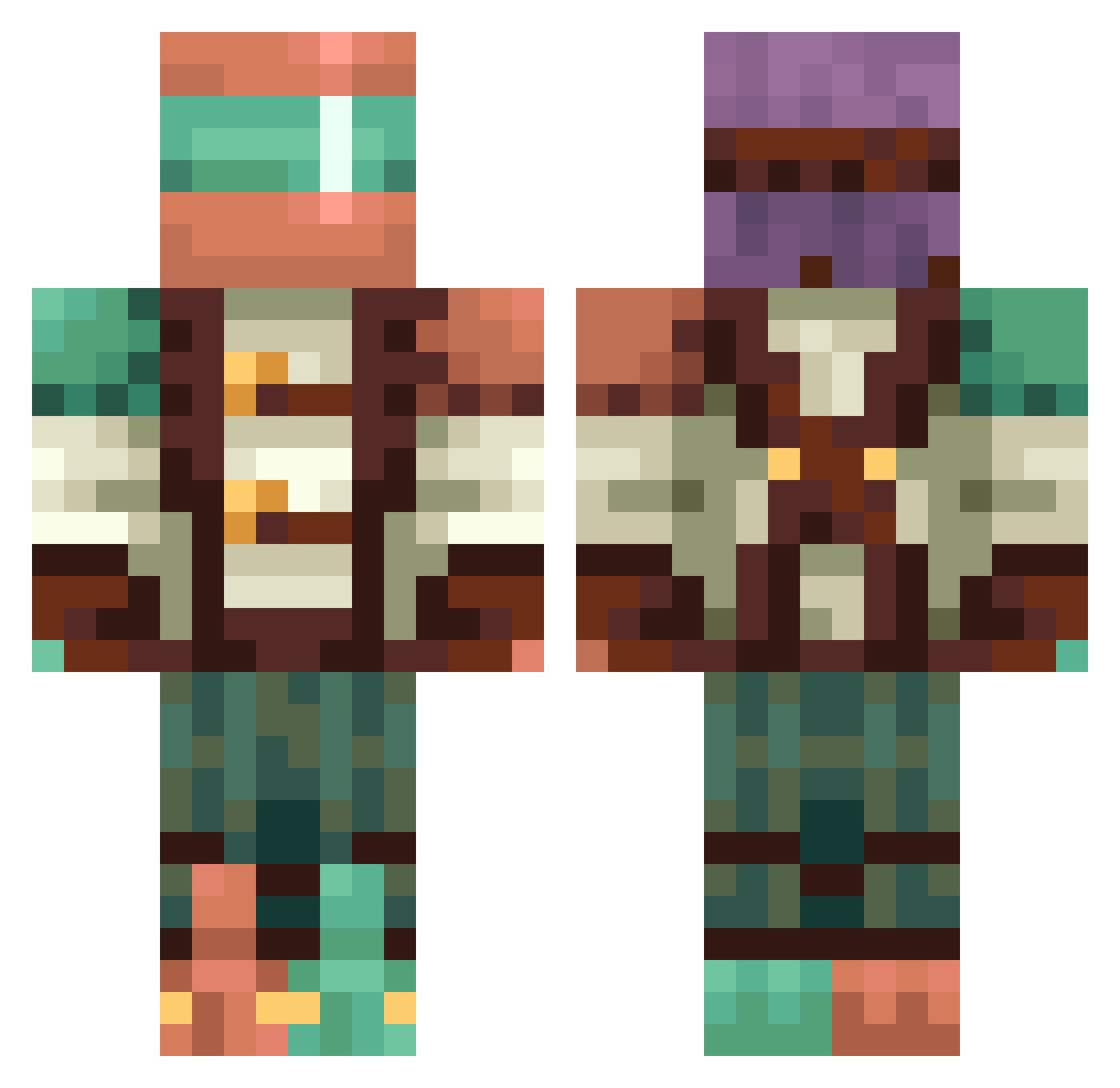
Other players with this skin (364)
TinCan098 was the 125th player we have seen with this skin, first spotted on 23.08.2026. The same skin was seen on these players. Open a nickname to see their current skin and skin history.
 SgtHotPants Jaxtyn_ Potatogamer Pov5 wavis akiki2021 huitzee EXTREME_BOSS1 Adhallya
 WywrotaP1 EnderKing713 AnomalousZero Lil_Pikl PhantomMason Garchik_ GreatLee Lucrecio MetalThe1 lynx112
 PetruCraft2012 J4568AV DrBoom74 Hurpods
 PetchKai TS_5207 Jordan1389 ostkakan ttv_imthebaldguy Cthulhu1928 HeminhoADM HDGaming4321 xXSourixXx Cunnartach Delz0119 LegendWriter Ratte137
 _Dark_S1lence_ foulsbane STIVS SystemVerilog1 JakeRN UGGA2095 ProBability97 bizzaarro Marriiio123 CRM2014 ShadowHunter766 Triplenova123 HAG4KUR3 OuYang9487 Hurikaine Unknownplayer52 RetailRow123 LeoTusi Leonidas3468 sveinarr Guille9920 dainas85 SomeRandomLeaf VMAXwill
More Explorer Minecraft skins
How to install the TinCan098 skin
- Press the Download button above to save the skin as a PNG file.
- Minecraft: Bedrock Edition (PE): open the Dressing Room from the main menu (or tap your character → Edit Character), go to Classic Skins → Owned, press the + (new skin) button, choose the downloaded PNG and pick the Classic (Steve) model. Works on PC and mobile; consoles cannot import custom skins.
- Minecraft: Java Edition: open the Minecraft Launcher, go to the Skins tab, click New Skin, load the PNG, pick the Classic (Steve) model and press Save & Use. You can also upload it at minecraft.net → Profile → Change Skin.
The skin does not show up after import - what should I do?
Restart Minecraft and open the Dressing Room again - imported skins sometimes appear only after a restart. Also make sure you selected the imported skin and picked the Classic (Steve) model.
Which model should I choose, Classic or Slim?
This skin is designed for the Classic (Steve) model. If you pick the wrong model, the arms of the skin will look stretched or squeezed.
Is the skin of TinCan098 free to download?
Yes. Press Download, save the PNG file and use it in Minecraft: Bedrock Edition or Java Edition - no payment or registration needed. The skin also works on multiplayer servers and Realms.
More skins
Looking for more? Go back to all Minecraft skins and check the top skins of the week, month and all time, or find any player's skin by nickname.