
PetchKai - Minecraft Skins & Skin History
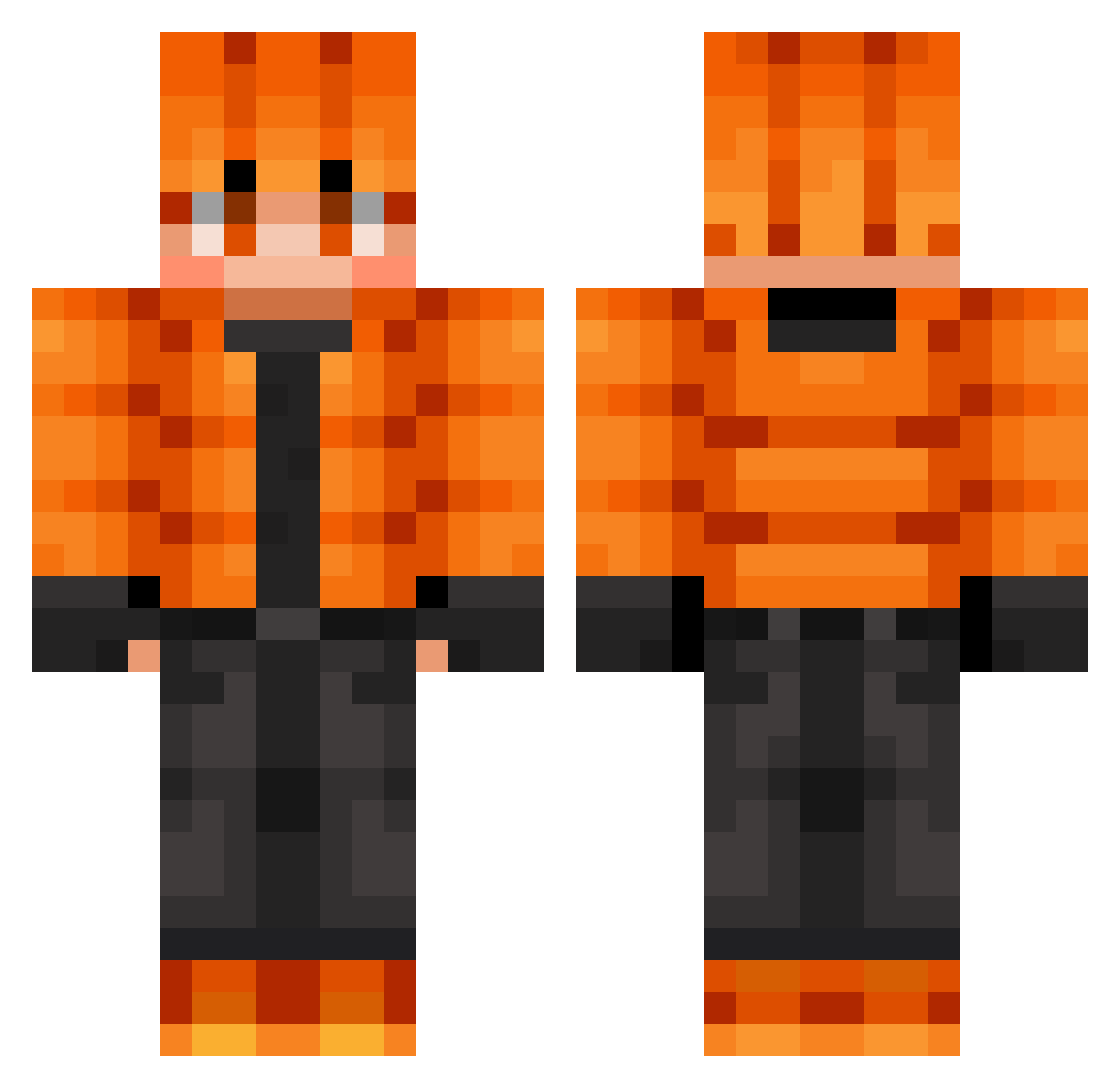
Current Minecraft skin of the player PetchKai, loaded from the official Mojang API. Rotate the 3D model with your mouse or finger, then download the skin as a PNG file and use it in Minecraft: Bedrock Edition or Java Edition for free. When PetchKai changes their skin, this page updates automatically and the old skin stays in the history below.
Other players with this skin (723)
PetchKai was the 291st player we have seen with this skin, first spotted on 08.09.2026. The same skin was seen on these players. Open a nickname to see their current skin and skin history.
 PHONOS09 Pycharm4Fun ChallengeCrafter ATELER Legend24865 OBFUS M2jyu BierFahne KEKfoundation
 xXEntity303Xx LegendaryZZkian Feszike Camryn2015 Cronk42CC deCinQ bhzinho2 Cachou52 ArthurS10 Morrigan16 Kahara66 EmberDriftGale kendrih Cutiebear33193 KillerShark831 matzelaneyF8 SkyLife365 Sarcata daddyshome654
 gyeono13
 guilhermextz Mike_DO Ennoooo clithero YuppGamer karcsika16 Breeze93 epikfejl DanielWayne UnbilledRacer kashzilla xi_bo EMxTRAPGOD AMORUNZICKDA l_P4ND4_l _F9vou NickPigMan Vansheen Iam1LCS_Case_God Keri42 ExperiencedNo0B manectri Miguelp1405
 AtomicPanda229 KristofferSki shanestevo daluana Marsupial_Man LeonEr16 italo_pro SteliosBigbig
Previous skins of PetchKai
Skins that PetchKai wore before, newest first. Click a skin to open its page and download it.
How to install the PetchKai skin
- Press the Download button above to save the skin as a PNG file.
- Minecraft: Bedrock Edition (PE): open the Dressing Room from the main menu (or tap your character → Edit Character), go to Classic Skins → Owned, press the + (new skin) button, choose the downloaded PNG and pick the Classic (Steve) model. Works on PC and mobile; consoles cannot import custom skins.
- Minecraft: Java Edition: open the Minecraft Launcher, go to the Skins tab, click New Skin, load the PNG, pick the Classic (Steve) model and press Save & Use. You can also upload it at minecraft.net → Profile → Change Skin.
The skin does not show up after import - what should I do?
Restart Minecraft and open the Dressing Room again - imported skins sometimes appear only after a restart. Also make sure you selected the imported skin and picked the Classic (Steve) model.
Which model should I choose, Classic or Slim?
This skin is designed for the Classic (Steve) model. If you pick the wrong model, the arms of the skin will look stretched or squeezed.
Is the skin of PetchKai free to download?
Yes. Press Download, save the PNG file and use it in Minecraft: Bedrock Edition or Java Edition - no payment or registration needed. The skin also works on multiplayer servers and Realms.
More skins
Looking for more? Go back to all Minecraft skins and check the top skins of the week, month and all time, or find any player's skin by nickname.