
Timuntti987 - Minecraft Skins & Skin History
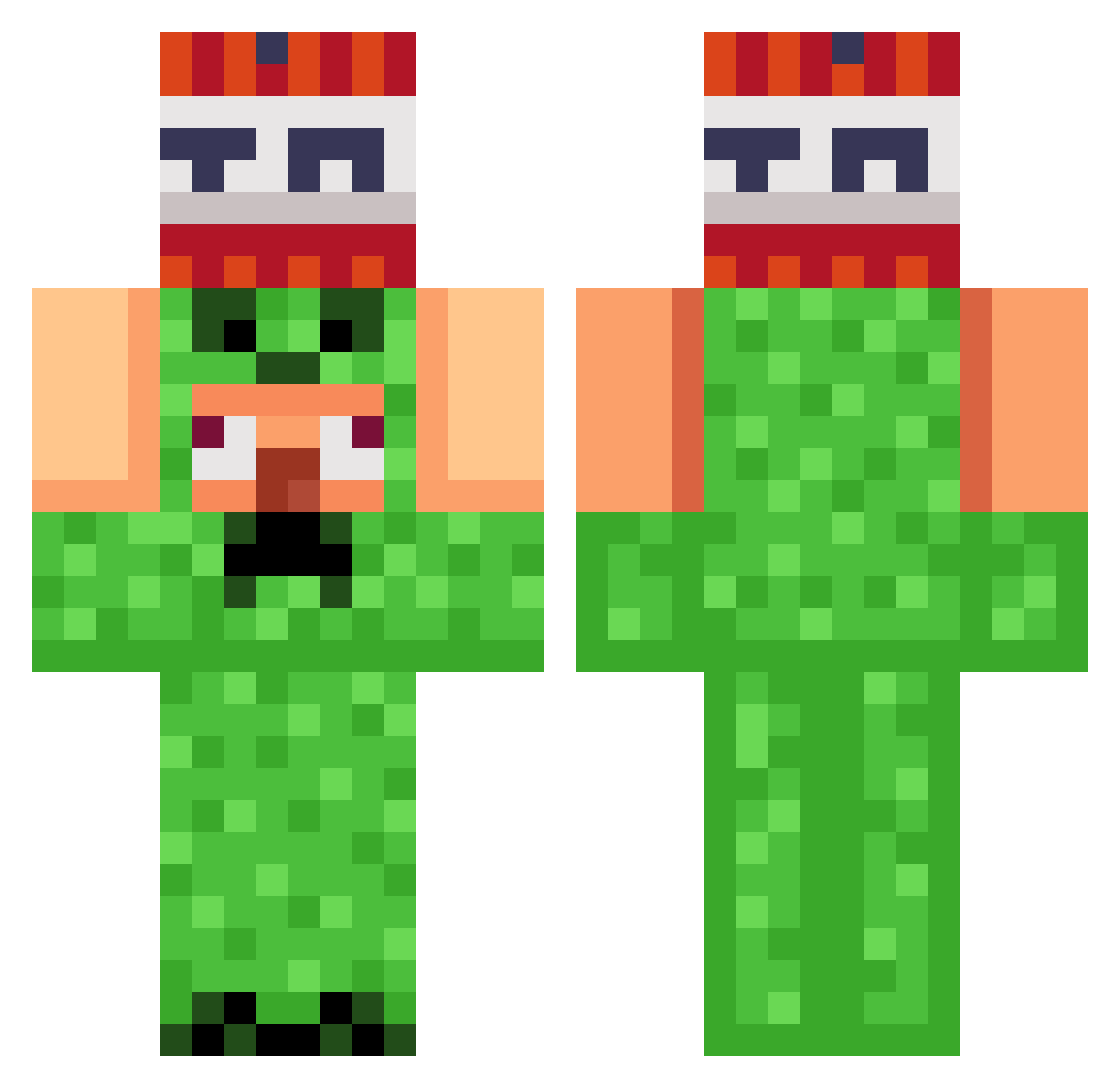
Current Minecraft skin of the player Timuntti987, loaded from the official Mojang API. Rotate the 3D model with your mouse or finger, then download the skin as a PNG file and use it in Minecraft: Bedrock Edition or Java Edition for free. When Timuntti987 changes their skin, this page updates automatically and the old skin stays in the history below.
Other players with this skin (949)
Timuntti987 was the 491st player we have seen with this skin, first spotted on 19.09.2026. The same skin was seen on these players. Open a nickname to see their current skin and skin history.
 nianao Fk8Nxck EthxnM_zx The_DarkDragon _harlan Mk7shadow Hyperion12352 Carlitos_thebest Mak11288 komarova Kirilkinas onkologia zealidous bfhensley LIZ202020 cedricst jungsoowoo12345 dunaev_3 Bob334468 tomov09 sharkkilz25 isnortperks thepipecannon kim1170 Malilotoro1 feyfey2211 _kirk Sleepdeprived_0 Han_sng Slain_OFF sigmage08 hyun0402 Ankhnly whyyyy4567 Mtubba taetaewoong Tgang223 pamou6666 lLoveGarry alay12338 Anson6039 Jacecollin kkjayy cubehead07 TM_TL iBedwarsFr Blaa6000 reydonpollo ethanp2013 Patricccck jaym3e LINZYLINZY Snezerdi doodooquesadilla Zaras44 Eureka11 CoffeeCandle917 NoAhT1402 CNG_ttt SaintCharlez
More TNT Minecraft skins
How to install the Timuntti987 skin
- Press the Download button above to save the skin as a PNG file.
- Minecraft: Bedrock Edition (PE): open the Dressing Room from the main menu (or tap your character → Edit Character), go to Classic Skins → Owned, press the + (new skin) button, choose the downloaded PNG and pick the Classic (Steve) model. Works on PC and mobile; consoles cannot import custom skins.
- Minecraft: Java Edition: open the Minecraft Launcher, go to the Skins tab, click New Skin, load the PNG, pick the Classic (Steve) model and press Save & Use. You can also upload it at minecraft.net → Profile → Change Skin.
The skin does not show up after import - what should I do?
Restart Minecraft and open the Dressing Room again - imported skins sometimes appear only after a restart. Also make sure you selected the imported skin and picked the Classic (Steve) model.
Which model should I choose, Classic or Slim?
This skin is designed for the Classic (Steve) model. If you pick the wrong model, the arms of the skin will look stretched or squeezed.
Is the skin of Timuntti987 free to download?
Yes. Press Download, save the PNG file and use it in Minecraft: Bedrock Edition or Java Edition - no payment or registration needed. The skin also works on multiplayer servers and Realms.
More skins
Looking for more? Go back to all Minecraft skins and check the top skins of the week, month and all time, or find any player's skin by nickname.