
TigerSkillz - Minecraft Skins & Skin History
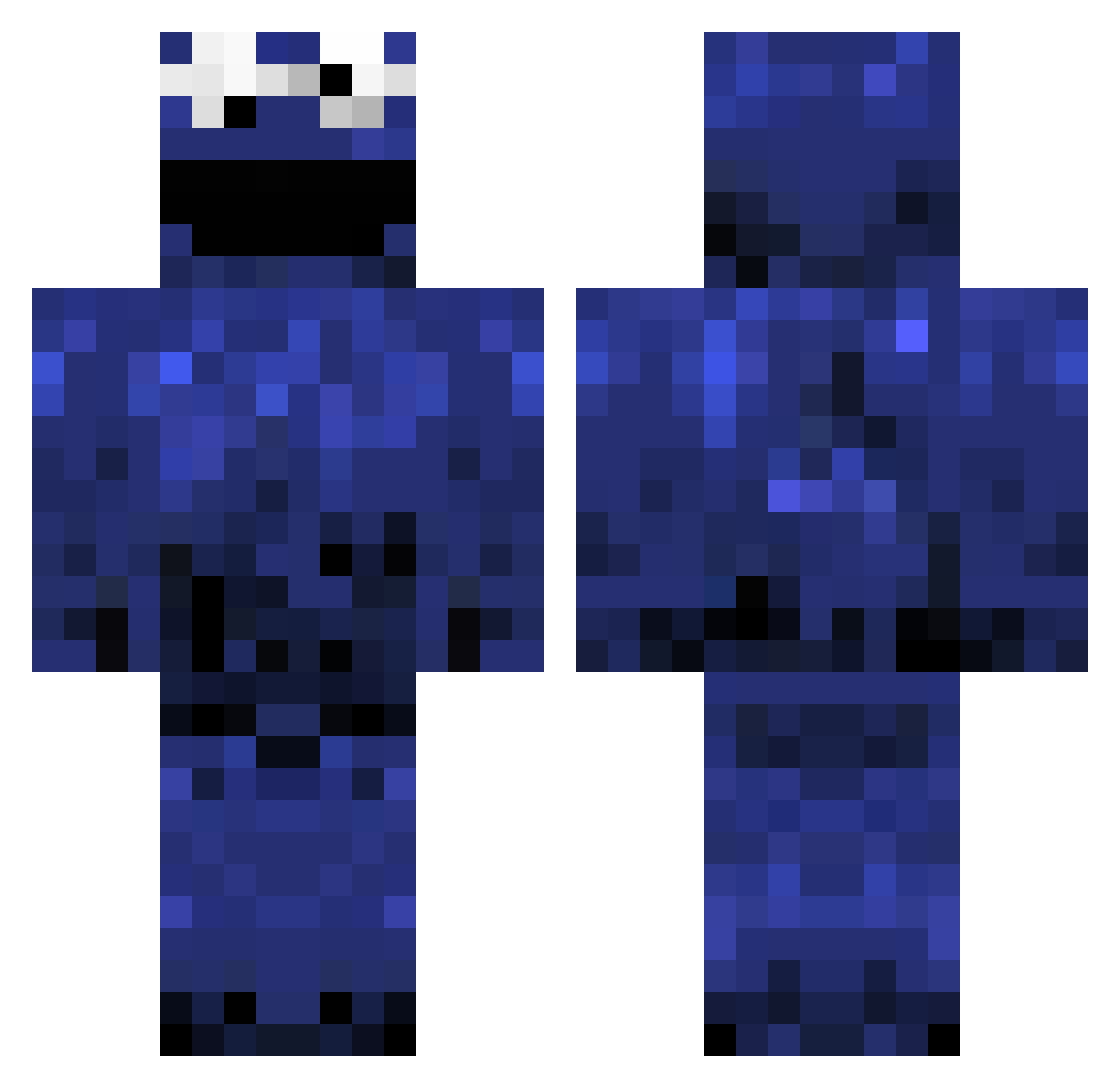
Current Minecraft skin of the player TigerSkillz, loaded from the official Mojang API. Rotate the 3D model with your mouse or finger, then download the skin as a PNG file and use it in Minecraft: Bedrock Edition or Java Edition for free. When TigerSkillz changes their skin, this page updates automatically and the old skin stays in the history below.
Other players with this skin (980)
TigerSkillz was the 33rd player we have seen with this skin, first spotted on 26.07.2026. The same skin was seen on these players. Open a nickname to see their current skin and skin history.
 davidhdez Wahbl Tobi831 perversezebra29 chefjimi crazy4djrs arichardson10 AnnaTheAwesome dquintero95 harding7777 MattyB3123 LTDogman2 Momo_Boboloco ALFCOOKIEMONSTER KoolKiwiKids xDracoNx joppisaus123 WewtWewt geoboo_2 Connor48451 EliMz_YT Bossmonster354 MAMboBOSS Lauraa__ cookiemonster587 Ndanny6 bananamonkey1205 helibaster PicklesRTasty Martin279 HazzaBarker path17 PodTide9 Feynn TheGhostRam buzzbo Sneakysm1tty dropkickshi mkimjoon Lokiness Gibson_Prime JeFFxReY Flamingho SaintStasis PAllison27 IJustWantCookies Joostjuh kanimiso180 Maynoo Dr_Juicebox IrisLuna goldstar900 GenesisZZZ xJRev danger_mouse Baconblock tjisaboss573 JackEckman17 Hillzy9812 aga3050
More Cookie Monster Minecraft skins
See all 241 Cookie Monster skins
How to install the TigerSkillz skin
- Press the Download button above to save the skin as a PNG file.
- Minecraft: Bedrock Edition (PE): open the Dressing Room from the main menu (or tap your character → Edit Character), go to Classic Skins → Owned, press the + (new skin) button, choose the downloaded PNG and pick the Classic (Steve) model. Works on PC and mobile; consoles cannot import custom skins.
- Minecraft: Java Edition: open the Minecraft Launcher, go to the Skins tab, click New Skin, load the PNG, pick the Classic (Steve) model and press Save & Use. You can also upload it at minecraft.net → Profile → Change Skin.
The skin does not show up after import - what should I do?
Restart Minecraft and open the Dressing Room again - imported skins sometimes appear only after a restart. Also make sure you selected the imported skin and picked the Classic (Steve) model.
Which model should I choose, Classic or Slim?
This skin is designed for the Classic (Steve) model. If you pick the wrong model, the arms of the skin will look stretched or squeezed.
Is the skin of TigerSkillz free to download?
Yes. Press Download, save the PNG file and use it in Minecraft: Bedrock Edition or Java Edition - no payment or registration needed. The skin also works on multiplayer servers and Realms.
More skins
Looking for more? Go back to all Minecraft skins and check the top skins of the week, month and all time, or find any player's skin by nickname.