
Thy_muss - Minecraft Skins & Skin History
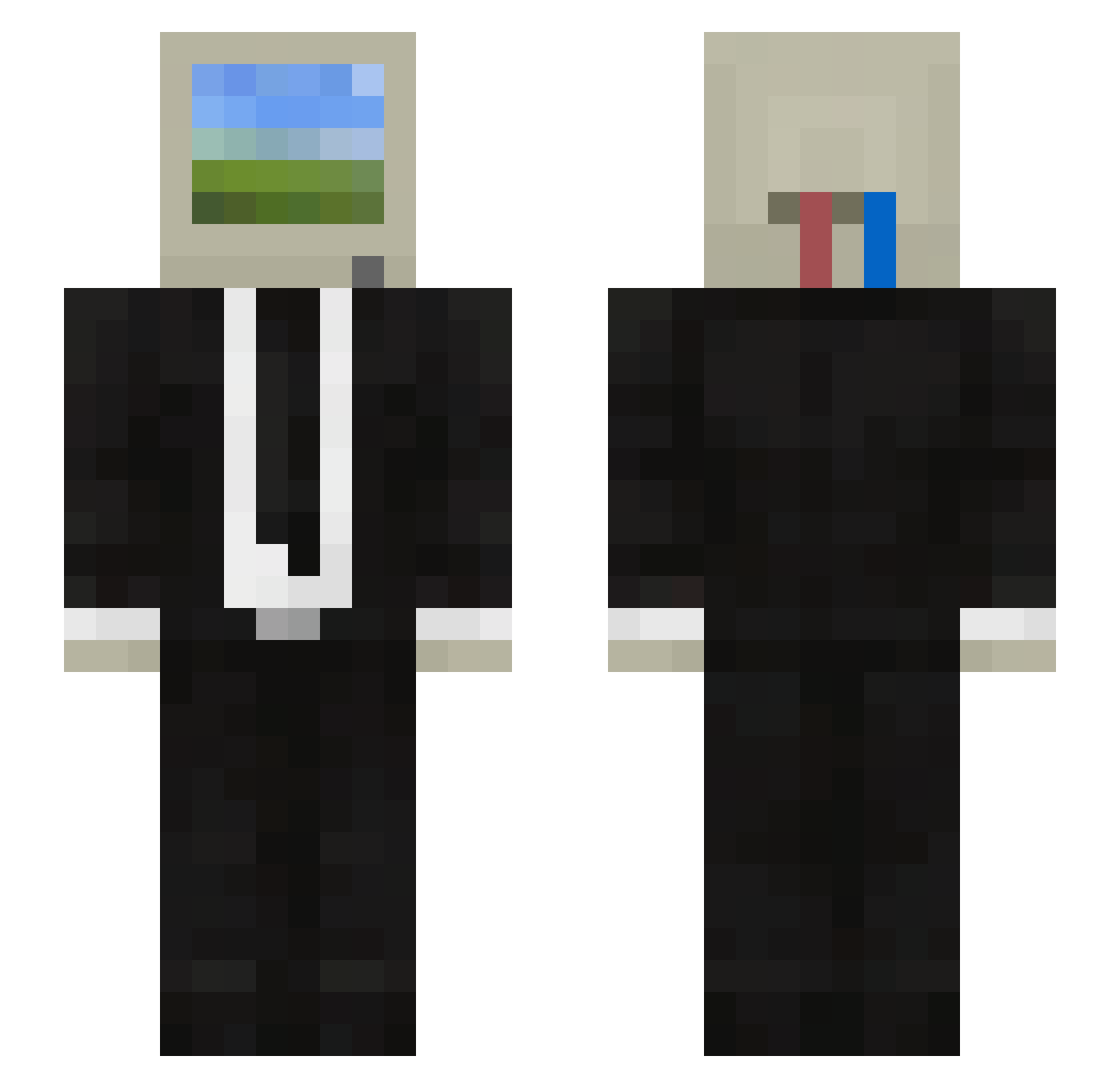
Current Minecraft skin of the player Thy_muss, loaded from the official Mojang API. Rotate the 3D model with your mouse or finger, then download the skin as a PNG file and use it in Minecraft: Bedrock Edition or Java Edition for free. When Thy_muss changes their skin, this page updates automatically and the old skin stays in the history below.
Other players with this skin (119)
Thy_muss was the 41st player we have seen with this skin, first spotted on 26.08.2026. The same skin was seen on these players. Open a nickname to see their current skin and skin history.
 artuuuro07 natiflu johnnyy___ MrFrank2077 FrOzen__Hunter _Holton_ inemeno123 Tostadisha PROPHETMI CN_ChunyANG PanQuake_ kostikPRO
 midfa3 TERATOMA1984 xodid1205 ThreeHundTurtles siradan_insan FUIOPO new_Heworte26 Nico_Nekros
 hoymi_ Sopobu GibboneVT net_localgroup Romuluis_BR PatoBard Baw_V6 Pochitotuamor BothCheese Pork_Bean Shiro713 Leopapurrex Mix3509 Midarian4 alico28 GONE_DADDY_GONE Pandataa
 Kaboom705 RamenNoodlen Onoks SebusChlebus manso04 Tsukunee waphz Z3R0F4M3 LightspeedsK Gui423gui Adrikaka FanQie04 OsasBey klompylompy Devil_moon202 dream0720 Rhael02 BlackAxsus kriloc Koreanv Szelt refreen LuckyTheBoyy
More Computer Head Minecraft skins
See all 203 Computer Head skins
How to install the Thy_muss skin
- Press the Download button above to save the skin as a PNG file.
- Minecraft: Bedrock Edition (PE): open the Dressing Room from the main menu (or tap your character → Edit Character), go to Classic Skins → Owned, press the + (new skin) button, choose the downloaded PNG and pick the Slim (Alex) model. Works on PC and mobile; consoles cannot import custom skins.
- Minecraft: Java Edition: open the Minecraft Launcher, go to the Skins tab, click New Skin, load the PNG, pick the Slim (Alex) model and press Save & Use. You can also upload it at minecraft.net → Profile → Change Skin.
The skin does not show up after import - what should I do?
Restart Minecraft and open the Dressing Room again - imported skins sometimes appear only after a restart. Also make sure you selected the imported skin and picked the Slim (Alex) model.
Which model should I choose, Classic or Slim?
This skin is designed for the Slim (Alex) model. If you pick the wrong model, the arms of the skin will look stretched or squeezed.
Is the skin of Thy_muss free to download?
Yes. Press Download, save the PNG file and use it in Minecraft: Bedrock Edition or Java Edition - no payment or registration needed. The skin also works on multiplayer servers and Realms.
More skins
Looking for more? Go back to all Minecraft skins and check the top skins of the week, month and all time, or find any player's skin by nickname.