
ThomasDeTrein3 - Minecraft Skins & Skin History
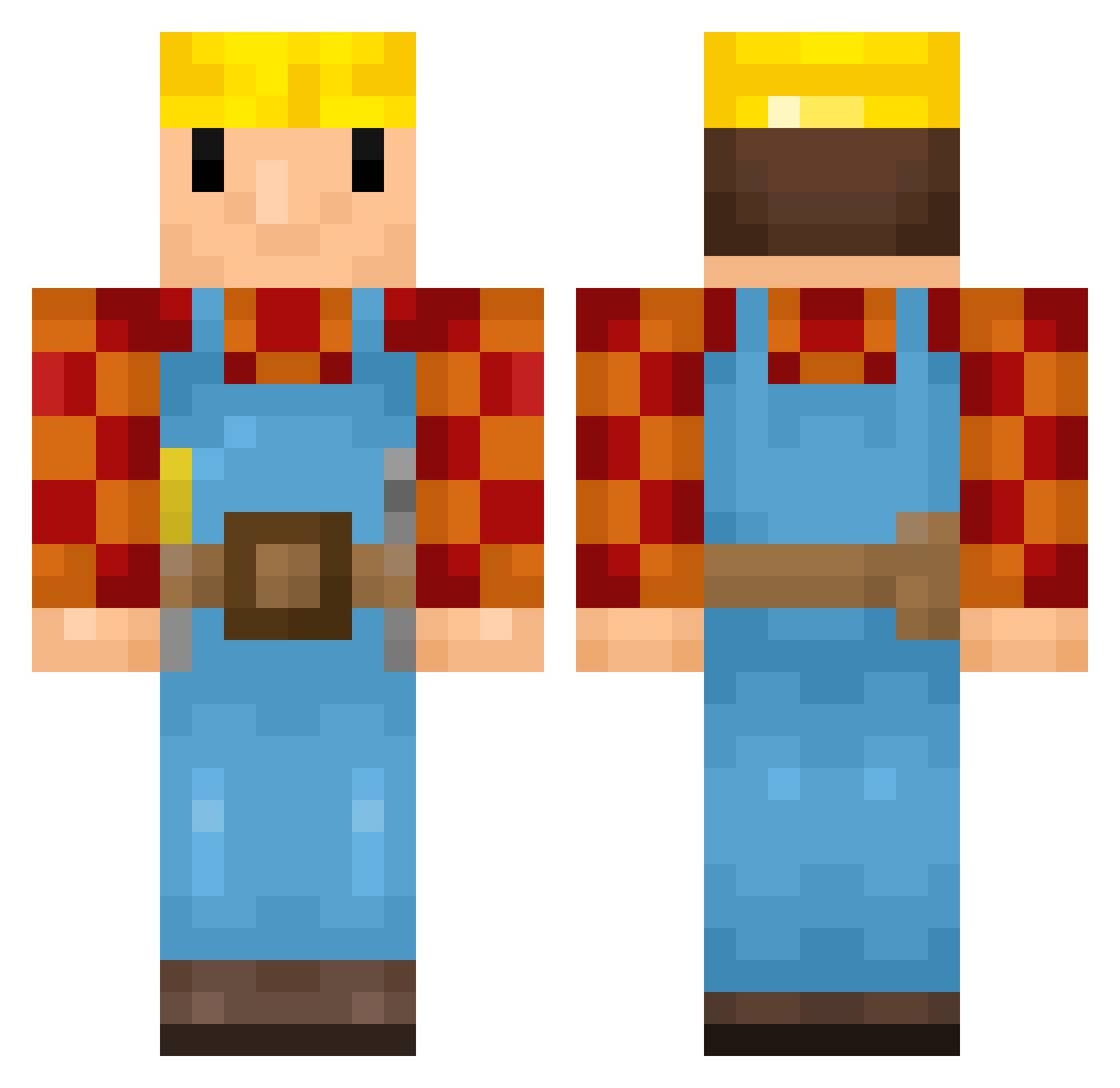
Current Minecraft skin of the player ThomasDeTrein3, loaded from the official Mojang API. Rotate the 3D model with your mouse or finger, then download the skin as a PNG file and use it in Minecraft: Bedrock Edition or Java Edition for free. When ThomasDeTrein3 changes their skin, this page updates automatically and the old skin stays in the history below.
Other players with this skin (179)
ThomasDeTrein3 was the 95th player we have seen with this skin, first spotted on 24.09.2026. The same skin was seen on these players. Open a nickname to see their current skin and skin history.
 kuliakat Crizu wyderka14 gxstavonx DeMichu_ Mightyshrimp92 Kris8939 EmbraceStrength cream_team_2 _HamSelv_ tictacdriver Sective ExAstrisVita KaliberKarl49 simplelo Sanad0 vmne theoandalex3 wya0822 Pontey majefs beans666 Tobinator11 sNorris 8S2 PhantomElotap Lodedepode Samysocke123 Spruce_LEE67 chATkoLA JaiBie BobDeBouwerrrrrr Kryfon jomialmeida pvp_hero _vengi_ lucasmrc9 Xcoar Aerrooo Tetchimon
 IAmFref PatoKKKJ bambucia100 _Kopflos_ KatieCola Kisl0u Raspish sukrajian eImersglue MistyBrockk ShakinAhh
 kubushot_ AaronG36 Dles mauba ELLOCKIE MaxR15 efenelchatt warmachine7 KADINDUSMANI
More Bob The Builder Minecraft skins
See all 72 Bob The Builder skins
How to install the ThomasDeTrein3 skin
- Press the Download button above to save the skin as a PNG file.
- Minecraft: Bedrock Edition (PE): open the Dressing Room from the main menu (or tap your character → Edit Character), go to Classic Skins → Owned, press the + (new skin) button, choose the downloaded PNG and pick the Classic (Steve) model. Works on PC and mobile; consoles cannot import custom skins.
- Minecraft: Java Edition: open the Minecraft Launcher, go to the Skins tab, click New Skin, load the PNG, pick the Classic (Steve) model and press Save & Use. You can also upload it at minecraft.net → Profile → Change Skin.
The skin does not show up after import - what should I do?
Restart Minecraft and open the Dressing Room again - imported skins sometimes appear only after a restart. Also make sure you selected the imported skin and picked the Classic (Steve) model.
Which model should I choose, Classic or Slim?
This skin is designed for the Classic (Steve) model. If you pick the wrong model, the arms of the skin will look stretched or squeezed.
Is the skin of ThomasDeTrein3 free to download?
Yes. Press Download, save the PNG file and use it in Minecraft: Bedrock Edition or Java Edition - no payment or registration needed. The skin also works on multiplayer servers and Realms.
More skins
Looking for more? Go back to all Minecraft skins and check the top skins of the week, month and all time, or find any player's skin by nickname.