
Thilakzz_ - Minecraft Skins & Skin History
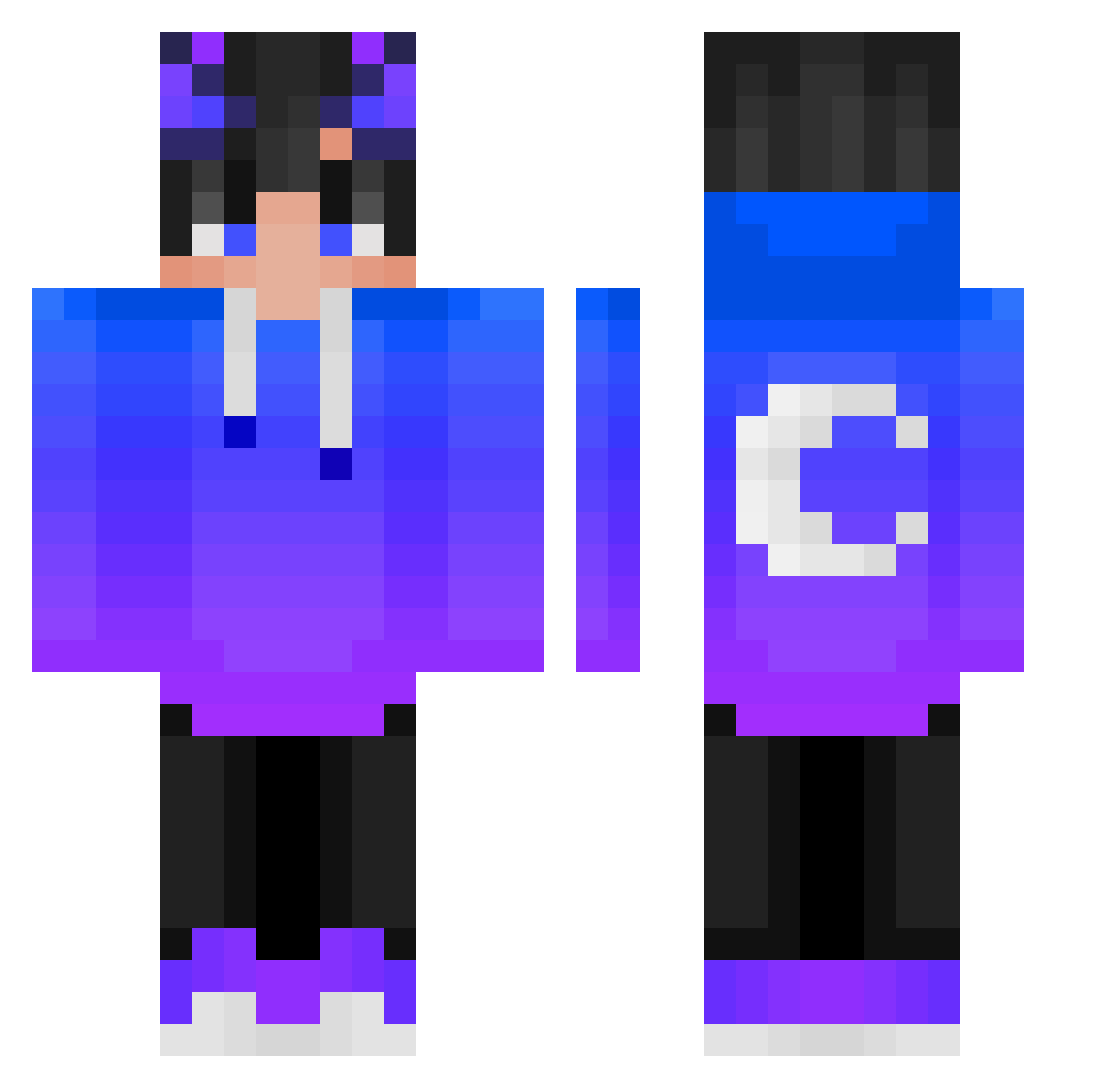
Current Minecraft skin of the player Thilakzz_, loaded from the official Mojang API. Rotate the 3D model with your mouse or finger, then download the skin as a PNG file and use it in Minecraft: Bedrock Edition or Java Edition for free. When Thilakzz_ changes their skin, this page updates automatically and the old skin stays in the history below.
Other players with this skin (398)
Thilakzz_ was the 221st player we have seen with this skin, first spotted on 22.09.2026. The same skin was seen on these players. Open a nickname to see their current skin and skin history.
 WolfsBro_ texashunter223 Yanjito Gammel_Drache_20 Basiaga JeanCastex27izi JUICExSOS_ yitianhuan svital_123 KateBryan Snowllght aakkayo Patbegaming Dead_Feelings Katsa34 SaVciuu Yuushindy kmjxunnn 0Henni0 Augurio strong0216 oRickGamerBR Kichal_ Viktoree HarisJafri Rad3ski05YT kaiziz Sleepy_vibes_ hhoommll crescentp GONCALOCRAFTING FlamingTSaiyan eeq_msmc_gmh malte_bang ablockyplayer0 Lukunkun hsiehdaidai ANAV23 RageR1chard mxtti_ tom_nguyenn wokjj NodaYuki kimswim12 Emilio_Five SHeizMD redrUD0lf AK472505 xFormulaCosine ShadowCatCZE xNorthWildThing Appentima SkViZeR Questor2010 nofacesmile Valendil666 VKmomo NebulousDragon jhonata50 alvinbaek
More Moon Minecraft skins
How to install the Thilakzz_ skin
- Press the Download button above to save the skin as a PNG file.
- Minecraft: Bedrock Edition (PE): open the Dressing Room from the main menu (or tap your character → Edit Character), go to Classic Skins → Owned, press the + (new skin) button, choose the downloaded PNG and pick the Classic (Steve) model. Works on PC and mobile; consoles cannot import custom skins.
- Minecraft: Java Edition: open the Minecraft Launcher, go to the Skins tab, click New Skin, load the PNG, pick the Classic (Steve) model and press Save & Use. You can also upload it at minecraft.net → Profile → Change Skin.
The skin does not show up after import - what should I do?
Restart Minecraft and open the Dressing Room again - imported skins sometimes appear only after a restart. Also make sure you selected the imported skin and picked the Classic (Steve) model.
Which model should I choose, Classic or Slim?
This skin is designed for the Classic (Steve) model. If you pick the wrong model, the arms of the skin will look stretched or squeezed.
Is the skin of Thilakzz_ free to download?
Yes. Press Download, save the PNG file and use it in Minecraft: Bedrock Edition or Java Edition - no payment or registration needed. The skin also works on multiplayer servers and Realms.
More skins
Looking for more? Go back to all Minecraft skins and check the top skins of the week, month and all time, or find any player's skin by nickname.