
Thexemi95 - Minecraft Skins & Skin History
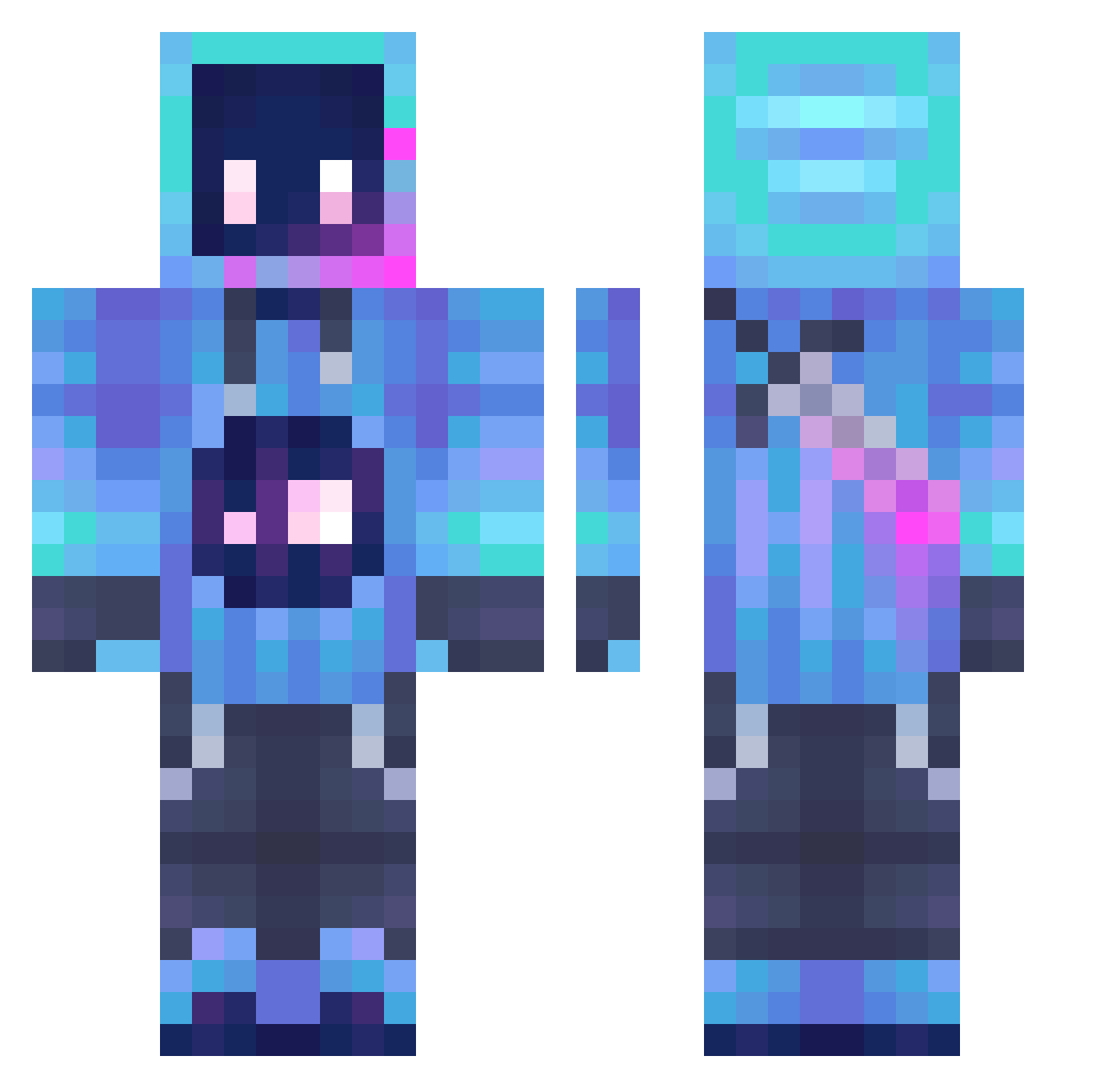
Current Minecraft skin of the player Thexemi95, loaded from the official Mojang API. Rotate the 3D model with your mouse or finger, then download the skin as a PNG file and use it in Minecraft: Bedrock Edition or Java Edition for free. When Thexemi95 changes their skin, this page updates automatically and the old skin stays in the history below.
Other players with this skin (1019)
Thexemi95 was the 423rd player we have seen with this skin, first spotted on 29.08.2026. The same skin was seen on these players. Open a nickname to see their current skin and skin history.
 Lailah2012 superzp NoahjLogan joker520o Brennny Eattfood zorfax Avadro Naoko237 joker2332 ZUZHENG2004 cryofreek DSNHY KnightXDD MYCB BrilliantCCl4 G00B153 Seafoodenjoyer2 JoMo18 Kiels_midas ThockyKeys binmaster Solrss_ LLV77 KennyFM Spark_Double Toglulito Baqz14 Midn1ghttt rok0529 _KILLU Archie6625 evns_ Kristoxos RedKite09eMBeJA TheNinjagamer007 FLS_ZKY HituTAn ZeilanS7 not_slizy Tuyetta kaneking22 QuantumNote Tryplayer BinaByul Endslayer6130 Jminding ysf2014 JayP1306 pablux__77 FnafChik JFeng JeffChefVech winterbirch6090 Prydario Govank MACKITL DancingToothless Frostminx SantiGameTag369
More Sword Minecraft skins
How to install the Thexemi95 skin
- Press the Download button above to save the skin as a PNG file.
- Minecraft: Bedrock Edition (PE): open the Dressing Room from the main menu (or tap your character → Edit Character), go to Classic Skins → Owned, press the + (new skin) button, choose the downloaded PNG and pick the Classic (Steve) model. Works on PC and mobile; consoles cannot import custom skins.
- Minecraft: Java Edition: open the Minecraft Launcher, go to the Skins tab, click New Skin, load the PNG, pick the Classic (Steve) model and press Save & Use. You can also upload it at minecraft.net → Profile → Change Skin.
The skin does not show up after import - what should I do?
Restart Minecraft and open the Dressing Room again - imported skins sometimes appear only after a restart. Also make sure you selected the imported skin and picked the Classic (Steve) model.
Which model should I choose, Classic or Slim?
This skin is designed for the Classic (Steve) model. If you pick the wrong model, the arms of the skin will look stretched or squeezed.
Is the skin of Thexemi95 free to download?
Yes. Press Download, save the PNG file and use it in Minecraft: Bedrock Edition or Java Edition - no payment or registration needed. The skin also works on multiplayer servers and Realms.
More skins
Looking for more? Go back to all Minecraft skins and check the top skins of the week, month and all time, or find any player's skin by nickname.