
The_real_LeBron - Minecraft Skins & Skin History
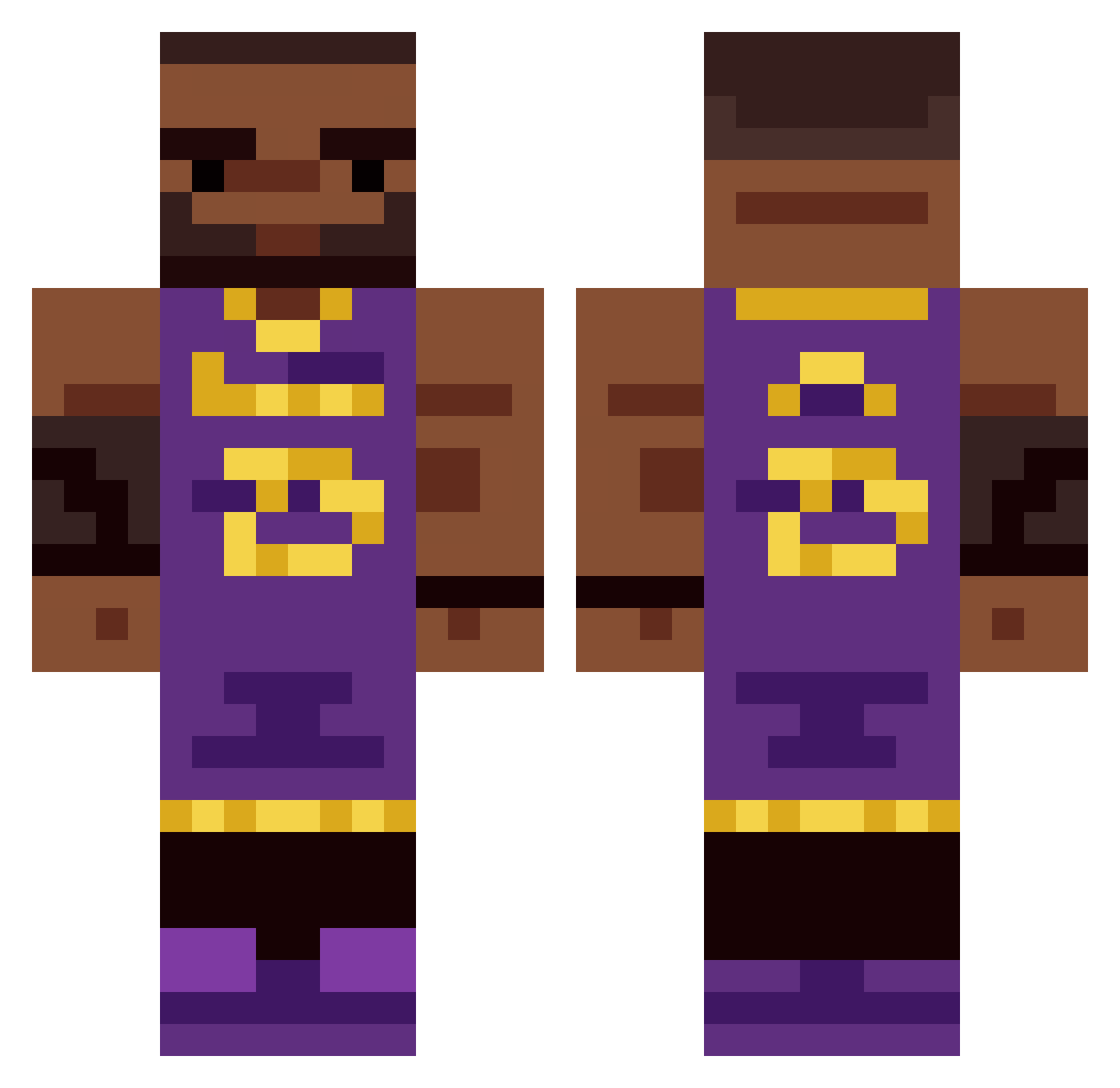
Current Minecraft skin of the player The_real_LeBron, loaded from the official Mojang API. Rotate the 3D model with your mouse or finger, then download the skin as a PNG file and use it in Minecraft: Bedrock Edition or Java Edition for free. When The_real_LeBron changes their skin, this page updates automatically and the old skin stays in the history below.
Other players with this skin (335)
The_real_LeBron was the 193rd player we have seen with this skin, first spotted on 19.09.2026. The same skin was seen on these players. Open a nickname to see their current skin and skin history.
 Tixi_69 LebronSandwich SyberneticDark KevinChen2014 eickhoff Carry_Pxtter DedeLeBle Davidson014162 farteater773 Albert_The_G DinonGrungo drowsyrn Camisoles kehribartasi ___rpc Noutong BigDayo angussy_ avgbingchiling kubusek42 mytemode_ bundu Eggwin_ DarekPoranek toegelaten Aisack24 IzeKoldKilla jonchrisson kianfrfr boleksrolek Supergamers1000 lekingjames623 snigre titokiwi MattTheCrazi Deehay_ hurlec1 Lebronm sussyrussy Nick_Lebron_Jame yeahriver2 HubGub turtlelovels vnx3 roy1234567910 notfaaris ITWORE TrexyyMC StruidTrash Makshh_ Bortoloci ShagiJunior34 ButteredToast3r SeanathanM Ballin642 dark1234577 Xavieeer_ james_is_hot RyeMart Delaneyy1
More Lakers Minecraft skins
How to install the The_real_LeBron skin
- Press the Download button above to save the skin as a PNG file.
- Minecraft: Bedrock Edition (PE): open the Dressing Room from the main menu (or tap your character → Edit Character), go to Classic Skins → Owned, press the + (new skin) button, choose the downloaded PNG and pick the Classic (Steve) model. Works on PC and mobile; consoles cannot import custom skins.
- Minecraft: Java Edition: open the Minecraft Launcher, go to the Skins tab, click New Skin, load the PNG, pick the Classic (Steve) model and press Save & Use. You can also upload it at minecraft.net → Profile → Change Skin.
The skin does not show up after import - what should I do?
Restart Minecraft and open the Dressing Room again - imported skins sometimes appear only after a restart. Also make sure you selected the imported skin and picked the Classic (Steve) model.
Which model should I choose, Classic or Slim?
This skin is designed for the Classic (Steve) model. If you pick the wrong model, the arms of the skin will look stretched or squeezed.
Is the skin of The_real_LeBron free to download?
Yes. Press Download, save the PNG file and use it in Minecraft: Bedrock Edition or Java Edition - no payment or registration needed. The skin also works on multiplayer servers and Realms.
More skins
Looking for more? Go back to all Minecraft skins and check the top skins of the week, month and all time, or find any player's skin by nickname.