
The_hermit_MC - Minecraft Skins & Skin History
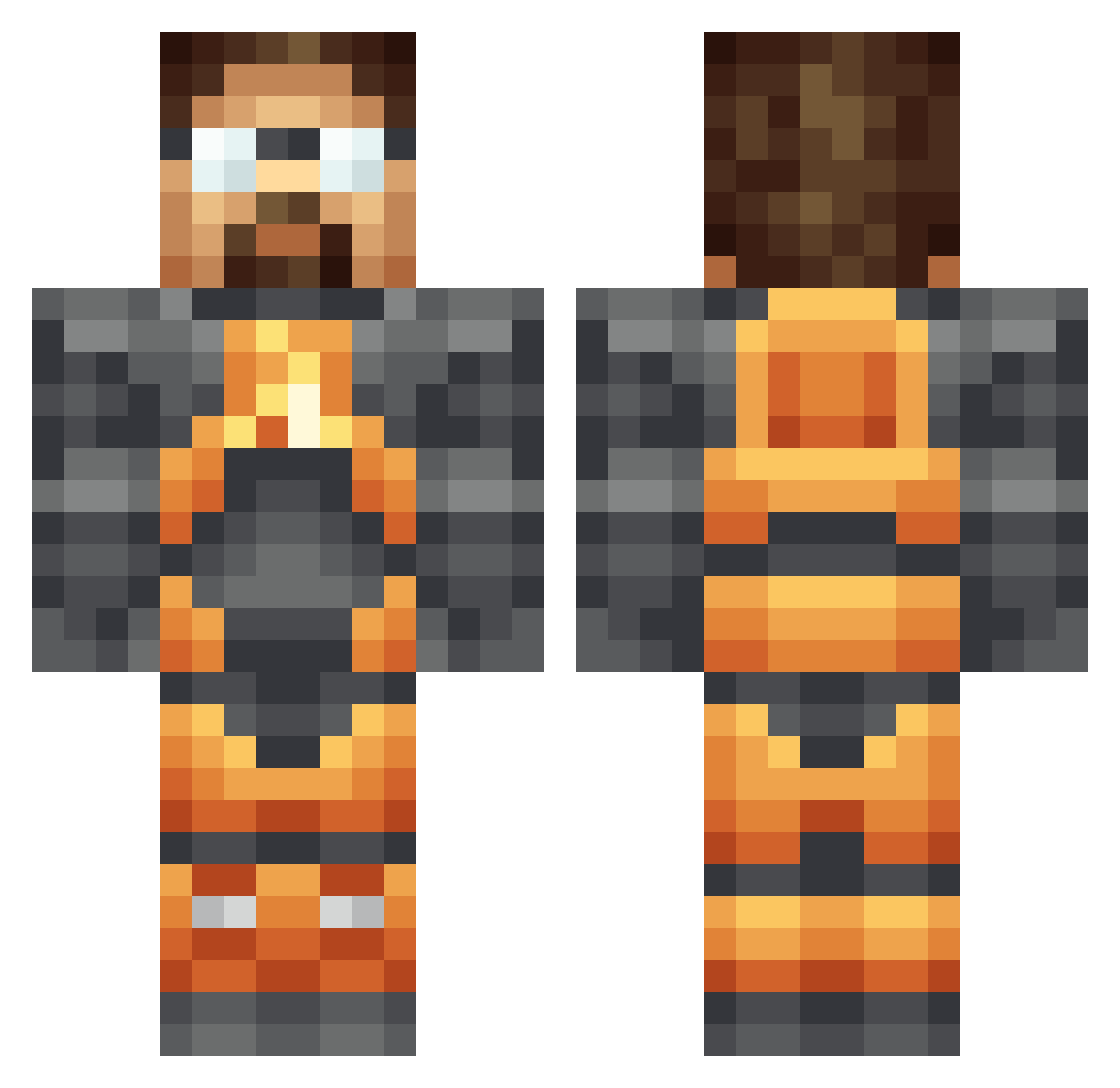
Current Minecraft skin of the player The_hermit_MC, loaded from the official Mojang API. Rotate the 3D model with your mouse or finger, then download the skin as a PNG file and use it in Minecraft: Bedrock Edition or Java Edition for free. When The_hermit_MC changes their skin, this page updates automatically and the old skin stays in the history below.
Other players with this skin (224)
The_hermit_MC was the 212th player we have seen with this skin, first spotted on 10.11.2026. The same skin was seen on these players. Open a nickname to see their current skin and skin history.
 Maincharacter122 Kenduis aliwthemfdope BOT_Jack29 marcuce HeinZel Val_KrY ___mario___69 heinzdog Pripyat98 alienslayer2406 pine42 FroschHorst CarlosDB97 LewisHatchett MightyPapu Lightbringer23 stationaryarea Fongbeard blisf starium Pix3lCraft the__funk talisar _Kriss_ masterinsan0 LitScarecrow GrumpyGordon 1312Shafcik Bioparox SHAPSS Nishawks Falafel_Itay CH1N3S3N00B ThyBrudda _Jox_ uaamonkey deathman245 hawedereoida STALKER_T3 PoisonWarlord De_Lex RommelChan Altoidx Piogre parrishdk caslie PopePancho Croky80 NovanCrusader Devyl721 SentryDan Giral Blizzer1 SneakingDoom KillSett aidan319 BigSwathers Markokop The_Keebler
More Gordon Freeman Minecraft skins
See all 392 Gordon Freeman skins
How to install the The_hermit_MC skin
- Press the Download button above to save the skin as a PNG file.
- Minecraft: Bedrock Edition (PE): open the Dressing Room from the main menu (or tap your character → Edit Character), go to Classic Skins → Owned, press the + (new skin) button, choose the downloaded PNG and pick the Classic (Steve) model. Works on PC and mobile; consoles cannot import custom skins.
- Minecraft: Java Edition: open the Minecraft Launcher, go to the Skins tab, click New Skin, load the PNG, pick the Classic (Steve) model and press Save & Use. You can also upload it at minecraft.net → Profile → Change Skin.
The skin does not show up after import - what should I do?
Restart Minecraft and open the Dressing Room again - imported skins sometimes appear only after a restart. Also make sure you selected the imported skin and picked the Classic (Steve) model.
Which model should I choose, Classic or Slim?
This skin is designed for the Classic (Steve) model. If you pick the wrong model, the arms of the skin will look stretched or squeezed.
Is the skin of The_hermit_MC free to download?
Yes. Press Download, save the PNG file and use it in Minecraft: Bedrock Edition or Java Edition - no payment or registration needed. The skin also works on multiplayer servers and Realms.
More skins
Looking for more? Go back to all Minecraft skins and check the top skins of the week, month and all time, or find any player's skin by nickname.