
The_Alchemyst - Minecraft Skins & Skin History
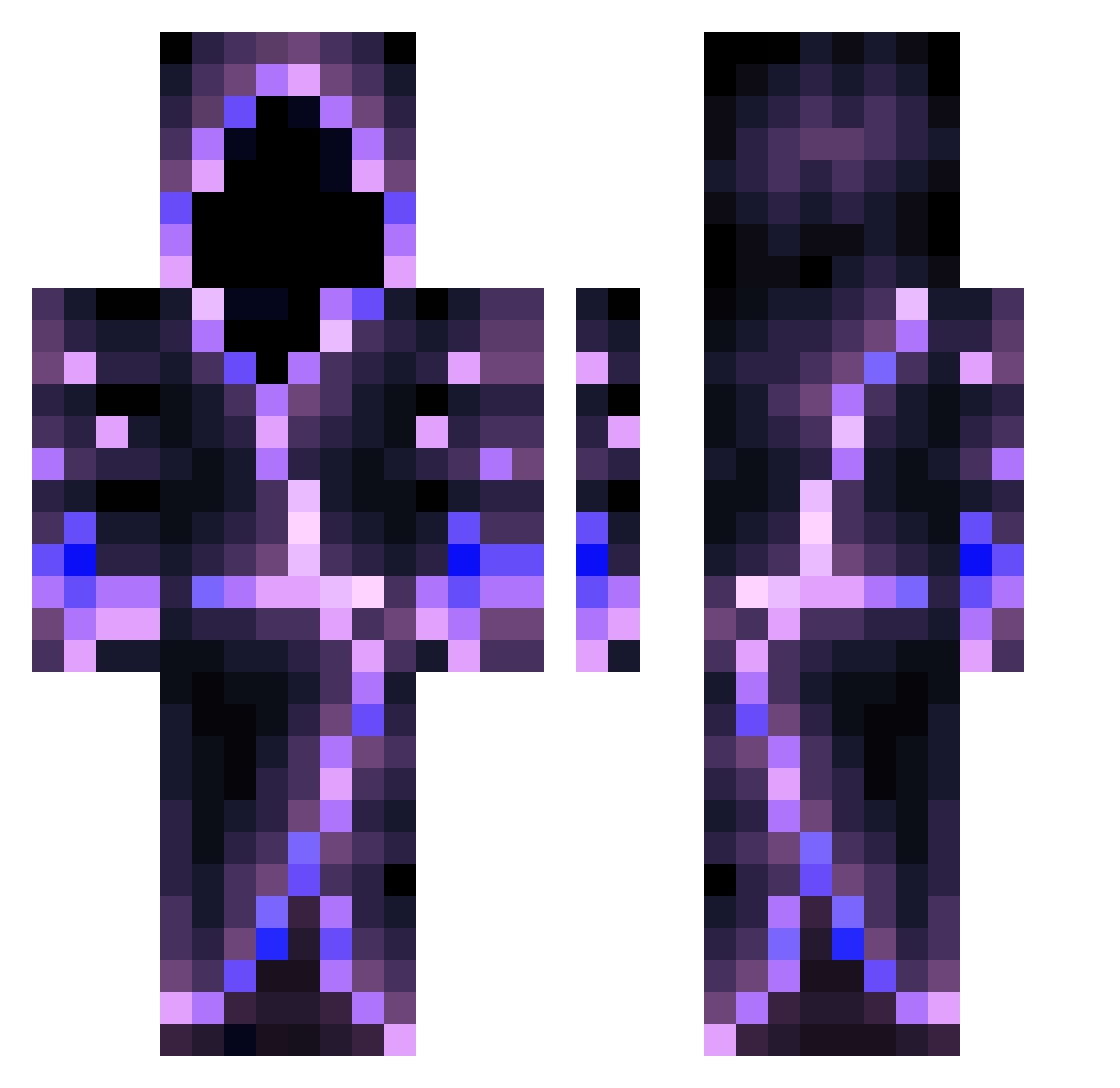
Current Minecraft skin of the player The_Alchemyst, loaded from the official Mojang API. Rotate the 3D model with your mouse or finger, then download the skin as a PNG file and use it in Minecraft: Bedrock Edition or Java Edition for free. When The_Alchemyst changes their skin, this page updates automatically and the old skin stays in the history below.
Other players with this skin (491)
The_Alchemyst was the 479th player we have seen with this skin, first spotted on 19.10.2026. The same skin was seen on these players. Open a nickname to see their current skin and skin history.
 JysusGR Squiggles017 RubyGlo0m Meandmypizza RaidenRevengers leviatan701 Darkytin69 ShaKav_Gaming MaltheSA Temujin_Khan Dreidelx Beraias2022 melnty Superior_Donkey Horserider69 RiEvenXsuis SrPavel papapeye SantaOxy Charlx007 Milancraft022 Boopatronics Kraken14354 Leonardovettore sonicandgoku2 Retro_Ant V1n100 TP_Magus Slayer1238 HazyOG wilber39 ShadowShawny117 korex9 Builder2008 Marlin31 mathieu25z LMuRain Proxgamerpro Jleak14 Gzor223 Margithefellomen TroubleMaker4F LiterallyVibz ImMiillyy xZaDi_05 Bragio01 LOGANOOO_2345 ICanAxeU ARLEQUIN994 Potion_of_Frost IronChaos_35 Iron_Lynx157 iamgorkemer notn3rT Tobiee15 CptTyFighter2009 airoine SilentArrow28 GalaxyHack_ demiskp
More Hooded Figure Minecraft skins
See all 1104 Hooded Figure skins
How to install the The_Alchemyst skin
- Press the Download button above to save the skin as a PNG file.
- Minecraft: Bedrock Edition (PE): open the Dressing Room from the main menu (or tap your character → Edit Character), go to Classic Skins → Owned, press the + (new skin) button, choose the downloaded PNG and pick the Classic (Steve) model. Works on PC and mobile; consoles cannot import custom skins.
- Minecraft: Java Edition: open the Minecraft Launcher, go to the Skins tab, click New Skin, load the PNG, pick the Classic (Steve) model and press Save & Use. You can also upload it at minecraft.net → Profile → Change Skin.
The skin does not show up after import - what should I do?
Restart Minecraft and open the Dressing Room again - imported skins sometimes appear only after a restart. Also make sure you selected the imported skin and picked the Classic (Steve) model.
Which model should I choose, Classic or Slim?
This skin is designed for the Classic (Steve) model. If you pick the wrong model, the arms of the skin will look stretched or squeezed.
Is the skin of The_Alchemyst free to download?
Yes. Press Download, save the PNG file and use it in Minecraft: Bedrock Edition or Java Edition - no payment or registration needed. The skin also works on multiplayer servers and Realms.
More skins
Looking for more? Go back to all Minecraft skins and check the top skins of the week, month and all time, or find any player's skin by nickname.