
ThePfantom - Minecraft Skins & Skin History
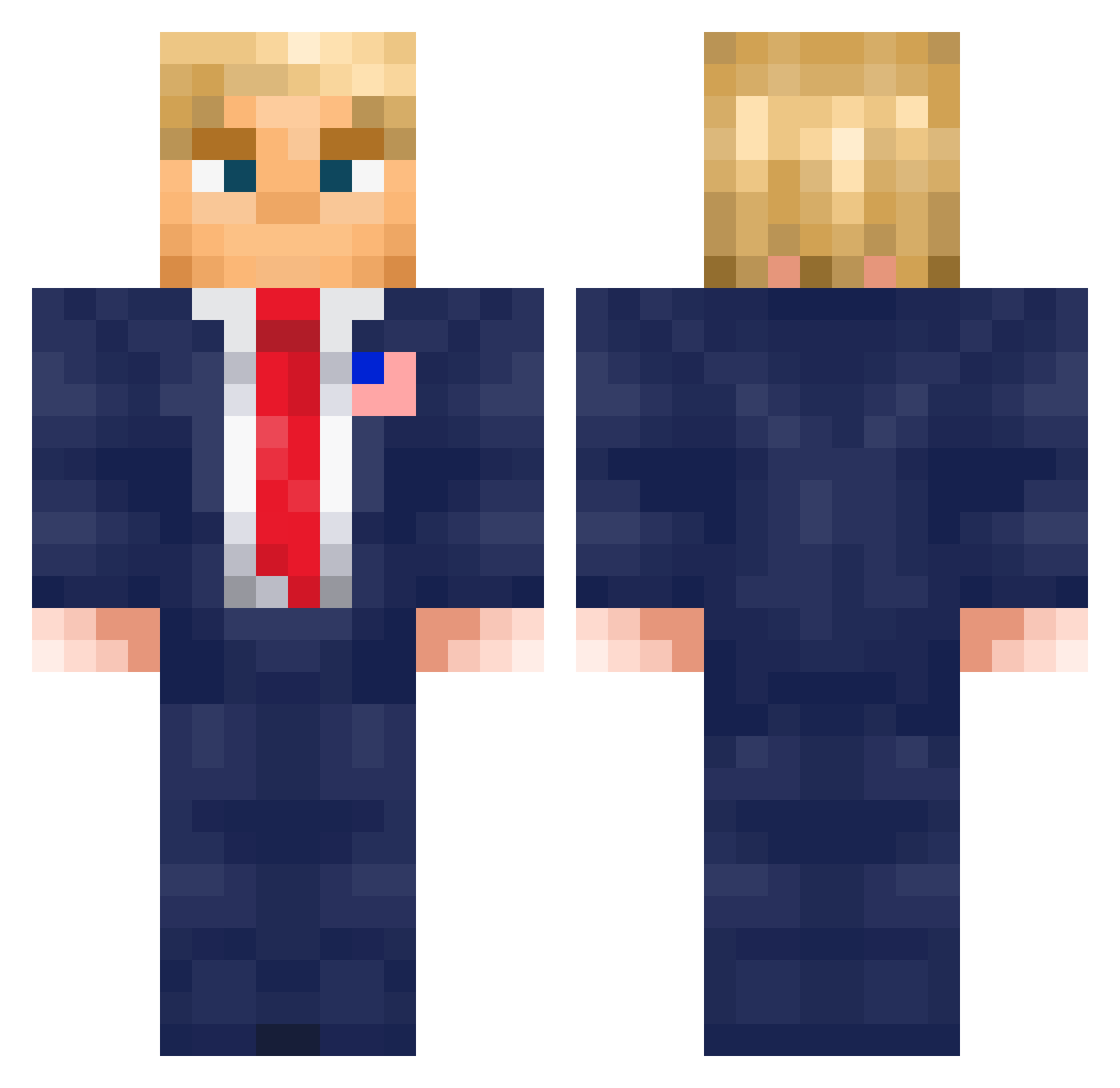
Current Minecraft skin of the player ThePfantom, loaded from the official Mojang API. Rotate the 3D model with your mouse or finger, then download the skin as a PNG file and use it in Minecraft: Bedrock Edition or Java Edition for free. When ThePfantom changes their skin, this page updates automatically and the old skin stays in the history below.
Other players with this skin (688)
ThePfantom was the 688th player we have seen with this skin, first spotted on 20.11.2026. The same skin was seen on these players. Open a nickname to see their current skin and skin history.
 Syvarrys PunLord20109 Kaffil ganster2011 Mattcest NightShaftt SeaRayBoys_ kotone040310 tompearson23 _Wh1pS_ american09 Jack_Piace sosok996 Shadowed_Blade balgor18 BigB69 PlaneMaster00 FifanCZ NotQuokka bnewgiq Not_Xtrooper Hendrykov Forciful portercooper07 tymateusz KenKitaro Milch_Tueten Lssmax Probas1 GoldenLake2 averyisdumb3978 cardboard222 Neqroz billygoat69420 dario_pereira kizofr TimmysToast SHIRTNSHORTSGUY Kaizerstrato Dilanson Apectat TitaniumFalcon Schatzjaeger_1 BradTheAirman ElKoffee Gamer0018 Zetatou Cactus_Jack_28 AR3BIT3 CaveRope Lowkey782 Cannonmine Jaxmax1309 Alehsi_ TrumpAmerica DonaldLarp Confetti1229 Obobqui Sebast9702 De1ms
More Donald Trump Minecraft skins
See all 368 Donald Trump skins
How to install the ThePfantom skin
- Press the Download button above to save the skin as a PNG file.
- Minecraft: Bedrock Edition (PE): open the Dressing Room from the main menu (or tap your character → Edit Character), go to Classic Skins → Owned, press the + (new skin) button, choose the downloaded PNG and pick the Classic (Steve) model. Works on PC and mobile; consoles cannot import custom skins.
- Minecraft: Java Edition: open the Minecraft Launcher, go to the Skins tab, click New Skin, load the PNG, pick the Classic (Steve) model and press Save & Use. You can also upload it at minecraft.net → Profile → Change Skin.
The skin does not show up after import - what should I do?
Restart Minecraft and open the Dressing Room again - imported skins sometimes appear only after a restart. Also make sure you selected the imported skin and picked the Classic (Steve) model.
Which model should I choose, Classic or Slim?
This skin is designed for the Classic (Steve) model. If you pick the wrong model, the arms of the skin will look stretched or squeezed.
Is the skin of ThePfantom free to download?
Yes. Press Download, save the PNG file and use it in Minecraft: Bedrock Edition or Java Edition - no payment or registration needed. The skin also works on multiplayer servers and Realms.
More skins
Looking for more? Go back to all Minecraft skins and check the top skins of the week, month and all time, or find any player's skin by nickname.