
TheNates123_ - Minecraft Skins & Skin History
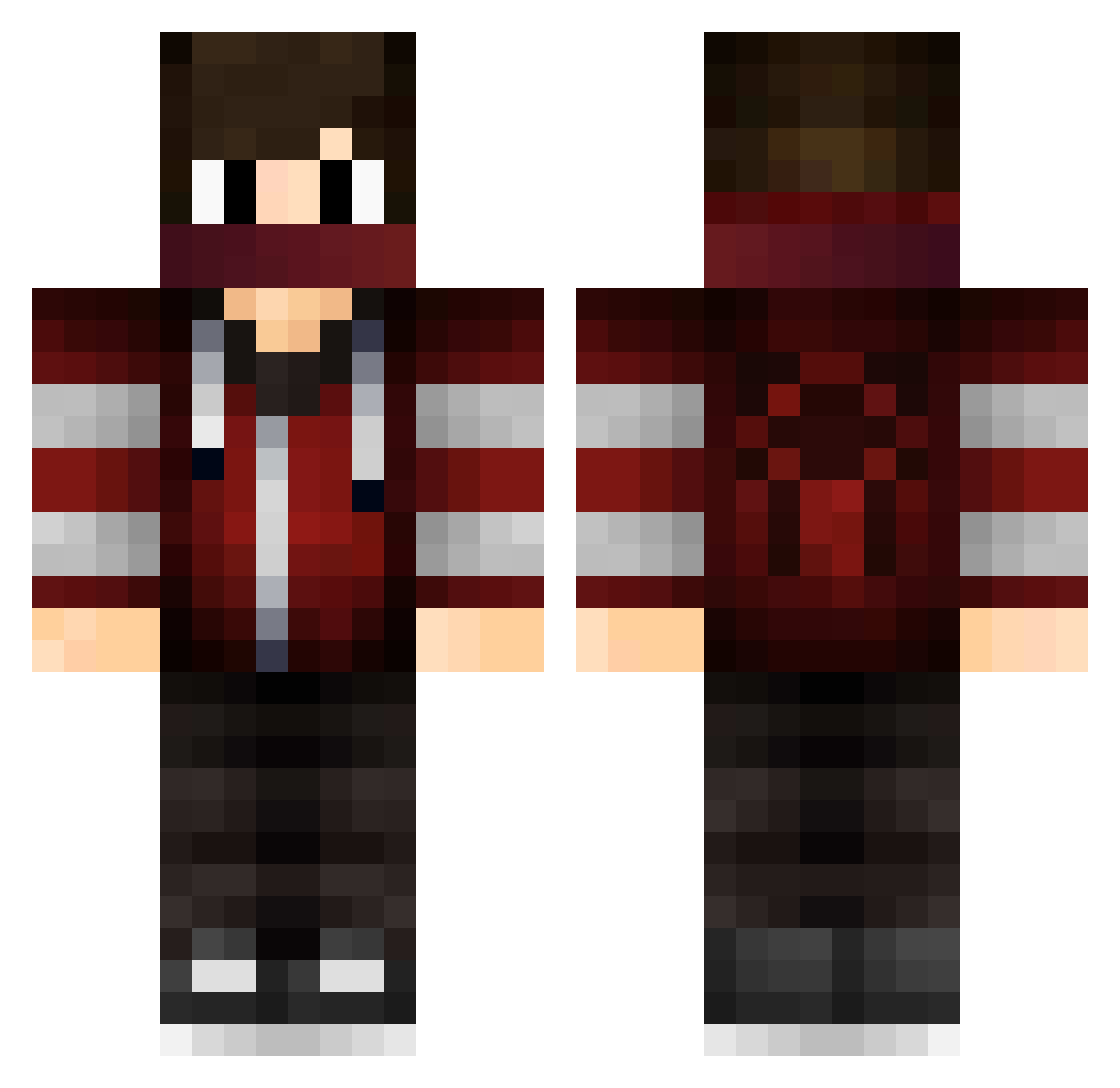
Current Minecraft skin of the player TheNates123_, loaded from the official Mojang API. Rotate the 3D model with your mouse or finger, then download the skin as a PNG file and use it in Minecraft: Bedrock Edition or Java Edition for free. When TheNates123_ changes their skin, this page updates automatically and the old skin stays in the history below.
Other players with this skin (62)
TheNates123_ was the 53rd player we have seen with this skin, first spotted on 15.10.2026. The same skin was seen on these players. Open a nickname to see their current skin and skin history.
 FedeB32 maxkey52 FemaleFree nathanweyn masterofpvp777 Timuz rectorman Huo_Gao M__JJ Kazane_Zzz Zhouzi11111 Dofkiuxas Xavenian xiaoanMC LIBRAXS VyrnoxReaper SunSeeker571 CAP_Andre FZKbest einsmarlon Knickemz SkyFlyXd Zylop6 Marlonerique danchu95 Biggie972 Nexttt no_the_guard WilliamT09 MO2GO BenePlayzZ Canye23 RRom1 darkbluemoon YS_XuanFeng Korblox845 EJLemonz123 NPFlyingdutchman kaputcar iNev3l Sturmseidon CrimsonB3457 JB050 edwardV2 BlockA4 Nicoolaj Aoumercrmarket Shooter400 LLAAKK SongBai666 cqz_230
 OliveGalaxy7774 star_zan Treant_E Tipilintu stormBaldwin meliodasLL _7Badro Diamonddillon07
 xspeedy98
More Spider Man Minecraft skins
How to install the TheNates123_ skin
- Press the Download button above to save the skin as a PNG file.
- Minecraft: Bedrock Edition (PE): open the Dressing Room from the main menu (or tap your character → Edit Character), go to Classic Skins → Owned, press the + (new skin) button, choose the downloaded PNG and pick the Classic (Steve) model. Works on PC and mobile; consoles cannot import custom skins.
- Minecraft: Java Edition: open the Minecraft Launcher, go to the Skins tab, click New Skin, load the PNG, pick the Classic (Steve) model and press Save & Use. You can also upload it at minecraft.net → Profile → Change Skin.
The skin does not show up after import - what should I do?
Restart Minecraft and open the Dressing Room again - imported skins sometimes appear only after a restart. Also make sure you selected the imported skin and picked the Classic (Steve) model.
Which model should I choose, Classic or Slim?
This skin is designed for the Classic (Steve) model. If you pick the wrong model, the arms of the skin will look stretched or squeezed.
Is the skin of TheNates123_ free to download?
Yes. Press Download, save the PNG file and use it in Minecraft: Bedrock Edition or Java Edition - no payment or registration needed. The skin also works on multiplayer servers and Realms.
More skins
Looking for more? Go back to all Minecraft skins and check the top skins of the week, month and all time, or find any player's skin by nickname.