
TheLittleChip - Minecraft Skins & Skin History
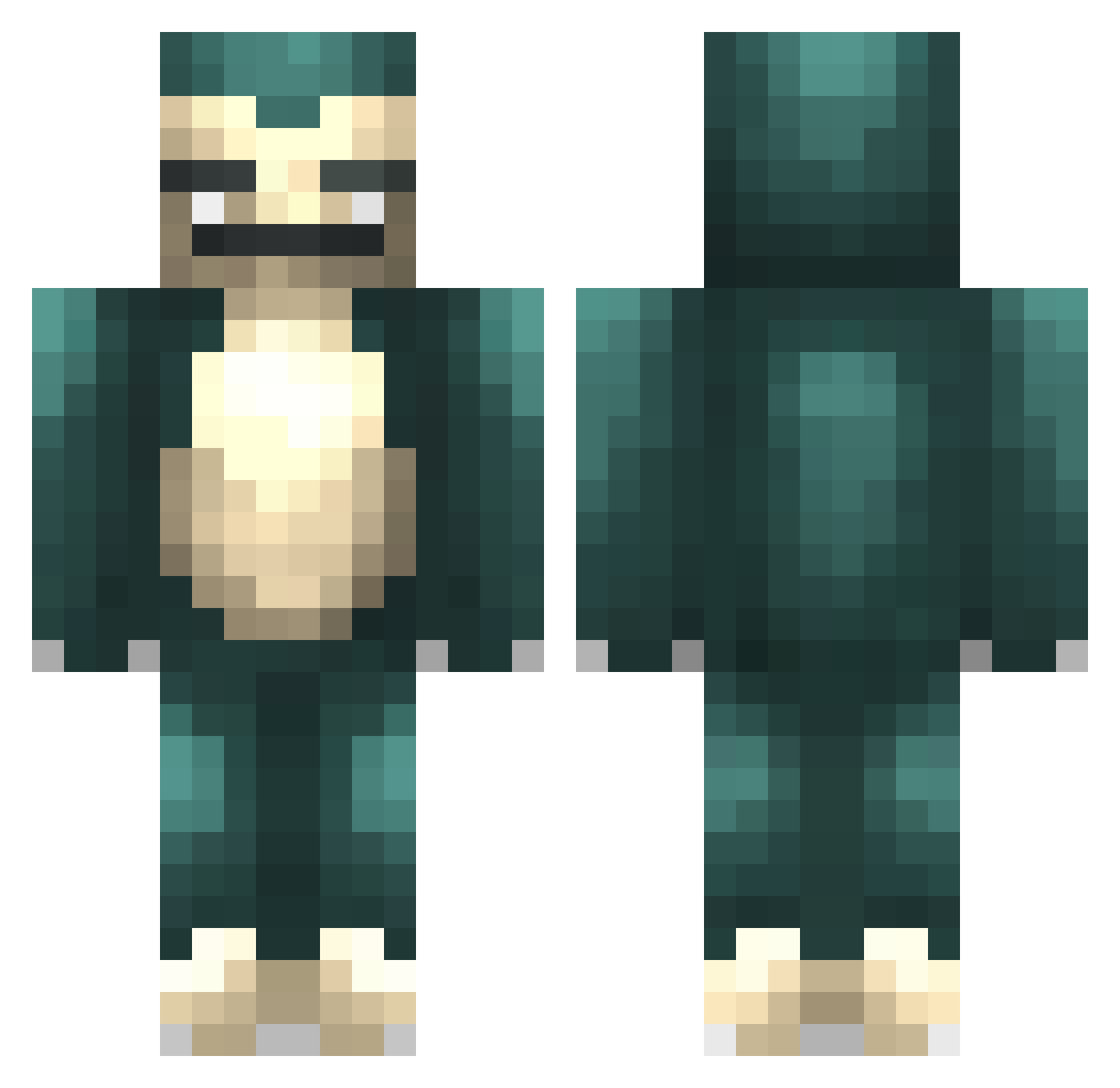
Current Minecraft skin of the player TheLittleChip, loaded from the official Mojang API. Rotate the 3D model with your mouse or finger, then download the skin as a PNG file and use it in Minecraft: Bedrock Edition or Java Edition for free. When TheLittleChip changes their skin, this page updates automatically and the old skin stays in the history below.
Other players with this skin (57)
TheLittleChip was the 17th player we have seen with this skin, first spotted on 31.08.2026. The same skin was seen on these players. Open a nickname to see their current skin and skin history.
 Snooorlax PlusE1ns rksjaak Mudkao ChyaaBoii CreepyChick ItsChrispyChips WelshBeast03 Fewk99 Scyum ChickMagnet0402 IOnceAte2Lamps BecAWH TheReznix Sn1per14 RodgersMenu gabsta29 ATTACkdOC TheRetroRaider Barragon skaterlolo01 schnell_ senordeadshot Vemunde Benin725 Gk_Ruel Snazzy_atom Daviid_3 Karltheking Reptilla nicknamejeon bloodhunter88 Psyc0x Drinkbak Justiinnhale FairerDesert38 KiverLV DirtyDDs spellstone2710 B3NNY_ Udahun MK917 MisterMontou Shoklia SGMon qu1nn__ Etaie Shirayuki333 darkboft Paulon XJPuuuu ilovemeows PokingSnorlax alex_pirone TheRealSle3py Kenneth1997 ElyuTiefay
More Snorlax Minecraft skins
How to install the TheLittleChip skin
- Press the Download button above to save the skin as a PNG file.
- Minecraft: Bedrock Edition (PE): open the Dressing Room from the main menu (or tap your character → Edit Character), go to Classic Skins → Owned, press the + (new skin) button, choose the downloaded PNG and pick the Classic (Steve) model. Works on PC and mobile; consoles cannot import custom skins.
- Minecraft: Java Edition: open the Minecraft Launcher, go to the Skins tab, click New Skin, load the PNG, pick the Classic (Steve) model and press Save & Use. You can also upload it at minecraft.net → Profile → Change Skin.
The skin does not show up after import - what should I do?
Restart Minecraft and open the Dressing Room again - imported skins sometimes appear only after a restart. Also make sure you selected the imported skin and picked the Classic (Steve) model.
Which model should I choose, Classic or Slim?
This skin is designed for the Classic (Steve) model. If you pick the wrong model, the arms of the skin will look stretched or squeezed.
Is the skin of TheLittleChip free to download?
Yes. Press Download, save the PNG file and use it in Minecraft: Bedrock Edition or Java Edition - no payment or registration needed. The skin also works on multiplayer servers and Realms.
More skins
Looking for more? Go back to all Minecraft skins and check the top skins of the week, month and all time, or find any player's skin by nickname.