
TheJulio8D - Minecraft Skins & Skin History
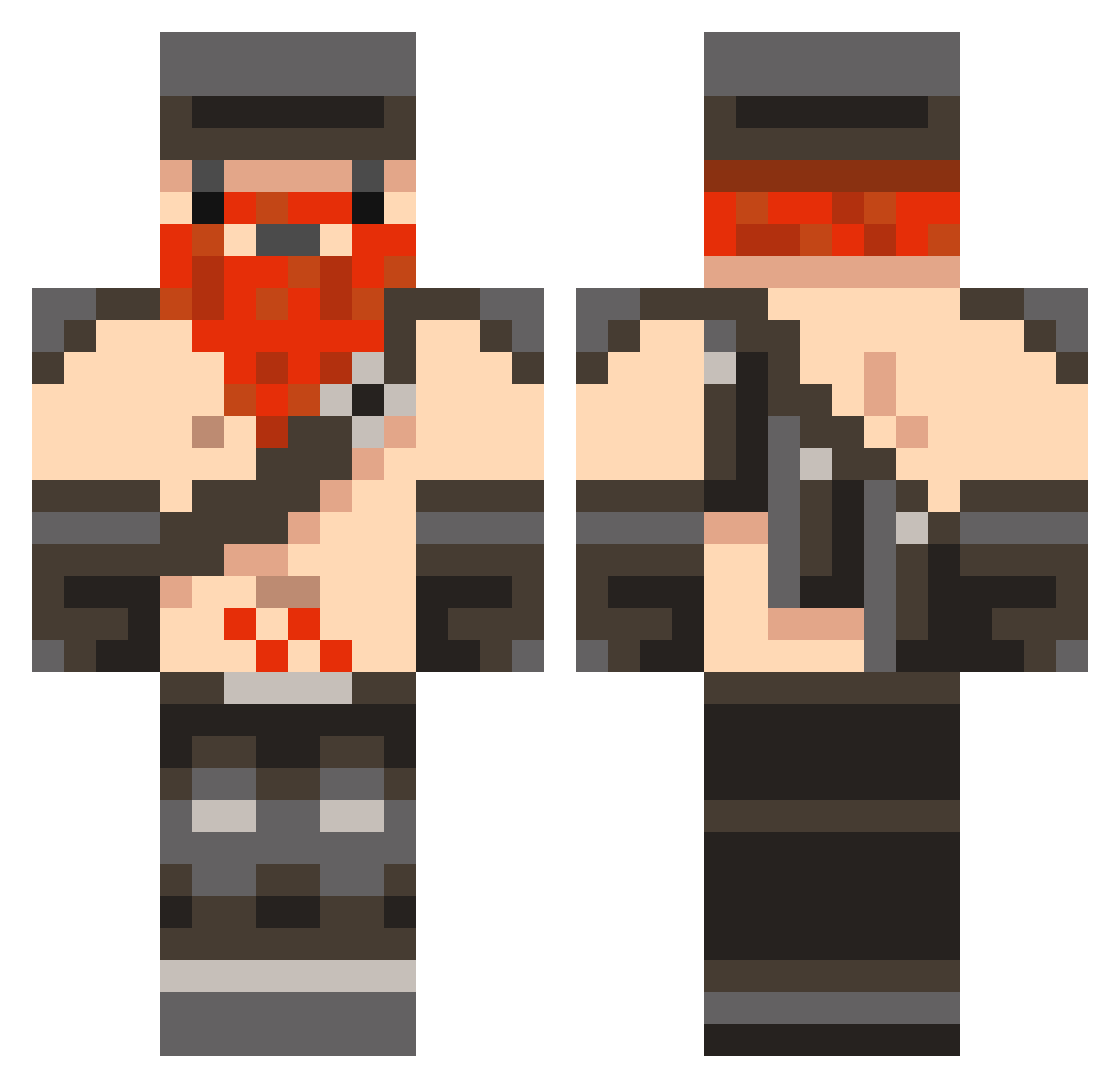
Current Minecraft skin of the player TheJulio8D, loaded from the official Mojang API. Rotate the 3D model with your mouse or finger, then download the skin as a PNG file and use it in Minecraft: Bedrock Edition or Java Edition for free. When TheJulio8D changes their skin, this page updates automatically and the old skin stays in the history below.
Other players with this skin (846)
TheJulio8D was the 405th player we have seen with this skin, first spotted on 17.09.2026. The same skin was seen on these players. Open a nickname to see their current skin and skin history.
 8gjk florx AdamLoosh matthew12045 haloboy117 hockeyguy99 tulling106 xanderthegreat91 zlabreche lcfc4life __Kenjamin__ zappie32 tedshepherd97 ziddac SwissFenyx onionhead26 radio_killah monkeycheeze21 KothKills fiveninenine Spider_Killer_ IAm_the_Walrus Bill221 brady123101 Creepertroll344 blitzhellion36 CryGamesHD theocho8 xXTH3_MONST3RXx JB2468 oaxen42 deathcenter Lizzaroo sherminiee ilenol starblazer113 DaWeesh fkj184 Kayez kefkamania beanzie98 alec99 martianmarr breezehouse cameroony tyrbdog finnbow123 lamposty KWYJIBO_ ModernCommander Juhezu sorn567 William_Tell80 adure460 monkyboy14 Demondog1122 aidanh0603 SoldierShredder Shrike942 BuriedAliveKing
More Dwarf Minecraft skins
How to install the TheJulio8D skin
- Press the Download button above to save the skin as a PNG file.
- Minecraft: Bedrock Edition (PE): open the Dressing Room from the main menu (or tap your character → Edit Character), go to Classic Skins → Owned, press the + (new skin) button, choose the downloaded PNG and pick the Classic (Steve) model. Works on PC and mobile; consoles cannot import custom skins.
- Minecraft: Java Edition: open the Minecraft Launcher, go to the Skins tab, click New Skin, load the PNG, pick the Classic (Steve) model and press Save & Use. You can also upload it at minecraft.net → Profile → Change Skin.
The skin does not show up after import - what should I do?
Restart Minecraft and open the Dressing Room again - imported skins sometimes appear only after a restart. Also make sure you selected the imported skin and picked the Classic (Steve) model.
Which model should I choose, Classic or Slim?
This skin is designed for the Classic (Steve) model. If you pick the wrong model, the arms of the skin will look stretched or squeezed.
Is the skin of TheJulio8D free to download?
Yes. Press Download, save the PNG file and use it in Minecraft: Bedrock Edition or Java Edition - no payment or registration needed. The skin also works on multiplayer servers and Realms.
More skins
Looking for more? Go back to all Minecraft skins and check the top skins of the week, month and all time, or find any player's skin by nickname.