
TheFlavio - Minecraft Skins & Skin History
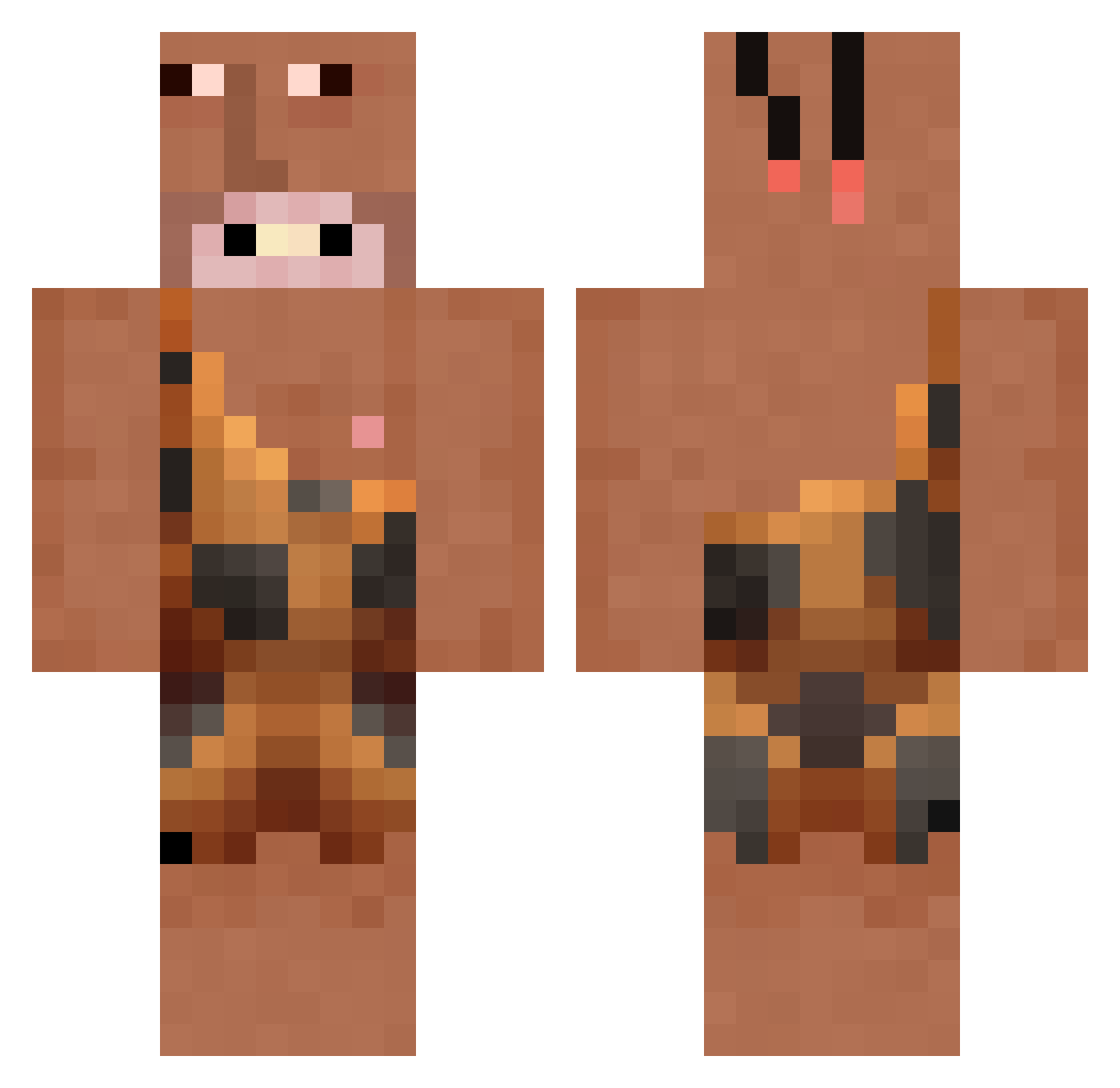
Current Minecraft skin of the player TheFlavio, loaded from the official Mojang API. Rotate the 3D model with your mouse or finger, then download the skin as a PNG file and use it in Minecraft: Bedrock Edition or Java Edition for free. When TheFlavio changes their skin, this page updates automatically and the old skin stays in the history below.
Other players with this skin (219)
TheFlavio was the 183rd player we have seen with this skin, first spotted on 18.10.2026. The same skin was seen on these players. Open a nickname to see their current skin and skin history.
 KileyBird2004 tlre _kkk_1 MeinYarakIsGross Wolf_Wendy_XD HappyJackGaming vnld Koshinion compu22 Xx5xX Toefungus1syummy Raamayaa d1792 cArleSsMiStaKeS WorldExperience PI3DEC diughh FamousSquare34 MuhamKhalif R3dC0br4man jjuny99 RT_ALX_05 UngaBungaBoi lesleyyjunior Oofman51 kishmish000 NlCHOLAS _Iska YODAFIED vsweatypits Calvin39 Luhan69 AeonKaing hyuck0210 cayad ErrorUgi DonOffTheWock JavaLeon69 Ufara FloppyChair KillerKobold GlobWrld McCrazyXD ColinMagLevin K3RShaW_ sydneehill TitiRoom Thebigtaco3891 junuggogji aynakogigi JxstSome1 Bobbymommy Jibias sTwardeS Malpropre bodyman811 chDark Kret_n XEPOBEHbKO nobuu5631
More Caveman Minecraft skins
How to install the TheFlavio skin
- Press the Download button above to save the skin as a PNG file.
- Minecraft: Bedrock Edition (PE): open the Dressing Room from the main menu (or tap your character → Edit Character), go to Classic Skins → Owned, press the + (new skin) button, choose the downloaded PNG and pick the Classic (Steve) model. Works on PC and mobile; consoles cannot import custom skins.
- Minecraft: Java Edition: open the Minecraft Launcher, go to the Skins tab, click New Skin, load the PNG, pick the Classic (Steve) model and press Save & Use. You can also upload it at minecraft.net → Profile → Change Skin.
The skin does not show up after import - what should I do?
Restart Minecraft and open the Dressing Room again - imported skins sometimes appear only after a restart. Also make sure you selected the imported skin and picked the Classic (Steve) model.
Which model should I choose, Classic or Slim?
This skin is designed for the Classic (Steve) model. If you pick the wrong model, the arms of the skin will look stretched or squeezed.
Is the skin of TheFlavio free to download?
Yes. Press Download, save the PNG file and use it in Minecraft: Bedrock Edition or Java Edition - no payment or registration needed. The skin also works on multiplayer servers and Realms.
More skins
Looking for more? Go back to all Minecraft skins and check the top skins of the week, month and all time, or find any player's skin by nickname.