
TheDavid901 - Minecraft Skins & Skin History
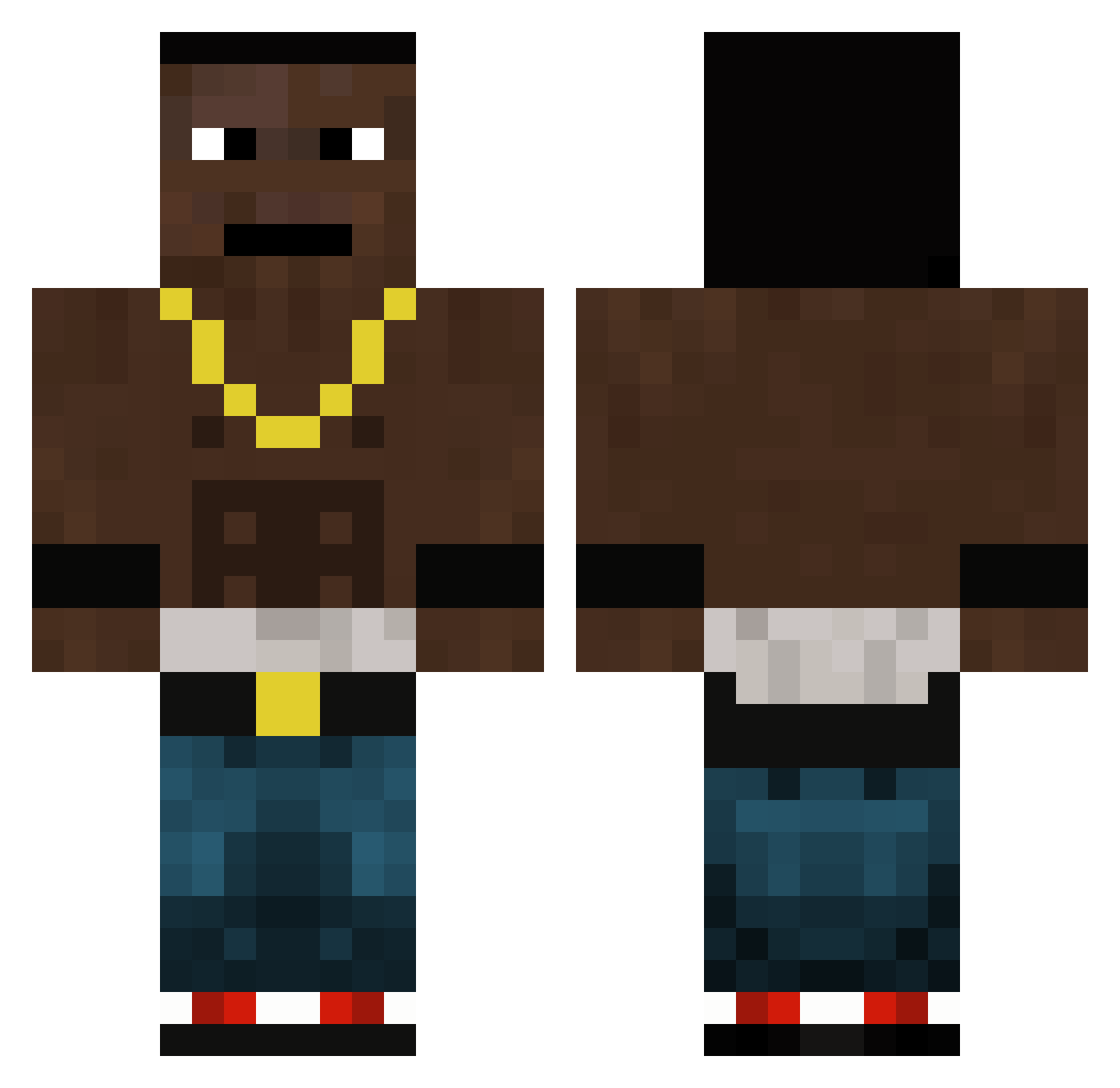
Current Minecraft skin of the player TheDavid901, loaded from the official Mojang API. Rotate the 3D model with your mouse or finger, then download the skin as a PNG file and use it in Minecraft: Bedrock Edition or Java Edition for free. When TheDavid901 changes their skin, this page updates automatically and the old skin stays in the history below.
Other players with this skin (209)
TheDavid901 was the 153rd player we have seen with this skin, first spotted on 03.11.2026. The same skin was seen on these players. Open a nickname to see their current skin and skin history.
 Perasentik Szympans2115 ThunderX280 Coxatt chommoo xIParadox GiusepiCamole jestemczarny111 Rose_Pierre_d_Ol n1663rxd Simsek19 DaMxnsta Formula42 dossunoo _Numb3rs_ CiganyOlo2000 ElGatoes zennegg zarny311 n1gger5 ZmrdZKomina drizzle23 Bigidagoes slonko420 Kaisata69 PanLukaszKox SSm00th xDarkSoulGay RaySist1221 Naxmars CaraNahlga Sshroom Bedro19 MikaNED134 ogisapro321 SZALOKI Maffe055 donfjut Leggss leifgarvey FOREKKz DrDavidRedstone spoonlord1257 SaintTeaM Glum4nda Jano3000 MrGurkahh KnakkaRakka NwordNwordNword Flexiblebabapiro TassakAdam FurkanBey21 kacpikk _szefito SasatPlease Babaniz46 RaniKiBandi korionpl SakhsRouvas baliint_
More Dababy Minecraft skins
How to install the TheDavid901 skin
- Press the Download button above to save the skin as a PNG file.
- Minecraft: Bedrock Edition (PE): open the Dressing Room from the main menu (or tap your character → Edit Character), go to Classic Skins → Owned, press the + (new skin) button, choose the downloaded PNG and pick the Classic (Steve) model. Works on PC and mobile; consoles cannot import custom skins.
- Minecraft: Java Edition: open the Minecraft Launcher, go to the Skins tab, click New Skin, load the PNG, pick the Classic (Steve) model and press Save & Use. You can also upload it at minecraft.net → Profile → Change Skin.
The skin does not show up after import - what should I do?
Restart Minecraft and open the Dressing Room again - imported skins sometimes appear only after a restart. Also make sure you selected the imported skin and picked the Classic (Steve) model.
Which model should I choose, Classic or Slim?
This skin is designed for the Classic (Steve) model. If you pick the wrong model, the arms of the skin will look stretched or squeezed.
Is the skin of TheDavid901 free to download?
Yes. Press Download, save the PNG file and use it in Minecraft: Bedrock Edition or Java Edition - no payment or registration needed. The skin also works on multiplayer servers and Realms.
More skins
Looking for more? Go back to all Minecraft skins and check the top skins of the week, month and all time, or find any player's skin by nickname.