
TheBlackEyedPeas - Minecraft Skins & Skin History
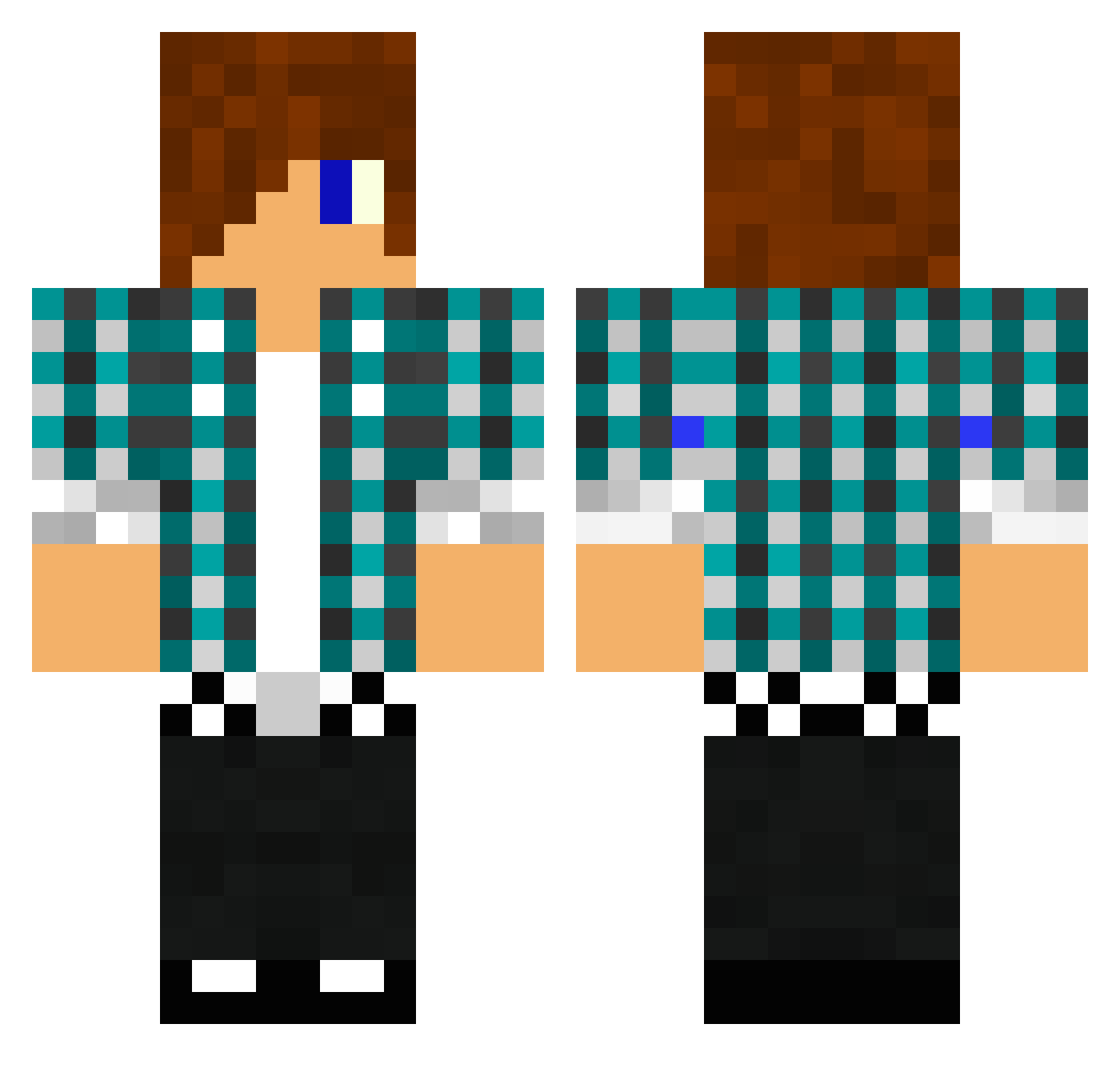
Current Minecraft skin of the player TheBlackEyedPeas, loaded from the official Mojang API. Rotate the 3D model with your mouse or finger, then download the skin as a PNG file and use it in Minecraft: Bedrock Edition or Java Edition for free. When TheBlackEyedPeas changes their skin, this page updates automatically and the old skin stays in the history below.
Other players with this skin (1476)
TheBlackEyedPeas was the 705th player we have seen with this skin, first spotted on 21.09.2026. The same skin was seen on these players. Open a nickname to see their current skin and skin history.
 NIXON75 MadMJ 9kolai01 boarderdan Satisfictory Tbird828 kaydenzombie chazmania11 epicminer797 Blaster2334 bbab4 JonJon210 pelle88 Heraty23 myblankee ltsalazar24 kevinavila freezerflame1000 twelveinche Sauerlaender15 DHansen92 dominicrooke11 jay2412 Emilien_19 Xama100 adde2117 favouritechild2 flamingbacon9166 LiamD01 superbunkeymonke Lilleklunk Jetsch SkyrimplayerVahl jaiff oscarnice Hazades1 barcaboy369 Mark_9 Mystozan PROkiller5904 captainwalters Sykebil1234 firebreather987 TerorLP peyto6 jakerocks102002 IllIIIllllIIlIIl Aka_Nero kghappyminer pro4687 DragonNards Boogyman_dev DanielArnold8 korvare jonnymckenna999 jmhettinga jordanvargas11 lulu1715 Begnild Zacob
More Emo Minecraft skins
How to install the TheBlackEyedPeas skin
- Press the Download button above to save the skin as a PNG file.
- Minecraft: Bedrock Edition (PE): open the Dressing Room from the main menu (or tap your character → Edit Character), go to Classic Skins → Owned, press the + (new skin) button, choose the downloaded PNG and pick the Classic (Steve) model. Works on PC and mobile; consoles cannot import custom skins.
- Minecraft: Java Edition: open the Minecraft Launcher, go to the Skins tab, click New Skin, load the PNG, pick the Classic (Steve) model and press Save & Use. You can also upload it at minecraft.net → Profile → Change Skin.
The skin does not show up after import - what should I do?
Restart Minecraft and open the Dressing Room again - imported skins sometimes appear only after a restart. Also make sure you selected the imported skin and picked the Classic (Steve) model.
Which model should I choose, Classic or Slim?
This skin is designed for the Classic (Steve) model. If you pick the wrong model, the arms of the skin will look stretched or squeezed.
Is the skin of TheBlackEyedPeas free to download?
Yes. Press Download, save the PNG file and use it in Minecraft: Bedrock Edition or Java Edition - no payment or registration needed. The skin also works on multiplayer servers and Realms.
More skins
Looking for more? Go back to all Minecraft skins and check the top skins of the week, month and all time, or find any player's skin by nickname.