
Tetro0 - Minecraft Skins & Skin History
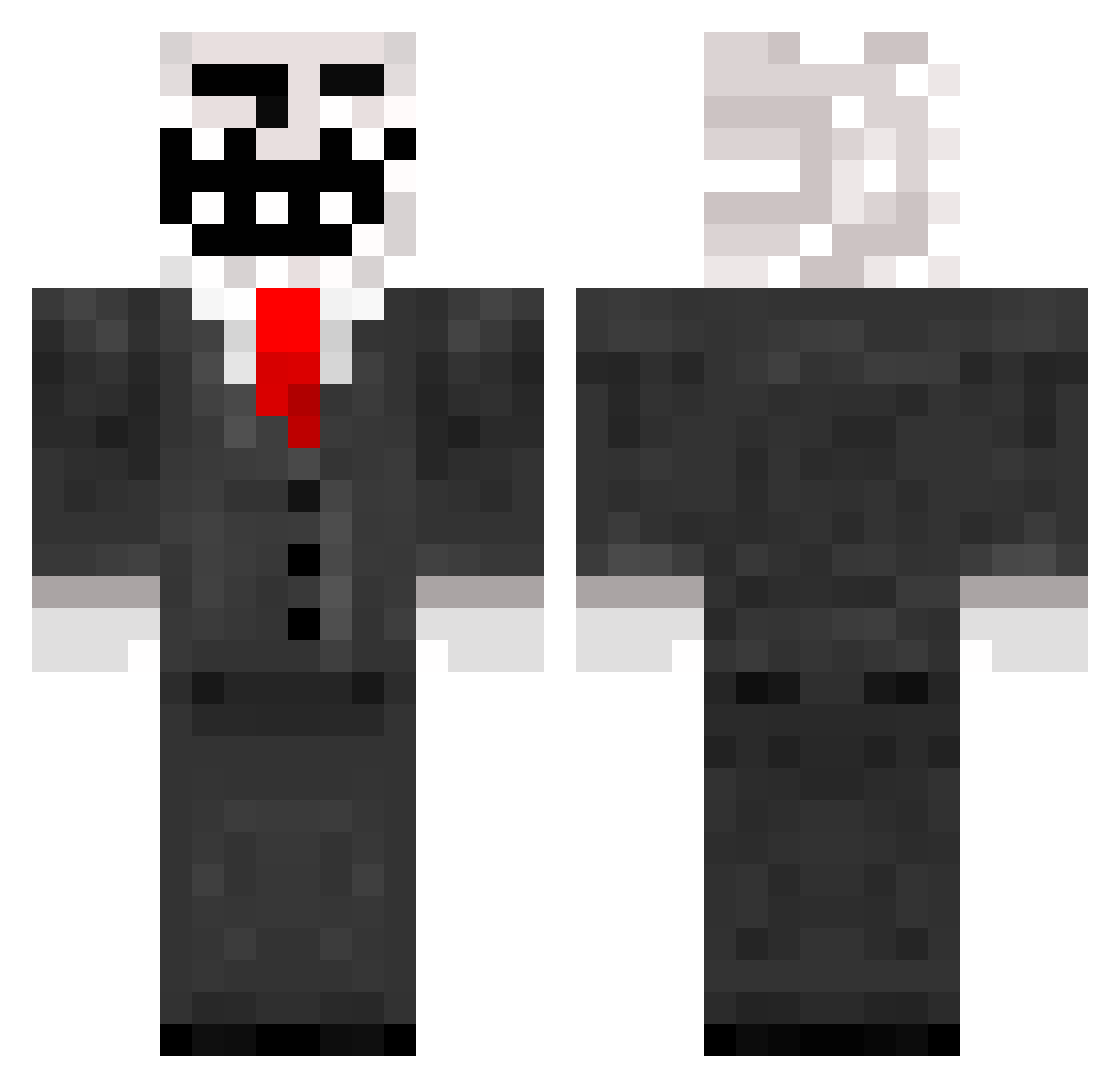
Current Minecraft skin of the player Tetro0, loaded from the official Mojang API. Rotate the 3D model with your mouse or finger, then download the skin as a PNG file and use it in Minecraft: Bedrock Edition or Java Edition for free. When Tetro0 changes their skin, this page updates automatically and the old skin stays in the history below.
Other players with this skin (61)
Tetro0 was the 8th player we have seen with this skin, first spotted on 08.08.2026. The same skin was seen on these players. Open a nickname to see their current skin and skin history.
 DarknessLunary ZenFour ketchup_tong Oineri Yuno8795 DerVogel2021 mtboss123 Jamahiriyarankle redcloud202 Anedio HighGoober salvadorrrr04 rsgmbh spydershems1 RyanMo0202 Corovao MeMide69cm SpearAura zeroseet dapati01 ButterBisquick MinichesteR7 rainbowjdw hirocima AnubisX6X9 Guy_McFly69 edtheword EdwinW15 mununnu damhipster clavo9325 damien24200 Anthoj57 EBSCoOkIngClaSs Gbargen TopR4men Blacksky5841 76n Sjakkie2005 ATK007 sulfur469 P0liwrath GrimSlayerXx adosknad Katman503 hazsusu scxFAQ murtik1 Mekmekmek Serwatek_ Missue_ Emperorrainbow Jamminee Nerzox0705 Bu_Huf78 HadesUndead BreadBoy77 SmokiiFTW ashleybeshir REYMATE19
More Trollface Minecraft skins
How to install the Tetro0 skin
- Press the Download button above to save the skin as a PNG file.
- Minecraft: Bedrock Edition (PE): open the Dressing Room from the main menu (or tap your character → Edit Character), go to Classic Skins → Owned, press the + (new skin) button, choose the downloaded PNG and pick the Classic (Steve) model. Works on PC and mobile; consoles cannot import custom skins.
- Minecraft: Java Edition: open the Minecraft Launcher, go to the Skins tab, click New Skin, load the PNG, pick the Classic (Steve) model and press Save & Use. You can also upload it at minecraft.net → Profile → Change Skin.
The skin does not show up after import - what should I do?
Restart Minecraft and open the Dressing Room again - imported skins sometimes appear only after a restart. Also make sure you selected the imported skin and picked the Classic (Steve) model.
Which model should I choose, Classic or Slim?
This skin is designed for the Classic (Steve) model. If you pick the wrong model, the arms of the skin will look stretched or squeezed.
Is the skin of Tetro0 free to download?
Yes. Press Download, save the PNG file and use it in Minecraft: Bedrock Edition or Java Edition - no payment or registration needed. The skin also works on multiplayer servers and Realms.
More skins
Looking for more? Go back to all Minecraft skins and check the top skins of the week, month and all time, or find any player's skin by nickname.