
Tech_galaxygamer - Minecraft Skins & Skin History
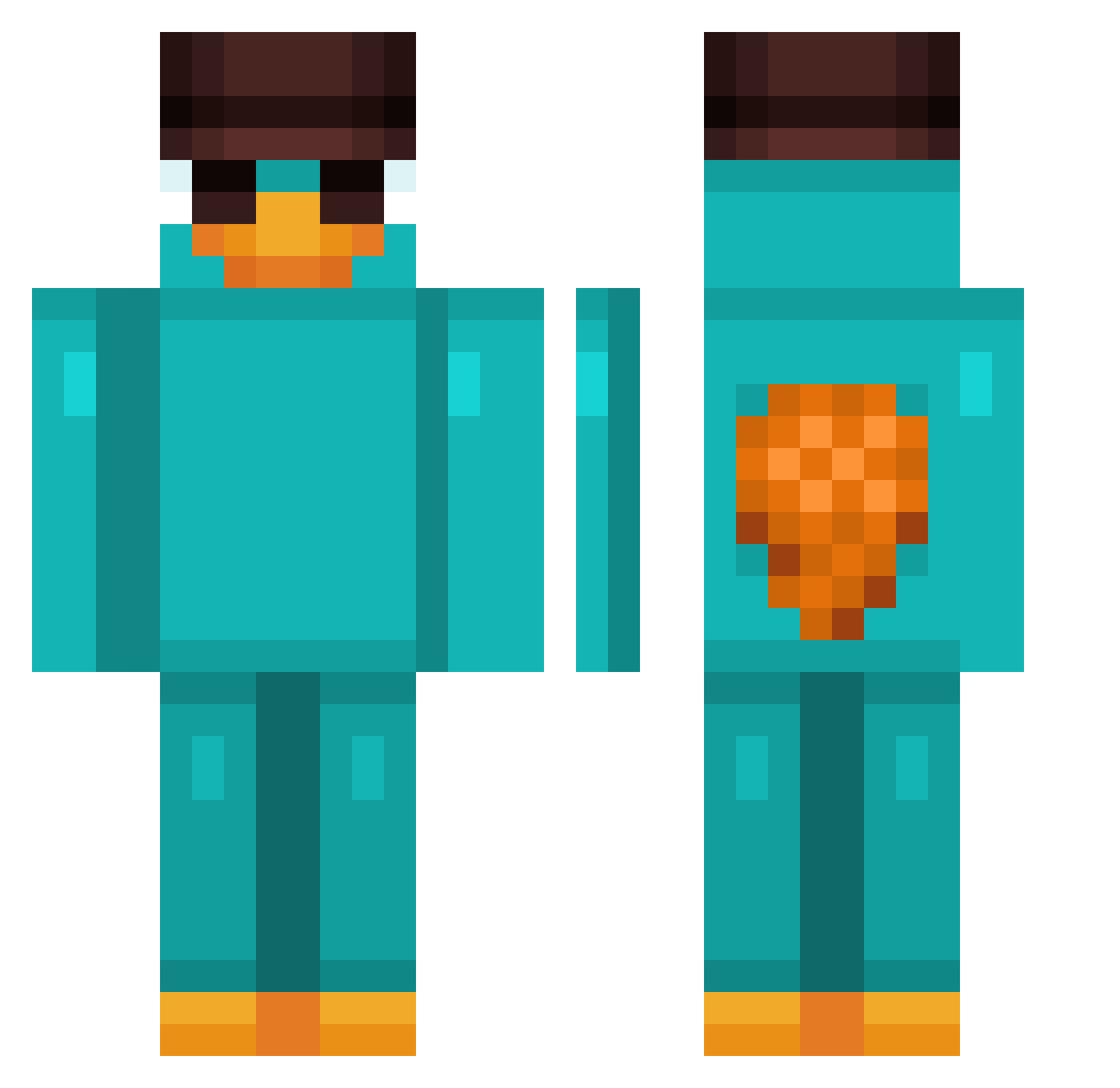
Current Minecraft skin of the player Tech_galaxygamer, loaded from the official Mojang API. Rotate the 3D model with your mouse or finger, then download the skin as a PNG file and use it in Minecraft: Bedrock Edition or Java Edition for free. When Tech_galaxygamer changes their skin, this page updates automatically and the old skin stays in the history below.
Other players with this skin (859)
Tech_galaxygamer was the 733rd player we have seen with this skin, first spotted on 16.10.2026. The same skin was seen on these players. Open a nickname to see their current skin and skin history.
 DADGONE0_0 Schimmler123 yLuizK SerisXL JoshuaRAA OrangeLlama5403 Flappy276 Garcia0876 juvi54 RodrigoZarate Enora1208 Adam941214 Sha0_0 silverflame_1307 Forteym JTSTREEM NicoSoul1337 JsPapa Oschi888 kietgicungbat TillyB_ sleepyHix jaceboyd2 nxtburro Tizuu HidaiMen Kanagure santi1913 gutierrez_nd ligerim Perry_Seeker Shystik yadandd Emir18cm MisterTinkles TheLifer10 failedrizz_420 Krambini NoSwearingPls Bnece666 Lavandal SasuKage08 Karaa18 PedroTransportes Leomaxx01 Champ17y NBananaP SIMARRO SmokyCraft Amyjoba07 Micax56 K1an0 blacknga124 NikDomi cropien kauezxlll Primapex HADOKMOON MasterLuke Myenao
More Platypus Minecraft skins
How to install the Tech_galaxygamer skin
- Press the Download button above to save the skin as a PNG file.
- Minecraft: Bedrock Edition (PE): open the Dressing Room from the main menu (or tap your character → Edit Character), go to Classic Skins → Owned, press the + (new skin) button, choose the downloaded PNG and pick the Classic (Steve) model. Works on PC and mobile; consoles cannot import custom skins.
- Minecraft: Java Edition: open the Minecraft Launcher, go to the Skins tab, click New Skin, load the PNG, pick the Classic (Steve) model and press Save & Use. You can also upload it at minecraft.net → Profile → Change Skin.
The skin does not show up after import - what should I do?
Restart Minecraft and open the Dressing Room again - imported skins sometimes appear only after a restart. Also make sure you selected the imported skin and picked the Classic (Steve) model.
Which model should I choose, Classic or Slim?
This skin is designed for the Classic (Steve) model. If you pick the wrong model, the arms of the skin will look stretched or squeezed.
Is the skin of Tech_galaxygamer free to download?
Yes. Press Download, save the PNG file and use it in Minecraft: Bedrock Edition or Java Edition - no payment or registration needed. The skin also works on multiplayer servers and Realms.
More skins
Looking for more? Go back to all Minecraft skins and check the top skins of the week, month and all time, or find any player's skin by nickname.