
Talos_LXIX - Minecraft Skins & Skin History
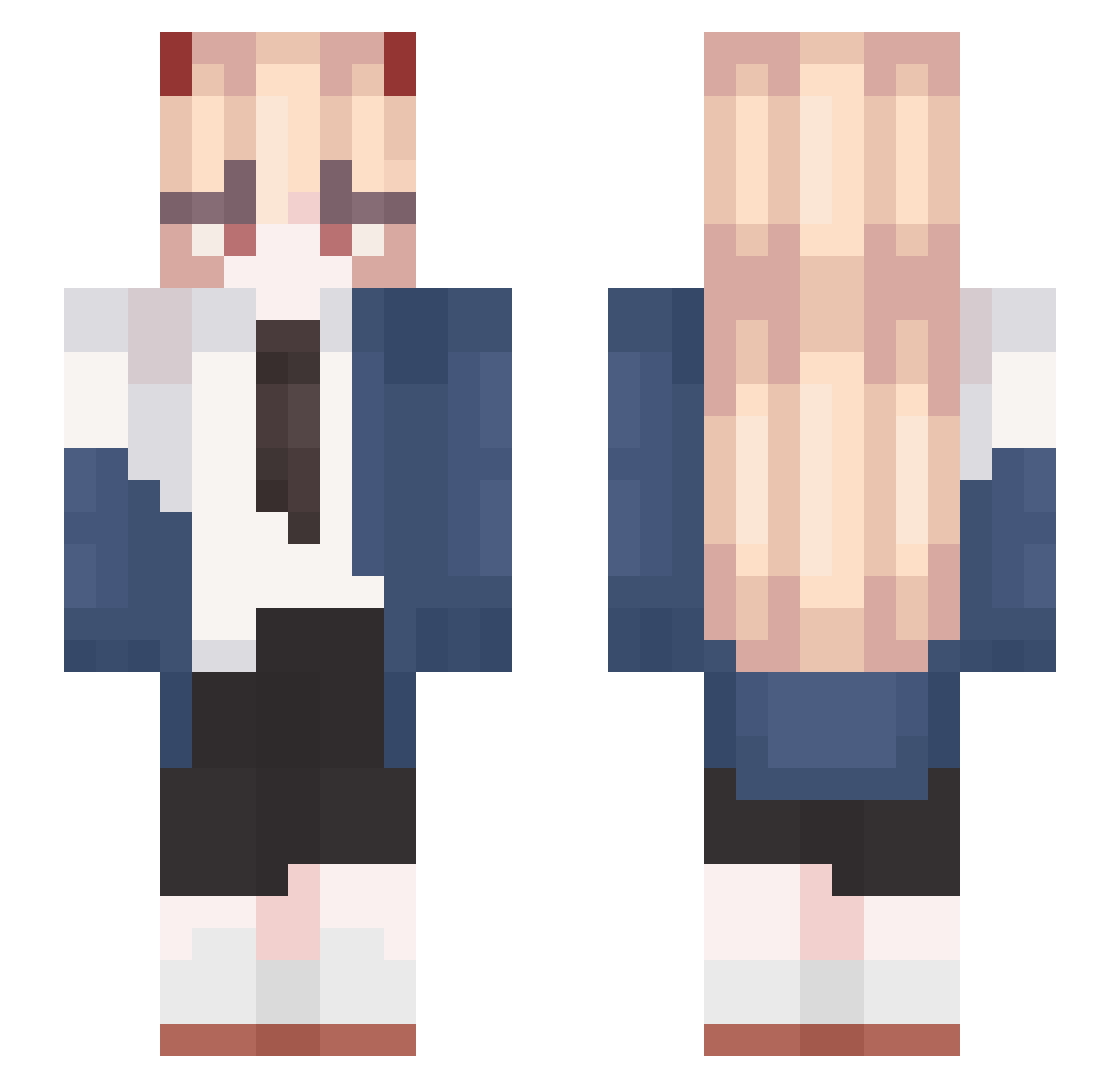
Current Minecraft skin of the player Talos_LXIX, loaded from the official Mojang API. Rotate the 3D model with your mouse or finger, then download the skin as a PNG file and use it in Minecraft: Bedrock Edition or Java Edition for free. When Talos_LXIX changes their skin, this page updates automatically and the old skin stays in the history below.
Other players with this skin (705)
Talos_LXIX was the 658th player we have seen with this skin, first spotted on 11.11.2026. The same skin was seen on these players. Open a nickname to see their current skin and skin history.
 SideEffects_ Pawwee Scda sugarmoonica hwasoo0 Alelaxa49 Axwel89 rebecc_659 ululu_02 MIN_NI0 mtx_1 Lumels M_UuU ProShauryaXD Leckyyyy yjhmm AYXMde hansss23 KenshiXx P_O_W_E_R NerdStar1 choochoo_tt junglejink Maukivv sayat0 m3GAWalL5 d4niiell xuzheyu12 Lunch8ox BluesRain salchipapa_ fgakal64 OneEyedKing42 akikitsune0 AdinTnerE Kyuumaa Aahlithe Chuyaaa Kenpatchi1 karasikue _vela swawsnt ASATO_0401 Stardown9 SimitG Sunbug7 ZiChenM 3lles Seven_I ionvlad heddgehoog Roru Mikurasa Nynekei goown Narniaxx LaCrooootte FIreSile67 YoMarkin Garfiga
More Power Minecraft skins
How to install the Talos_LXIX skin
- Press the Download button above to save the skin as a PNG file.
- Minecraft: Bedrock Edition (PE): open the Dressing Room from the main menu (or tap your character → Edit Character), go to Classic Skins → Owned, press the + (new skin) button, choose the downloaded PNG and pick the Slim (Alex) model. Works on PC and mobile; consoles cannot import custom skins.
- Minecraft: Java Edition: open the Minecraft Launcher, go to the Skins tab, click New Skin, load the PNG, pick the Slim (Alex) model and press Save & Use. You can also upload it at minecraft.net → Profile → Change Skin.
The skin does not show up after import - what should I do?
Restart Minecraft and open the Dressing Room again - imported skins sometimes appear only after a restart. Also make sure you selected the imported skin and picked the Slim (Alex) model.
Which model should I choose, Classic or Slim?
This skin is designed for the Slim (Alex) model. If you pick the wrong model, the arms of the skin will look stretched or squeezed.
Is the skin of Talos_LXIX free to download?
Yes. Press Download, save the PNG file and use it in Minecraft: Bedrock Edition or Java Edition - no payment or registration needed. The skin also works on multiplayer servers and Realms.
More skins
Looking for more? Go back to all Minecraft skins and check the top skins of the week, month and all time, or find any player's skin by nickname.