
TakalocoAQ - Minecraft Skins & Skin History
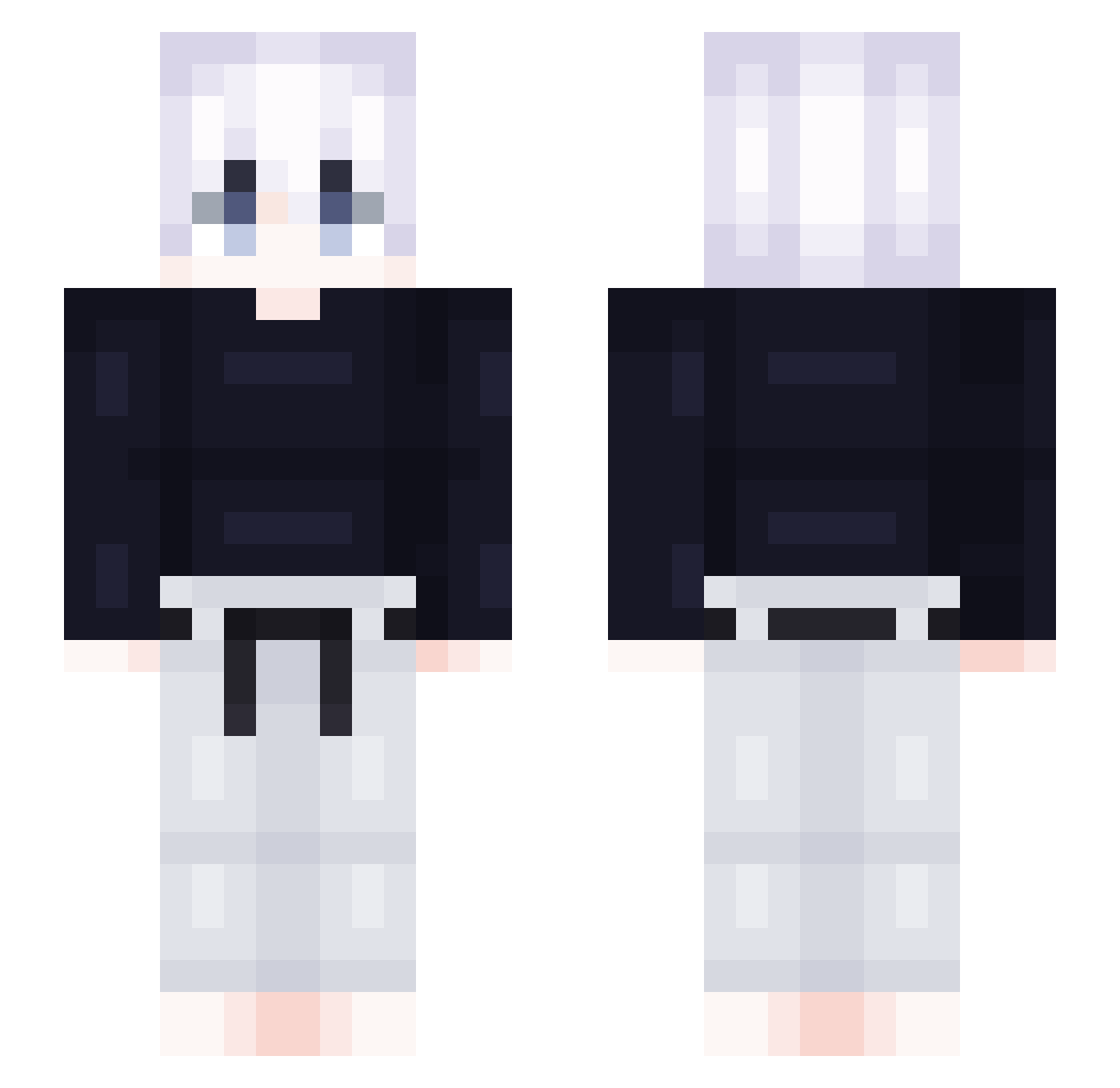
Current Minecraft skin of the player TakalocoAQ, loaded from the official Mojang API. Rotate the 3D model with your mouse or finger, then download the skin as a PNG file and use it in Minecraft: Bedrock Edition or Java Edition for free. When TakalocoAQ changes their skin, this page updates automatically and the old skin stays in the history below.
Other players with this skin (418)
TakalocoAQ was the 199th player we have seen with this skin, first spotted on 12.09.2026. The same skin was seen on these players. Open a nickname to see their current skin and skin history.
 OmeNtaK 123ethan___OAO KUIYIFAN SaintYu Maku_d DonExampl kudongwoo lee_sembe ryanch0905 SUNGMIN1027 BBDM MadaraDeCalcinha SpongyICE sleyII notsicario Vanity_EUN bluediamond3691 Merqury_ Emirhancox54 ilHeizou Bosacius Snnz98 Shiiyoh bsj__ Jackie_Mo hwaN6 ezKILLUA Xanthos_1881 PARK1128 treyway1235 Jangkongtteok suxiao213 Leviathan1o xzh666 kiyluaa samehada9214 starwinner82 choiwoje Morgan1004 LEMONSTARE Beam18 OneNinetyEight LucaFaehrtCLS wdzsw0000 ProTilar harry080207 69Zoldyck MomoLafripouille Neyrozor FORCEGAG YATOoOoON TheMR15 Honqqwei slaterr19 martoo7 xOlds_ OUOWTT xmwk guxhs Kimurica
More Judo Minecraft skins
How to install the TakalocoAQ skin
- Press the Download button above to save the skin as a PNG file.
- Minecraft: Bedrock Edition (PE): open the Dressing Room from the main menu (or tap your character → Edit Character), go to Classic Skins → Owned, press the + (new skin) button, choose the downloaded PNG and pick the Slim (Alex) model. Works on PC and mobile; consoles cannot import custom skins.
- Minecraft: Java Edition: open the Minecraft Launcher, go to the Skins tab, click New Skin, load the PNG, pick the Slim (Alex) model and press Save & Use. You can also upload it at minecraft.net → Profile → Change Skin.
The skin does not show up after import - what should I do?
Restart Minecraft and open the Dressing Room again - imported skins sometimes appear only after a restart. Also make sure you selected the imported skin and picked the Slim (Alex) model.
Which model should I choose, Classic or Slim?
This skin is designed for the Slim (Alex) model. If you pick the wrong model, the arms of the skin will look stretched or squeezed.
Is the skin of TakalocoAQ free to download?
Yes. Press Download, save the PNG file and use it in Minecraft: Bedrock Edition or Java Edition - no payment or registration needed. The skin also works on multiplayer servers and Realms.
More skins
Looking for more? Go back to all Minecraft skins and check the top skins of the week, month and all time, or find any player's skin by nickname.