
Tacktaro23 - Minecraft Skins & Skin History
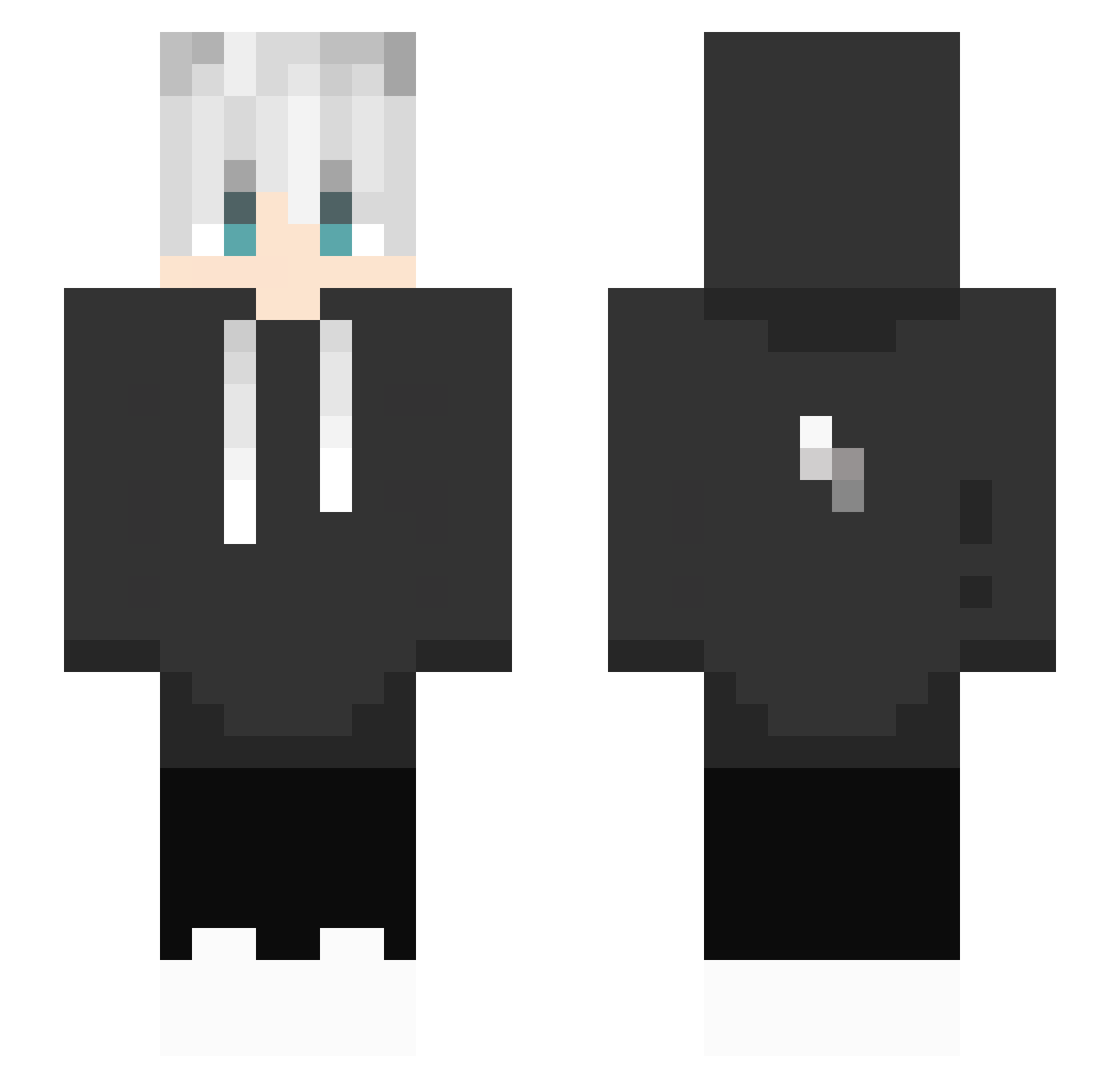
Current Minecraft skin of the player Tacktaro23, loaded from the official Mojang API. Rotate the 3D model with your mouse or finger, then download the skin as a PNG file and use it in Minecraft: Bedrock Edition or Java Edition for free. When Tacktaro23 changes their skin, this page updates automatically and the old skin stays in the history below.
Other players with this skin (492)
Tacktaro23 was the 475th player we have seen with this skin, first spotted on 15.11.2026. The same skin was seen on these players. Open a nickname to see their current skin and skin history.
 Knaynpc xVPROx Yeeza08 lil_stefa CausingNickel R_TW May_MC_VN Landark0439 minecgen raahimk0808 alex30x30 TheWolfX ICHXS monochrome0510 PaperQuasar mayjichan kennycore666 FanBoy2003 Soirabi PandainderKiste nigol0730 snower0827 caneobeso pc__game ZOOOOOMMMMMMM Fullbansheed Almikan113 wasingerd Flog202 Hatsune_Miku_9 ______mike limu224 Pedro2012CZ idontlikeblock MO_NOS Maxlong73 SirFencing2nd bit_pink_ ZynPlayzYt Rexlog OAS_Doyun klausy21 Kettenboy10 XSYWX mini_cami MaNDaNgEr 31yjr howgan2 SlimeChin donburaly zms12 Ryane404 JackNotFound3301 _AquaZeX Ernexx gawa3326 Umbr4L TerioKillEm ruibb UtmostPrist3368
More Lightning Bolt Minecraft skins
See all 1039 Lightning Bolt skins
How to install the Tacktaro23 skin
- Press the Download button above to save the skin as a PNG file.
- Minecraft: Bedrock Edition (PE): open the Dressing Room from the main menu (or tap your character → Edit Character), go to Classic Skins → Owned, press the + (new skin) button, choose the downloaded PNG and pick the Slim (Alex) model. Works on PC and mobile; consoles cannot import custom skins.
- Minecraft: Java Edition: open the Minecraft Launcher, go to the Skins tab, click New Skin, load the PNG, pick the Slim (Alex) model and press Save & Use. You can also upload it at minecraft.net → Profile → Change Skin.
The skin does not show up after import - what should I do?
Restart Minecraft and open the Dressing Room again - imported skins sometimes appear only after a restart. Also make sure you selected the imported skin and picked the Slim (Alex) model.
Which model should I choose, Classic or Slim?
This skin is designed for the Slim (Alex) model. If you pick the wrong model, the arms of the skin will look stretched or squeezed.
Is the skin of Tacktaro23 free to download?
Yes. Press Download, save the PNG file and use it in Minecraft: Bedrock Edition or Java Edition - no payment or registration needed. The skin also works on multiplayer servers and Realms.
More skins
Looking for more? Go back to all Minecraft skins and check the top skins of the week, month and all time, or find any player's skin by nickname.