
TPSUB8 - Minecraft Skins & Skin History
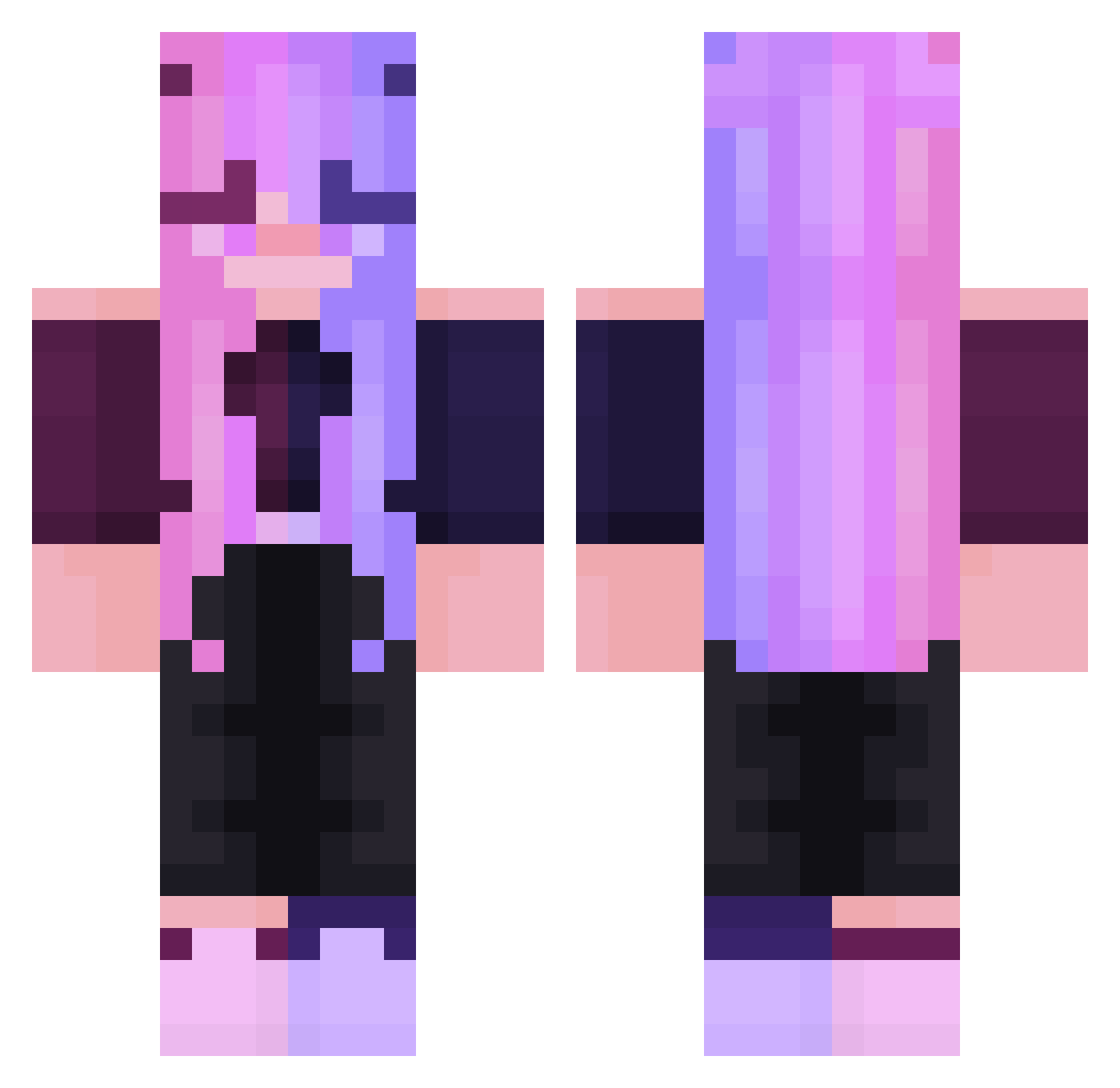
Current Minecraft skin of the player TPSUB8, loaded from the official Mojang API. Rotate the 3D model with your mouse or finger, then download the skin as a PNG file and use it in Minecraft: Bedrock Edition or Java Edition for free. When TPSUB8 changes their skin, this page updates automatically and the old skin stays in the history below.
Other players with this skin (247)
TPSUB8 was the 158th player we have seen with this skin, first spotted on 30.09.2026. The same skin was seen on these players. Open a nickname to see their current skin and skin history.
 mrs_alia Raven2513 EVIE_VGEMA abui3z Purplekun Maxstion muah0D x2xCr4zYx ayahur playingwithdevil AuntMandie TheOpenAI Rainbow_Kat08 FaZeKubson2137 ItIsYaBun hexhie_ Guto_Hard AuroraKat_ mrtina allicorn120 Sandayvz Nataliatoziomal_ kellsthecap Miguichan04 FotoGrafka Heychou20 eminikus AsheVlI Radek77carton Pitikupus vestiePJ MayMay1021 LizCrz25 Jhhhy15 Fallenangel1109 Rukina8 AnabelleMT Blocksberg11 AngelsOfGod drakanator NotoriousDiggins _xliilka_ ZeldaLittle kittyydoll LibertyVM ThePurpleGem poaer stinkyfart12 arkaj85 nikifra88 Zervas702 prxttyinpink snpbOAO whale0818 novajean silverpinkwolf konearca DevilChans DocKablem SophiaxDarling
More Off Shoulder Minecraft skins
See all 443 Off Shoulder skins
How to install the TPSUB8 skin
- Press the Download button above to save the skin as a PNG file.
- Minecraft: Bedrock Edition (PE): open the Dressing Room from the main menu (or tap your character → Edit Character), go to Classic Skins → Owned, press the + (new skin) button, choose the downloaded PNG and pick the Classic (Steve) model. Works on PC and mobile; consoles cannot import custom skins.
- Minecraft: Java Edition: open the Minecraft Launcher, go to the Skins tab, click New Skin, load the PNG, pick the Classic (Steve) model and press Save & Use. You can also upload it at minecraft.net → Profile → Change Skin.
The skin does not show up after import - what should I do?
Restart Minecraft and open the Dressing Room again - imported skins sometimes appear only after a restart. Also make sure you selected the imported skin and picked the Classic (Steve) model.
Which model should I choose, Classic or Slim?
This skin is designed for the Classic (Steve) model. If you pick the wrong model, the arms of the skin will look stretched or squeezed.
Is the skin of TPSUB8 free to download?
Yes. Press Download, save the PNG file and use it in Minecraft: Bedrock Edition or Java Edition - no payment or registration needed. The skin also works on multiplayer servers and Realms.
More skins
Looking for more? Go back to all Minecraft skins and check the top skins of the week, month and all time, or find any player's skin by nickname.