
THELOSTPENGUIN55 - Minecraft Skins & Skin History
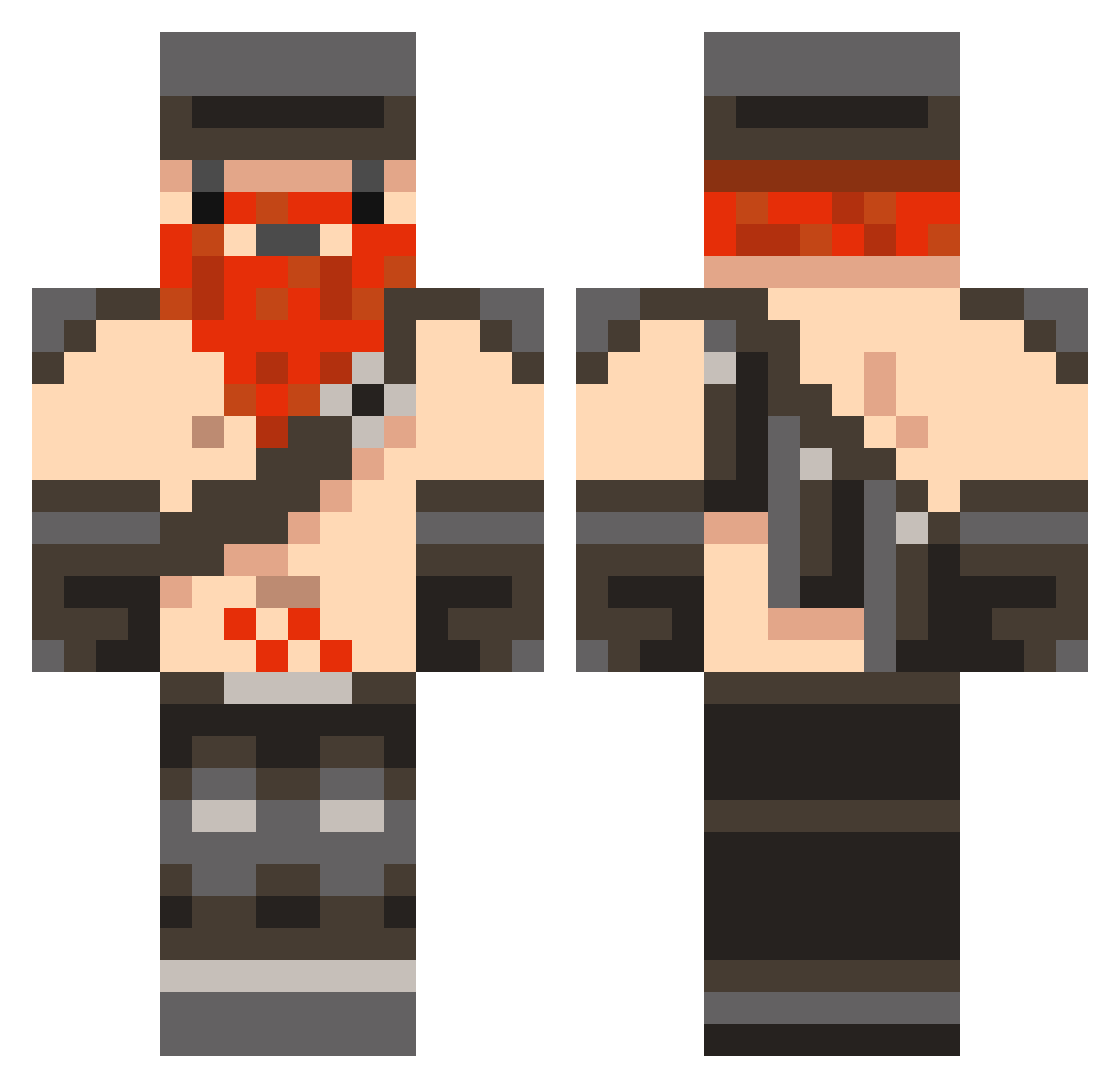
Current Minecraft skin of the player THELOSTPENGUIN55, loaded from the official Mojang API. Rotate the 3D model with your mouse or finger, then download the skin as a PNG file and use it in Minecraft: Bedrock Edition or Java Edition for free. When THELOSTPENGUIN55 changes their skin, this page updates automatically and the old skin stays in the history below.
Other players with this skin (846)
THELOSTPENGUIN55 was the 316th player we have seen with this skin, first spotted on 03.09.2026. The same skin was seen on these players. Open a nickname to see their current skin and skin history.
 lxander42 Cpl_K_Dawg PaulK555 Zephin10 farmer_boy101010 wurtz69 poshua08 Epimachus ScareRasse superxspam Hamstring Beatmachine123 Sundaee QUlK_STEP_36 quarterguy xJinxed diwifi eqmonkfan Alneath zach4shontz rob2050 ethank1998 MichaelCalise Benawen gamegard hobodoompants AFuzzyBluething monster427 rgould92 LTU8 Dlm_Ninja Young_TZ KILLERZOMBIE314 Yogmonster Douchebagistan squeeze32 Google_myname Robert790 Lintra InItNotOfIt epichero12 timmy0211 eltobo dominicpro Thespenguin1234 benduggan123 necoli1233 MACKA_PATROL spleefr JCDuncan Bubster_11 pizzacraft741 winquinn sympathising RoymanSolo MatthewTranter aGoldenToaster 8776 Mister_Peabody Hunterbom4502
More Dwarf Minecraft skins
How to install the THELOSTPENGUIN55 skin
- Press the Download button above to save the skin as a PNG file.
- Minecraft: Bedrock Edition (PE): open the Dressing Room from the main menu (or tap your character → Edit Character), go to Classic Skins → Owned, press the + (new skin) button, choose the downloaded PNG and pick the Classic (Steve) model. Works on PC and mobile; consoles cannot import custom skins.
- Minecraft: Java Edition: open the Minecraft Launcher, go to the Skins tab, click New Skin, load the PNG, pick the Classic (Steve) model and press Save & Use. You can also upload it at minecraft.net → Profile → Change Skin.
The skin does not show up after import - what should I do?
Restart Minecraft and open the Dressing Room again - imported skins sometimes appear only after a restart. Also make sure you selected the imported skin and picked the Classic (Steve) model.
Which model should I choose, Classic or Slim?
This skin is designed for the Classic (Steve) model. If you pick the wrong model, the arms of the skin will look stretched or squeezed.
Is the skin of THELOSTPENGUIN55 free to download?
Yes. Press Download, save the PNG file and use it in Minecraft: Bedrock Edition or Java Edition - no payment or registration needed. The skin also works on multiplayer servers and Realms.
More skins
Looking for more? Go back to all Minecraft skins and check the top skins of the week, month and all time, or find any player's skin by nickname.