
TACOSAUCES - Minecraft Skins & Skin History
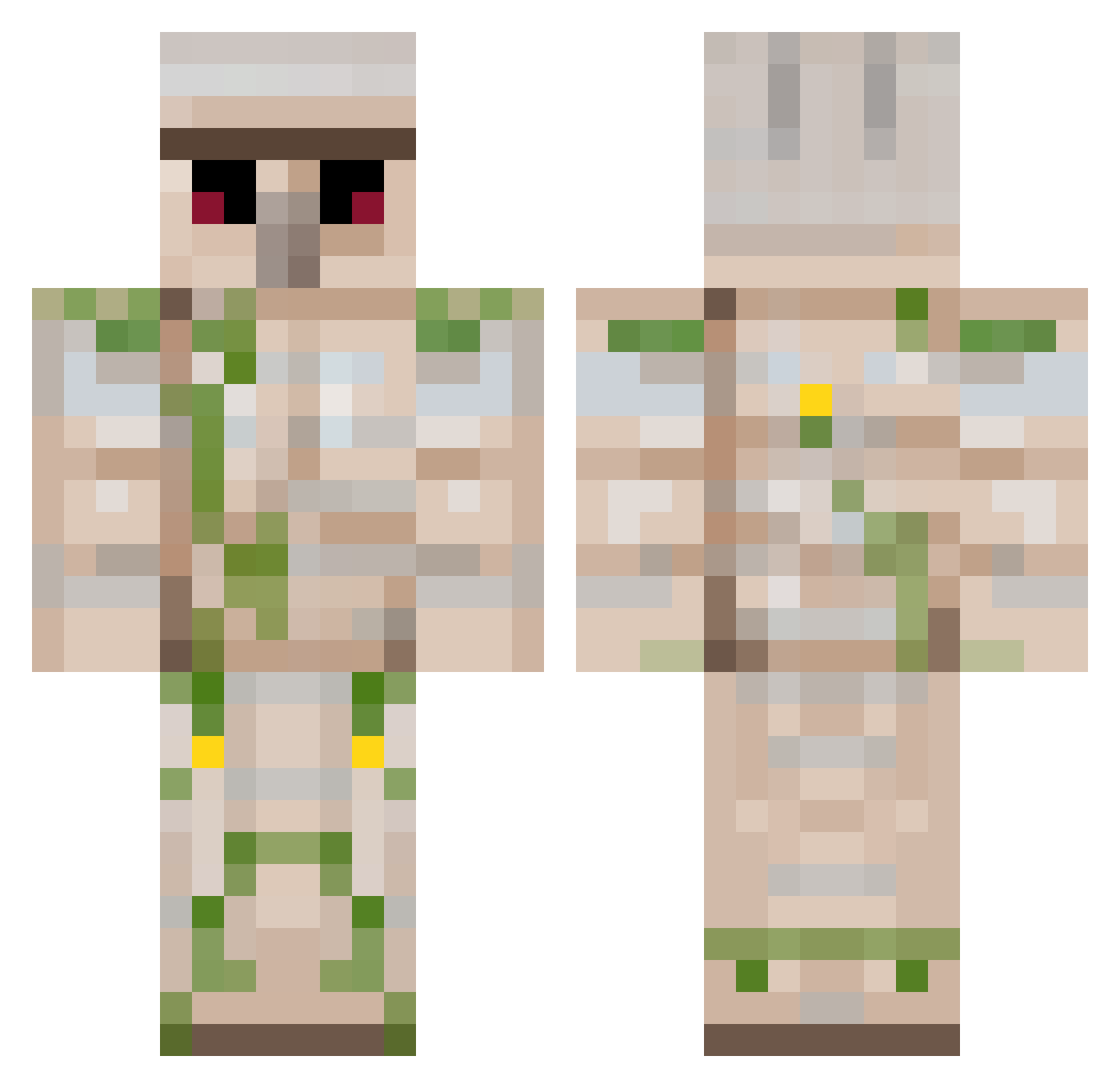
Current Minecraft skin of the player TACOSAUCES, loaded from the official Mojang API. Rotate the 3D model with your mouse or finger, then download the skin as a PNG file and use it in Minecraft: Bedrock Edition or Java Edition for free. When TACOSAUCES changes their skin, this page updates automatically and the old skin stays in the history below.
Other players with this skin (222)
TACOSAUCES was the 54th player we have seen with this skin, first spotted on 22.08.2026. The same skin was seen on these players. Open a nickname to see their current skin and skin history.
 Nicholas1013 TH3S3V3R INSANE_DANIEL109 rasseepic mura_3 OrbitXIX Breakiron Soggy_Wood BENEATSMANGOES d1eg016766 XxsoccerfanXx stites07 Da1mon xFFFF Bezuk Tjrsk Ffriend123 Jackyboii02 viktoriusrd Forgotten_Nova laxalldaylong123 Big_Dit Felix_Wahrenberg SanderDO Yuenericson tntgolemking IronGolemAFK M4TLEY Jambobs191 chaserrules10 bubbanoahbubba Supercaalpal IronGolemJordan ice_orc KBROADFOOT Posh1010 rulers_alt1 chmoru CCWGiveaway Raoberto Emildadi mtxylor__ elekboy GetHighToo thesweetcandy charleejakee GehAusDemWeg MutantKreeper Shadowman05 Enlyst Cudi_Get mr_stampy_2008 Darulah Kefkan wispyyx MagniSpace SgtReed Gurlii numbermore Thewhitespark
More Iron Golem Minecraft skins
How to install the TACOSAUCES skin
- Press the Download button above to save the skin as a PNG file.
- Minecraft: Bedrock Edition (PE): open the Dressing Room from the main menu (or tap your character → Edit Character), go to Classic Skins → Owned, press the + (new skin) button, choose the downloaded PNG and pick the Classic (Steve) model. Works on PC and mobile; consoles cannot import custom skins.
- Minecraft: Java Edition: open the Minecraft Launcher, go to the Skins tab, click New Skin, load the PNG, pick the Classic (Steve) model and press Save & Use. You can also upload it at minecraft.net → Profile → Change Skin.
The skin does not show up after import - what should I do?
Restart Minecraft and open the Dressing Room again - imported skins sometimes appear only after a restart. Also make sure you selected the imported skin and picked the Classic (Steve) model.
Which model should I choose, Classic or Slim?
This skin is designed for the Classic (Steve) model. If you pick the wrong model, the arms of the skin will look stretched or squeezed.
Is the skin of TACOSAUCES free to download?
Yes. Press Download, save the PNG file and use it in Minecraft: Bedrock Edition or Java Edition - no payment or registration needed. The skin also works on multiplayer servers and Realms.
More skins
Looking for more? Go back to all Minecraft skins and check the top skins of the week, month and all time, or find any player's skin by nickname.