
T5NI - Minecraft Skins & Skin History
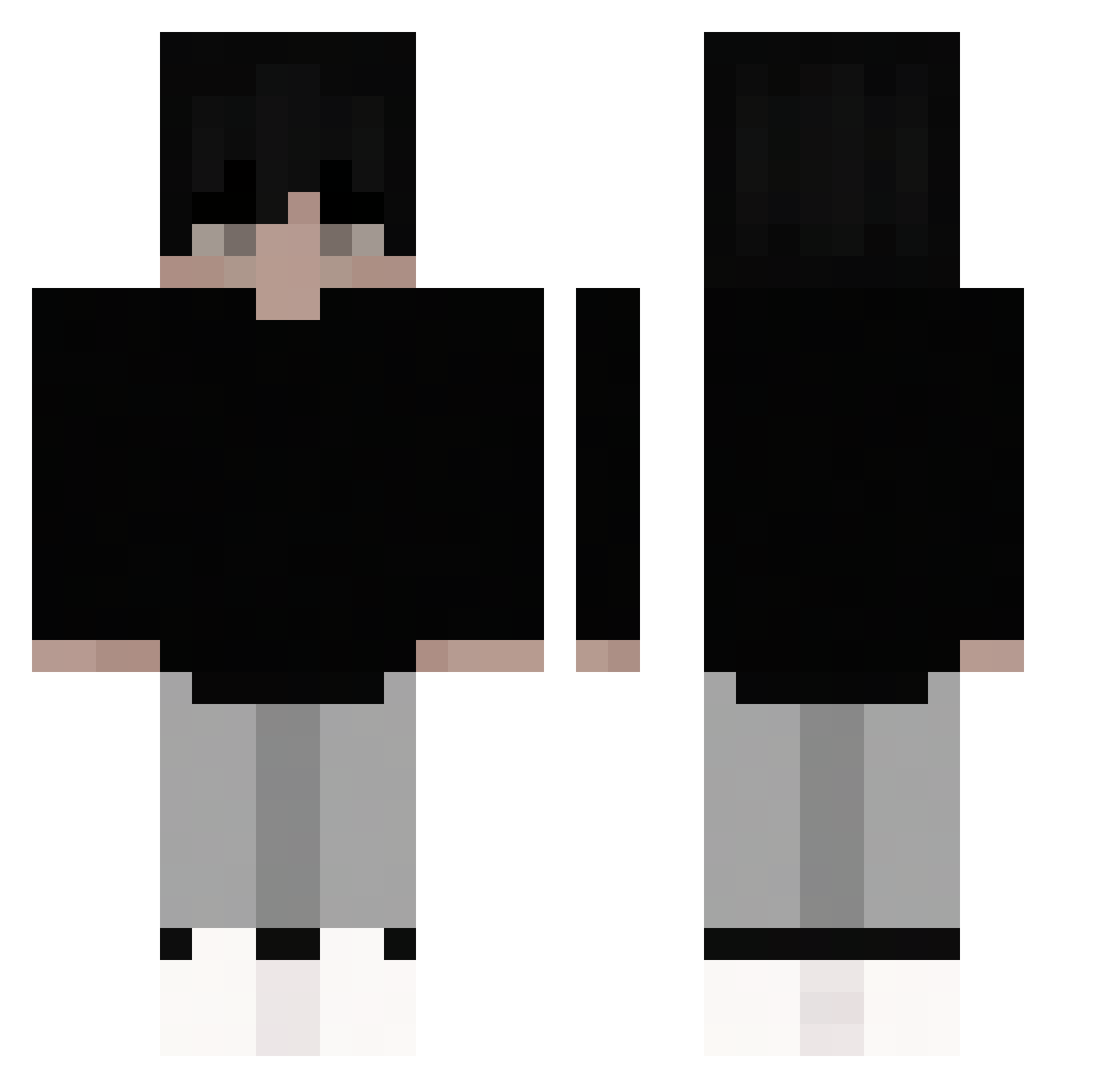
Current Minecraft skin of the player T5NI, loaded from the official Mojang API. Rotate the 3D model with your mouse or finger, then download the skin as a PNG file and use it in Minecraft: Bedrock Edition or Java Edition for free. When T5NI changes their skin, this page updates automatically and the old skin stays in the history below.
Other players with this skin (52)
T5NI was the 39th player we have seen with this skin, first spotted on 08.10.2026. The same skin was seen on these players. Open a nickname to see their current skin and skin history.
 PrimeSicilian38 UzamakiRobbe CleverColombo xRyouta MysticcVAMP Bfraged Vaizenn wogoleniegoran Saki0606 jojohn6566 The_Evil_S1ayer ElYuyoMC aesung DiegoMy0 land243 Wonox09 Mattuschinski ZhFran Itz_prime_ grancik88_v2 veloxen_ moocw3l BHT_fps eduardoWIZ Morristte Sephgg zayKAYDY1708 apoejuju bjornsson _Fr0zT Koizu2 Rocket_36 LordRieth Boom_toch eChles gulgpgulpgulp VietSKZ skt_l Takenou IntelUHD D3dasz_ S8H6 NgCongThanh_ qwerrtyuiop5387 4884Player Bart71wr Canutillas288 plmokn1022 Ryan_ljc
 sqzzxee KillGhotM Dongliu_Shushui
More Sneakers Minecraft skins
How to install the T5NI skin
- Press the Download button above to save the skin as a PNG file.
- Minecraft: Bedrock Edition (PE): open the Dressing Room from the main menu (or tap your character → Edit Character), go to Classic Skins → Owned, press the + (new skin) button, choose the downloaded PNG and pick the Classic (Steve) model. Works on PC and mobile; consoles cannot import custom skins.
- Minecraft: Java Edition: open the Minecraft Launcher, go to the Skins tab, click New Skin, load the PNG, pick the Classic (Steve) model and press Save & Use. You can also upload it at minecraft.net → Profile → Change Skin.
The skin does not show up after import - what should I do?
Restart Minecraft and open the Dressing Room again - imported skins sometimes appear only after a restart. Also make sure you selected the imported skin and picked the Classic (Steve) model.
Which model should I choose, Classic or Slim?
This skin is designed for the Classic (Steve) model. If you pick the wrong model, the arms of the skin will look stretched or squeezed.
Is the skin of T5NI free to download?
Yes. Press Download, save the PNG file and use it in Minecraft: Bedrock Edition or Java Edition - no payment or registration needed. The skin also works on multiplayer servers and Realms.
More skins
Looking for more? Go back to all Minecraft skins and check the top skins of the week, month and all time, or find any player's skin by nickname.