
T3a6 - Minecraft Skins & Skin History
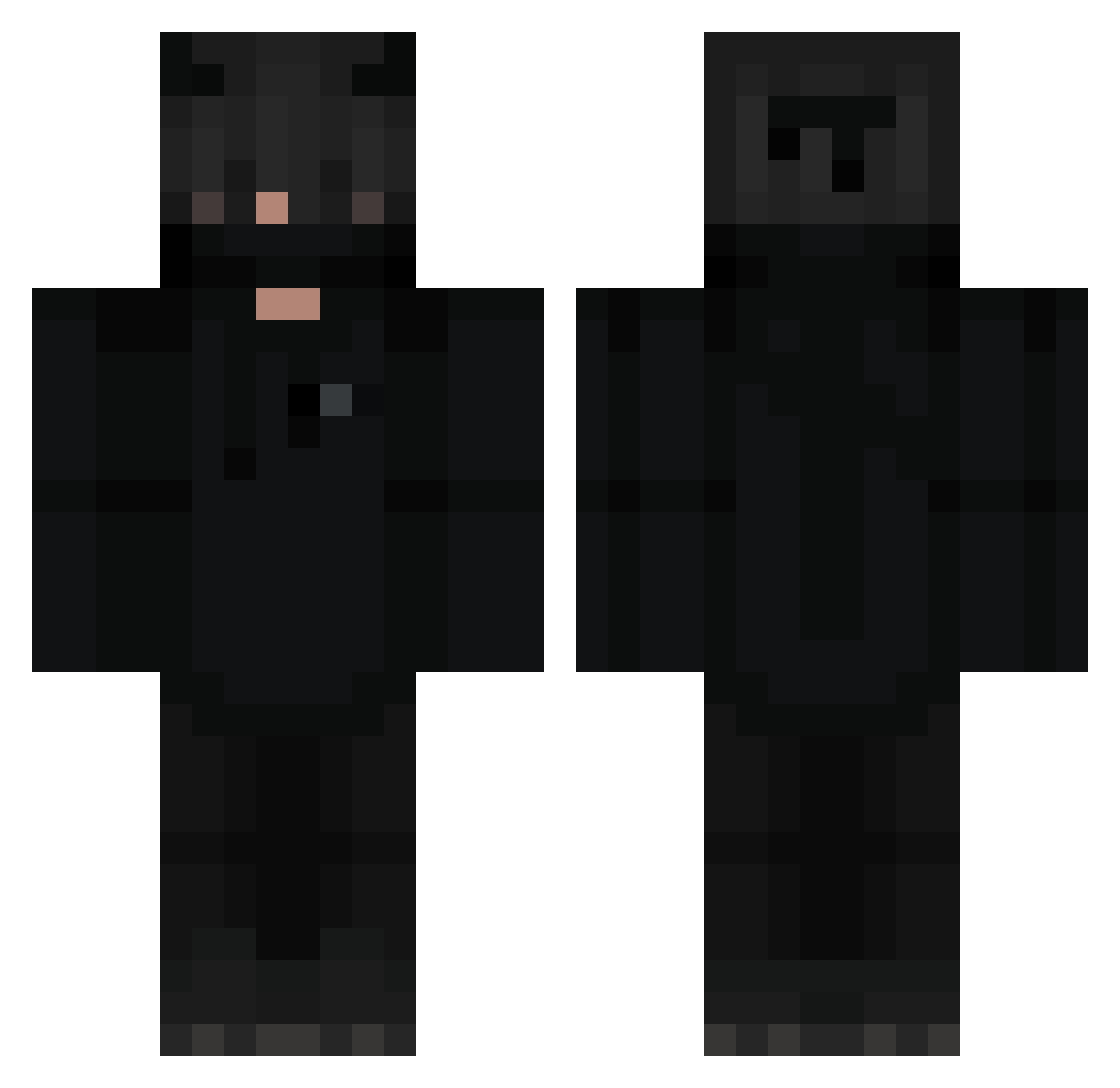
Current Minecraft skin of the player T3a6, loaded from the official Mojang API. Rotate the 3D model with your mouse or finger, then download the skin as a PNG file and use it in Minecraft: Bedrock Edition or Java Edition for free. When T3a6 changes their skin, this page updates automatically and the old skin stays in the history below.
Other players with this skin (368)
T3a6 was the 322nd player we have seen with this skin, first spotted on 25.10.2026. The same skin was seen on these players. Open a nickname to see their current skin and skin history.
 SempaiMawii godJz gximz Lore2342 TUTUSI2010 tiduswong MDMeridio MNEMONETZ gabylovric47 H4n3k1 LordKlaus hakoow Khalid277 oCxzo masteryodajake KERRZz Justin0602 peeposad69 General_cienia Denis89900 V3NOMQDUB V4peL1ght JPTO98 lpzychl _Simplify_ Sno_p HarunKaan wolfoni94 kaitomoc _YGIR_ maiki987 __rQ1 sqlew PaloD Drakooo zVories MB_Photos Physisist DariusTK eled_gamer xLoris01 Neo_dec Ogmes destroyultra444 iiLucas32 Adasko_ Boopbrz EinfachMystic Deciobr10 PondNK IiSeeU Neosplach sk1lex NeKaN42 zeuxsin Vodka_Night AlexSp525 drewthebarb MatiDriver333 DaviX_in
More Demon Minecraft skins
How to install the T3a6 skin
- Press the Download button above to save the skin as a PNG file.
- Minecraft: Bedrock Edition (PE): open the Dressing Room from the main menu (or tap your character → Edit Character), go to Classic Skins → Owned, press the + (new skin) button, choose the downloaded PNG and pick the Classic (Steve) model. Works on PC and mobile; consoles cannot import custom skins.
- Minecraft: Java Edition: open the Minecraft Launcher, go to the Skins tab, click New Skin, load the PNG, pick the Classic (Steve) model and press Save & Use. You can also upload it at minecraft.net → Profile → Change Skin.
The skin does not show up after import - what should I do?
Restart Minecraft and open the Dressing Room again - imported skins sometimes appear only after a restart. Also make sure you selected the imported skin and picked the Classic (Steve) model.
Which model should I choose, Classic or Slim?
This skin is designed for the Classic (Steve) model. If you pick the wrong model, the arms of the skin will look stretched or squeezed.
Is the skin of T3a6 free to download?
Yes. Press Download, save the PNG file and use it in Minecraft: Bedrock Edition or Java Edition - no payment or registration needed. The skin also works on multiplayer servers and Realms.
More skins
Looking for more? Go back to all Minecraft skins and check the top skins of the week, month and all time, or find any player's skin by nickname.