
T0xicLizard - Minecraft Skins & Skin History
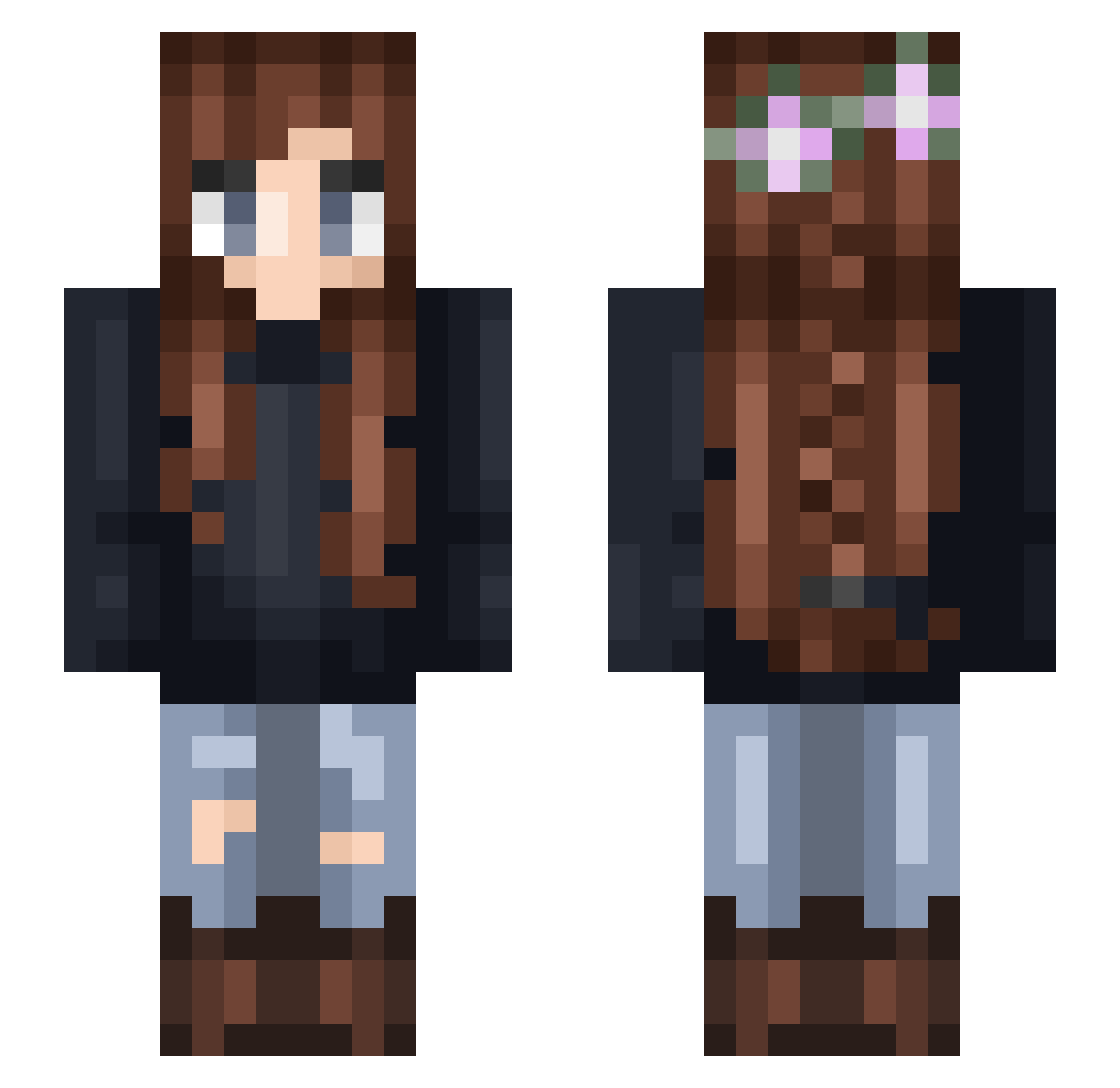
Current Minecraft skin of the player T0xicLizard, loaded from the official Mojang API. Rotate the 3D model with your mouse or finger, then download the skin as a PNG file and use it in Minecraft: Bedrock Edition or Java Edition for free. When T0xicLizard changes their skin, this page updates automatically and the old skin stays in the history below.
Other players with this skin (332)
T0xicLizard was the 191st player we have seen with this skin, first spotted on 03.10.2026. The same skin was seen on these players. Open a nickname to see their current skin and skin history.
 sweet_cheeta Georgiepie721 Apiney710 Abzkinz Azurulia Wolfosinator003 LikeToFish Addison8 Elk_LOL S3dina Helena1652 potato_face NiaMLG Raksha1414 Kaley123 niicolex spudboy117 MIEcha Pumpkin3434 Tattycakes Jenjen_02 Cada0875 KIKXXTHEYOUTUBER HadddtheCatt mindbuzzer30 CocoErin Lichtchen84 iraiarose Wolfdogten Kaedrie Machi_luxx AMarije avacrose Loiloi04 LucyLou24 Stephanista kamisz VioBelle judesdad notafurryy korix0814 Oceangirl000 hfmadie HypixeLover cuppatesa pebbles909 bobblejeep neitiv OGTayTay st4rburst Erminaa psycotixc ameliaabby1 indypindy03 _PinkiePie carebear2502 Patatje2000 flower96 Tannya Aqalex
More Braid Minecraft skins
How to install the T0xicLizard skin
- Press the Download button above to save the skin as a PNG file.
- Minecraft: Bedrock Edition (PE): open the Dressing Room from the main menu (or tap your character → Edit Character), go to Classic Skins → Owned, press the + (new skin) button, choose the downloaded PNG and pick the Slim (Alex) model. Works on PC and mobile; consoles cannot import custom skins.
- Minecraft: Java Edition: open the Minecraft Launcher, go to the Skins tab, click New Skin, load the PNG, pick the Slim (Alex) model and press Save & Use. You can also upload it at minecraft.net → Profile → Change Skin.
The skin does not show up after import - what should I do?
Restart Minecraft and open the Dressing Room again - imported skins sometimes appear only after a restart. Also make sure you selected the imported skin and picked the Slim (Alex) model.
Which model should I choose, Classic or Slim?
This skin is designed for the Slim (Alex) model. If you pick the wrong model, the arms of the skin will look stretched or squeezed.
Is the skin of T0xicLizard free to download?
Yes. Press Download, save the PNG file and use it in Minecraft: Bedrock Edition or Java Edition - no payment or registration needed. The skin also works on multiplayer servers and Realms.
More skins
Looking for more? Go back to all Minecraft skins and check the top skins of the week, month and all time, or find any player's skin by nickname.